To use an OBD‑II scanner, locate the port usually under your dashboard and plug in the device securely. Turn on your vehicle’s ignition to power the scanner, then navigate through its menu to access diagnostics. You can retrieve trouble codes, clear them after repairs, and monitor live data like engine RPM or coolant temperature. If you follow these steps, you’ll gain a better understanding of your vehicle’s health—plus, there’s more to explore if you keep going.
Key Takeaways
- Connect the scanner securely to the vehicle’s OBD-II port, usually located under the dashboard.
- Turn on the ignition without starting the engine to power the scanner.
- Access the scanner’s menu to retrieve Diagnostic Trouble Codes (DTCs) and view live data.
- Interpret the codes using the scanner’s manual or online resources to identify vehicle issues.
- Clear trouble codes after repairs and monitor live data to ensure problems are resolved.
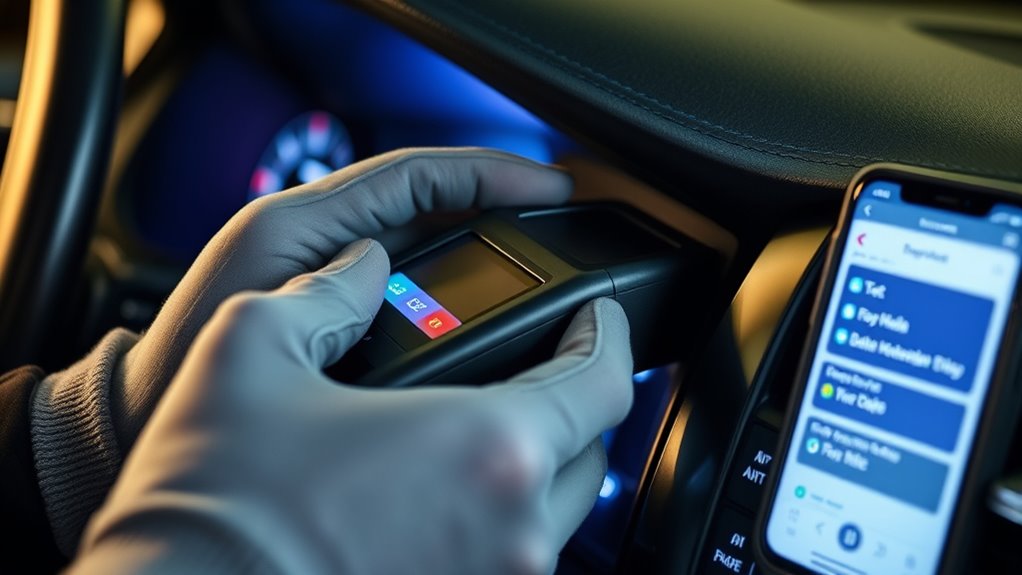
An OBD-II scanner is a valuable tool that allows you to diagnose and troubleshoot issues with your vehicle’s engine and systems quickly and accurately. When you connect the scanner to your car’s OBD-II port, usually located under the dashboard, you gain instant access to a wealth of information about your vehicle’s health. One of the primary functions of the scanner is retrieving diagnostic trouble codes (DTCs), which are like digital alerts that point to specific problems or malfunctions within your vehicle. These codes help you understand whether an issue is minor or serious, so you can decide whether a simple fix will suffice or if you need professional assistance.
Once connected, your scanner will communicate with your vehicle’s onboard computer and display any stored DTCs on its screen. These codes are standardized, so you can interpret them using the scanner’s manual or online resources. The codes often include a mixture of letters and numbers, such as P0171 or P0420, each indicating a different problem. For example, a code related to the oxygen sensor might suggest an issue affecting your vehicle’s fuel efficiency, while a code related to the catalytic converter could signal emissions problems. Recognizing these codes helps you quickly pinpoint what’s affecting your vehicle’s performance and take appropriate action.
Once connected, the scanner displays standardized diagnostic codes to identify vehicle issues quickly.
Aside from reading codes, many OBD-II scanners also allow you to clear trouble codes after you’ve addressed the issue. Clearing codes resets the vehicle’s computer, and if the problem is resolved, the check engine light will turn off. However, if the light reappears after clearing, it indicates that the problem persists, and further diagnosis may be necessary. This process ensures you’re not driving around with unresolved issues that could cause more damage or reduce your vehicle’s performance.
Understanding how your vehicle performs is also a key benefit of using an OBD-II scanner. Many advanced scanners provide live data streams, allowing you to see real-time information like engine RPM, coolant temperature, and air intake pressure. Monitoring these parameters helps you assess how well your vehicle is running, especially during different driving conditions. If you notice abnormal readings, it could signal underlying issues that need fixing before they escalate into costly repairs.

ANCEL AD310 Classic Enhanced Universal OBD II Scanner Car Engine Fault Code Reader CAN Diagnostic Scan Tool, Read and Clear Error Codes for 1996 or Newer OBD2 Protocol Vehicle (Black)
CEL Doctor: The ANCEL AD310 is one of the best-selling OBD II scanners on the market and is…
As an affiliate, we earn on qualifying purchases.
As an affiliate, we earn on qualifying purchases.
Frequently Asked Questions
Can I Use an OBD-II Scanner on Motorcycles?
You can’t typically use a standard OBD-II scanner on motorcycles because most bikes don’t have the compatible diagnostic port. However, some newer motorcycles do feature OBD-II ports, allowing you to perform motorcycle diagnostics with the right scanner. Always check scanner compatibility first, guaranteeing it supports motorcycle diagnostics if your bike has an OBD-II port. Using the correct scanner ensures accurate readings and helps you troubleshoot effectively.
How Often Should I Scan My Vehicle for Errors?
Think of your vehicle as a trusted companion; regular check-ins keep it running smoothly. You should scan your vehicle for errors every 1,000 to 3,000 miles or as part of your maintenance schedule. This helps with error code interpretation early, preventing bigger problems. Frequent scans ensure you catch issues before they escalate, just like a wise friend who warns you before trouble begins. Stay proactive for a healthier ride.
Do All OBD-II Scanners Work With All Vehicle Brands?
Not all OBD-II scanners work with every vehicle brand because of vehicle compatibility and scanner limitations. Some scanners are designed for specific makes or models, while others are universal. You should verify your scanner’s compatibility before purchasing or using it. Keep in mind that certain advanced features might not work on all vehicles, so understanding these limitations helps ensure you get accurate diagnostics and avoid compatibility issues.
Can I Reset the Check Engine Light With an OBD-II Scanner?
Yes, you can reset the check engine light with an OBD-II scanner. After retrieving diagnostic codes and sensor readings to identify issues, you can clear the codes to turn off the warning light. Simply connect the scanner, navigate to the “Clear Codes” option, and confirm. Keep in mind, resetting the light doesn’t fix the problem but allows you to verify if repairs resolve the issue.
Are There Any Safety Precautions When Using an OBD-II Scanner?
Yes, you should take safety precautions when using an OBD-II scanner. Always wear safety gear like gloves and safety glasses to protect against accidental sparks or debris. Make sure you’re in a well-ventilated area to avoid inhaling fumes, especially if you’re working in an enclosed space. Additionally, turn off the engine before connecting or disconnecting the scanner, and follow the manufacturer’s instructions carefully to guarantee safe and proper use.
ANCEL AD310 Classic Enhanced Universal OBD II Scanner Car Engine Fault Code Reader CAN Diagnostic Scan Tool, Read and Clear Error Codes for 1996 or Newer OBD2 Protocol Vehicle (Black)
CEL Doctor: The ANCEL AD310 is one of the best-selling OBD II scanners on the market and is…
As an affiliate, we earn on qualifying purchases.
As an affiliate, we earn on qualifying purchases.
Conclusion
Now that you know how to use an OBD-II scanner, you’re equipped to be your car’s detective. Think of the scanner as a lighthouse guiding you through the fog of engine troubles, helping you spot issues before they turn into costly repairs. Regularly checking your vehicle keeps you in the driver’s seat of your car’s health. So, grab your scanner and navigate your way to smoother, worry-free drives—because a little knowledge goes a long way.
ANCEL AD310 Classic Enhanced Universal OBD II Scanner Car Engine Fault Code Reader CAN Diagnostic Scan Tool, Read and Clear Error Codes for 1996 or Newer OBD2 Protocol Vehicle (Black)
CEL Doctor: The ANCEL AD310 is one of the best-selling OBD II scanners on the market and is…
As an affiliate, we earn on qualifying purchases.
As an affiliate, we earn on qualifying purchases.
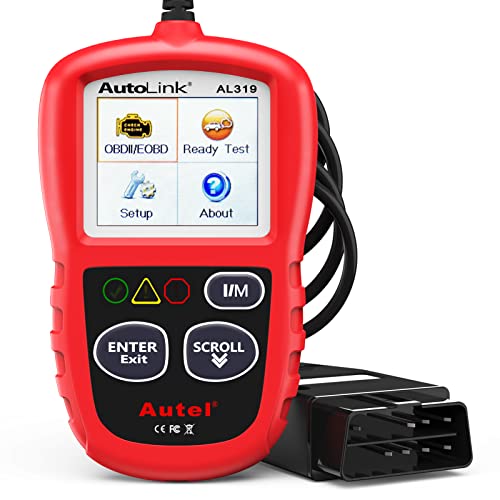
Autel Professional OBD2 Scanner AL319 Code Reader, Enhanced Check and Reset Engine Fault Code, Live Data, Freeze Frame, CAN Car Diagnostic Scan Tools for All OBDII Vehicles After 1996, 2026 Upgraded
【TURN OFF CEL】 This AL319 car scanner diagnostic tool supports Reading and Clearing DTCs, DTC Look Up, displaying…
As an affiliate, we earn on qualifying purchases.
As an affiliate, we earn on qualifying purchases.