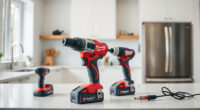
If your Milwaukee M18 charger is blinking red, it can be a sign of various issues that prevent your batteries from charging properly. This guide provides practical, step-by-step instructions to identify the cause and resolve the problem safely, ensuring your power tools are ready for use when you need them.

Get business pricing on garage and car supplies
- Business-only prices and quantity discounts
- Tax-exempt purchasing
- Multiple users, one account, clear invoices
Understanding what the blinking red light indicates and knowing how to troubleshoot effectively can save you time and avoid unnecessary replacements. Whether you’re a professional contractor or DIY enthusiast, these tips will help you get your Milwaukee charger back to optimal performance.
Key Takeaways
| Charging indicator | A blinking red light signals an issue with charging or battery health. |
| Battery status | Battery temperature, connection, or damage can cause blinking red. |
| Power source | Ensure the charger and outlet are functioning correctly. |
| Troubleshooting steps | Follow specific steps to identify and fix the problem safely. |
| Preventative tips | Proper storage and maintenance extend charger lifespan. |
Understanding the Blinking Red Light
The red blinking light on your Milwaukee charger typically indicates a fault or warning related to the charging process. It may signal that the battery isn’t charging properly, is damaged, or that the charger itself is experiencing an issue. Recognizing what the blinking pattern means can help narrow down the cause.
Most Milwaukee chargers use different blinking sequences to indicate specific problems, but a common sign is a steady or flashing red light combined with no charging activity. Always consult your user manual for exact meanings, but generally, a blinking red light means the charger has detected a problem that needs troubleshooting.
Step 1: Check the Power Source
- Ensure the outlet is working by plugging in another device or lamp.
- Verify that the power cord is securely connected to the charger and outlet.
- If using a power strip, try connecting directly to a wall outlet.
- Check for any tripped circuit breakers or blown fuses in your electrical panel.
Power supply issues are a common cause for blinking red lights, so ruling out electrical problems is the first step before inspecting your batteries or charger.
Step 2: Inspect the Battery
- Remove the battery from the charger and examine it for visible damage, swelling, or corrosion.
- Clean the battery contacts with a dry cloth to ensure a good connection.
- Test the battery in another compatible charger if possible.
- If the battery is old or shows signs of damage, consider replacing it with a new Milwaukee battery, such as the Milwaukee 48-11-1850R 5.0 Ah XC extended capacity battery.
A faulty or damaged battery can cause the charger to blink red as it detects an unsafe or incompatible power source.
Step 3: Check the Charger and Battery Compatibility
Ensure you’re using a Milwaukee charger compatible with your battery. The Milwaukee M18 charger included with your combo kit supports all Milwaukee M18 batteries, but using third-party or incompatible batteries can trigger error signals.
Inspect the charger for dirt, dust, or debris that might obstruct the connection. Clean the contacts gently if needed.
If your charger model is different or has additional features, refer to the user manual for specific troubleshooting instructions related to blinking indicators.
Step 4: Reset or Restart the Charger
- Unplug the charger from the power outlet.
- Remove the battery and wait for 30 seconds.
- Reconnect the charger to power, then insert the battery back into the charger.
- Observe the blinking pattern to see if the red light stabilizes or turns green, indicating a successful charge.
This reset can clear temporary faults related to electrical surges or minor glitches in the system.
Step 5: Additional Troubleshooting and When to Replace
If the red blinking persists after performing the above steps, consider testing with a different battery or charger. If the problem remains, the charger itself may be faulty and require replacement.
In case of persistent issues, contact Milwaukee customer support or a certified repair center. Replacing a faulty charger is safer than attempting complex repairs yourself.
The Products in This Guide

Milwaukee M18 18V Cordless Power Tool Combo Kit
- ✔ Voltage: 18V
- ✔ Batteries: 3 included
- ✔ Tools: 8-piece set

Milwaukee Shockwave 100pcs Impact Driver Bit Set Packout
- ✔ Pieces: 100
- ✔ Material: Impact steel
- ✔ Case: Packout
Milwaukee M18 18V Cordless Power Tool Combo Kit
The Milwaukee M18 18V Cordless Power Tool Combo Kit is a versatile and robust set suited for a variety of construction and maintenance tasks. Its included charger is designed for quick and safe charging of the three high-capacity batteries, ensuring minimal downtime when working on demanding projects.
Pros:
- Includes 3 batteries for extended work time
- Fast charging with included charger
- Compatible with over 200 M18 tools
- Durable and weather-resistant design
Cons:
- Charging can be slow if batteries are damaged
- Charger blinking red may indicate faults
- Requires proper storage to prevent damage
Best for: Professional contractors and serious DIYers needing a complete M18 tool set
Not ideal for: Light-duty users or those with incompatible batteries
Bottom line: A comprehensive cordless kit, but watch for charger blinking red indicating possible battery or system issues.
Milwaukee Shockwave 100pcs Impact Driver Bit Set Packout
The Milwaukee Shockwave 100pcs Impact Driver Bit Set Packout offers a wide range of bits for different applications, making it a valuable addition to your toolkit. Its durable construction and organized case ensure quick access and long-lasting performance.
Pros:
- Wide variety of bits
- Durable impact-rated construction
- Packout case for organization
- Great value for professional use
Cons:
- Bits may wear over heavy use
- Case size might be bulky for small storage
- Requires impact driver for best performance
Best for: Professional contractors and DIYers needing versatile impact bits
Not ideal for: Users with only occasional impact driver use
Bottom line: A comprehensive impact bit set perfect for heavy-duty projects and daily use.
Frequently Asked Questions
What does a blinking red light on my Milwaukee charger mean?
It generally indicates a fault or warning, such as battery issues, temperature problems, or charger faults. Refer to your manual for specific sequences.
Can I use any Milwaukee battery with my charger?
Only batteries compatible with your charger model should be used. The Milwaukee M18 system supports over 200 tools and batteries like the 48-11-1850R or M18 HIGH Output XC.
How do I reset my Milwaukee charger?
Unplug the charger, remove the battery, wait 30 seconds, then reconnect everything. This can clear temporary faults.
When should I replace my Milwaukee charger?
If troubleshooting steps don’t resolve the blinking red issue, or the charger shows signs of damage, replacement may be necessary.
How can I prolong my charger’s lifespan?
Store it in a dry, cool place, keep contacts clean, and avoid overcharging batteries or exposing the charger to extreme temperatures.
Keeping Your Milwaukee Charger in Peak Condition
While a blinking red light can be concerning, most issues are easily resolved with basic troubleshooting. Always ensure your power source is reliable, your batteries are in good condition, and your charger is clean and compatible. Regular maintenance and proper storage can extend the life of your charger, keeping your Milwaukee tools ready for any task. If problems persist despite troubleshooting, contacting Milwaukee support or replacing the charger is the safest course of action.
Affiliate disclosure: As an Amazon Associate we earn from qualifying purchases. Prices and availability are accurate as of the time of publishing.
Halloween Picks
halloween
As an affiliate, we earn on qualifying purchases.