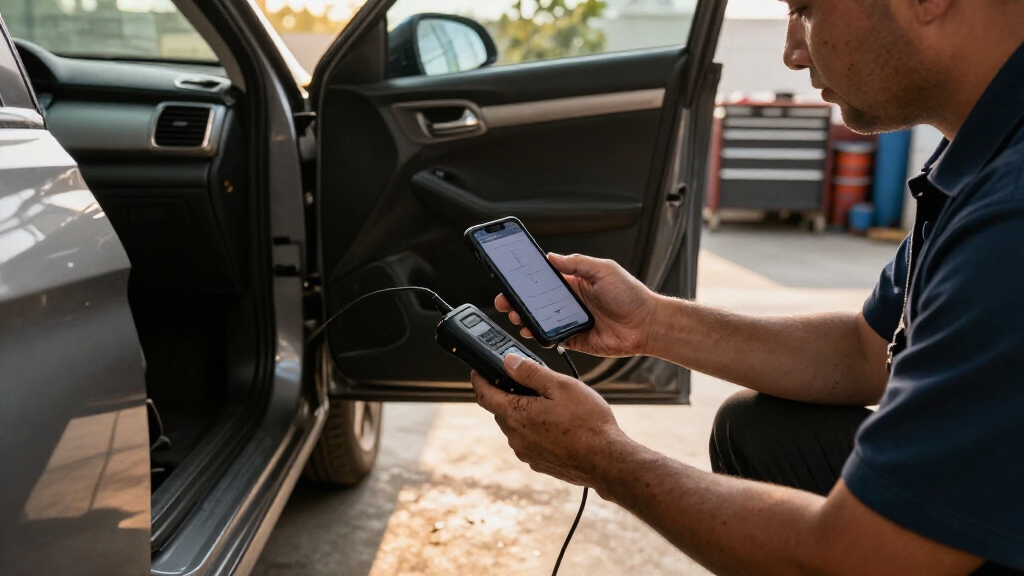
Wireless car diagnostic scanners range from phone-connected code readers to standalone tools that can run active tests and service functions. The Autel MaxiCOM MK900BT is my best overall pick for buyers who want broad diagnostics and bidirectional controls, while the BlueDriver Pro is a simpler phone-based choice for interpreting trouble codes. For advanced system access with a wireless connection, the Xtool D8W stands out for its topology view. The main tradeoff is between affordable, easy-to-carry readers and more capable tools that take more learning and may have vehicle or function limits. Read on for how all 12 options compare and which type of buyer each suits.

Get business pricing on garage and car supplies
- Business-only prices and quantity discounts
- Tax-exempt purchasing
- Multiple users, one account, clear invoices
Complete the kit


Key Takeaways
- The Autel MaxiCOM MK900BT leads for broad workshop-style capability, while its larger feature set is more than a basic check-engine-light reader needs.
- BlueDriver Pro favors clear phone-based diagnostics; it is a better fit for code interpretation than buyers seeking a dedicated screen or extensive bidirectional controls.
- The Xtool D8W and THINKCAR 673BT target active diagnosis, where commanding vehicle systems matters more than simply reading and clearing codes.
- Veepeak, V011, LONAUTO LB03, and FIXD prioritize compact phone connectivity, but buyers should compare app support and vehicle coverage before expecting advanced functions.
- Standalone scanners such as the Topdon AD900 Lite and THINKCAR ThinkScan Plus S7 reduce phone dependence, though screen-based tools can involve a steeper learning curve than simple Bluetooth readers.
| Innova 5210 OBD2 Scanner and Engine Code Reader with Battery Testing |  | Best for Battery Checks | Brand and model: Innova 5210 | Connection: Code reader with attached OBD2 cable | Vehicle compatibility: Most US, Asian, and European vehicles from 1996 onward; coverage varies | VIEW LATEST PRICE | See Our Full Breakdown |
| BlueDriver Pro Bluetooth OBD2 Scanner |  | Best Wireless All-Rounder | Brand and model: BlueDriver Pro by Lemur Vehicle Monitors | Part number: LSB2 | Connectivity: Bluetooth | VIEW LATEST PRICE | See Our Full Breakdown |
| Autel MaxiCOM MK900BT Bidirectional Automotive Diagnostic Scanner |  | Best for Professional-Level Diagnostics | Display: 8-inch | Active tests: More than 3,000 | Service functions: More than 40 | VIEW LATEST PRICE | See Our Full Breakdown |
| THINKCAR 673BT Bidirectional OBD2 Scanner with All-System Diagnostics and 28+ Reset Services |  | Best for Long-Term Service Coverage | Screen: 7-inch touchscreen, 1024 × 600 | Operating system and processor: Android 10; quad-core 2.0 GHz | Memory: 2 GB RAM, 64 GB ROM | VIEW LATEST PRICE | See Our Full Breakdown |
| Veepeak OBDCheck BLE Bluetooth OBD-II Scanner for iOS and Android |  | Best Compact App-Based Pick | Brand and model: Veepeak OBDCheck BLE | Connection: Bluetooth LE for iOS and Android; classic Bluetooth also supported for Android | Vehicle compatibility: Most US cars and light trucks from 1996 onward for standard OBD-II diagnostics | VIEW LATEST PRICE | See Our Full Breakdown |
| BlueDriver Bluetooth OBD2 Scanner for iPhone and Android |  | Best for Repair Guidance | Brand: BlueDriver | Model: LSB2 | Connectivity: Bluetooth | VIEW LATEST PRICE | See Our Full Breakdown |
| Xtool D8W Wireless Bidirectional Scan Tool OBD2 Scanner with Topology |  | Best for Workshop-Level Wireless Diagnostics | Wireless interface: Built-in Wi-Fi | Transmission speed: Up to 64 Mbps | Diagnostic range: 33–66 feet or further | VIEW LATEST PRICE | See Our Full Breakdown |
| V011 Bluetooth OBD2 Scanner for iOS and Android |  | Best for Guided Basic Checks | Model: V011 | Connectivity: Bluetooth 5.4 | Compatible devices: iOS and Android | VIEW LATEST PRICE | See Our Full Breakdown |
| LONAUTO LB03 Bluetooth OBD2 Scanner for iPhone and Android |  | Best Compact Basic Scanner | Brand and model: LONAUTO LB03 (OBD2) | Connectivity: Bluetooth LE 5.0; no Wi-Fi | Compatible platforms: iOS, Android, and Windows | VIEW LATEST PRICE | See Our Full Breakdown |
| Topdon AD900 Lite OBD2 Scanner, Bidirectional Scan Tool, 8″ Large Screen |  | Best for a Large-Screen Workshop Setup | Screen size: 8 inches | Connectivity: Bluetooth 5.0; stated range up to 33 feet | Battery capacity: 10,000 mAh | VIEW LATEST PRICE | See Our Full Breakdown |
| THINKCAR ThinkScan Plus S7 OBD2 Diagnostic Scanner |  | Best for Broad System Coverage | Display: 5-inch touchscreen | Operating system: Android 6.0 | Processor: Quad-core 1.3 GHz | VIEW LATEST PRICE | See Our Full Breakdown |
| FIXD Bluetooth OBD2 Scanner and Check Engine Code Reader |  | Best for Phone-Based Code Explanations | Model: 2 | Connectivity: Bluetooth | Phone compatibility: iPhone and Android | VIEW LATEST PRICE | See Our Full Breakdown |
| wireless car diagnostic scanner | Connectivity | Vehicle compatibility |
|---|---|---|
| Innova 5210 OBD2 Scanner and E | — | Most US, Asian, and European vehicles from 1996 onward; coverage varies |
| BlueDriver Pro Bluetooth OBD2 | Bluetooth | Gas-powered vehicles from 1996 onward; select light-duty trucks and diesels |
| Autel MaxiCOM MK900BT Bidirect | Bluetooth VCI; Wi-Fi printing | — |
| THINKCAR 673BT Bidirectional O | Bluetooth 5.0; 2.4 GHz and 5 GHz Wi-Fi | — |
| Veepeak OBDCheck BLE Bluetooth | — | Most US cars and light trucks from 1996 onward for standard OBD-II diagnostics |
| BlueDriver Bluetooth OBD2 Scan | Bluetooth | Gas-powered vehicles from 1996 onward sold in the U.S., Canada, and Mexico |
| Xtool D8W Wireless Bidirection | — | — |
| V011 Bluetooth OBD2 Scanner fo | Bluetooth 5.4 | Vehicles from 1996 onward; description claims support for over 96% of makes and models |
| LONAUTO LB03 Bluetooth OBD2 Sc | Bluetooth LE 5.0; no Wi-Fi | North American vehicles from 1996; Asian vehicles from 2000; European vehicles from 2003 |
| Topdon AD900 Lite OBD2 Scanner | Bluetooth 5.0; stated range up to 33 feet | — |
| THINKCAR ThinkScan Plus S7 OBD | Wi-Fi | — |
| FIXD Bluetooth OBD2 Scanner an | Bluetooth | Gasoline and hybrid vehicles from 1996; diesel vehicles from 2006 |
More Details on Our Top Picks
Innova 5210 OBD2 Scanner and Engine Code Reader with Battery Testing
The Innova 5210 combines engine and some ABS code checks with battery and alternator testing, giving owners a way to investigate both warning lights and starting or charging concerns with one reader. Its attached OBD2 cable means it is not a wireless scanner, so it falls short of this roundup’s central convenience; the RepairSolutions2 app adds repair guidance, but does not change that connection. Compared with the Bluetooth-based BlueDriver Pro, the Innova is the clearer fit for someone who wants battery checks built into the tool, while BlueDriver offers wireless phone-based use and broader supported code categories. Live data, emissions readiness, and an oil light reset add useful routine checks, though feature coverage varies by vehicle. I would skip it if cable-free operation is a priority.
Pros:- Combines engine code reading with battery and alternator testing
- Displays live engine data and emissions readiness
- Includes an oil light reset function
- RepairSolutions2 repair guidance has no subscription
Cons:- Uses an attached OBD2 cable rather than wireless connectivity
- ABS and other feature coverage varies by vehicle
- Readiness monitors may need a drive cycle after a battery disconnect or code clear
Best for: Drivers who want a handheld reader with battery and alternator checks alongside basic diagnostics and oil light reset.
Not ideal for: Buyers set on a wireless scanner, or owners who need guaranteed ABS coverage across their vehicle.
- Brand and model:Innova 5210
- Connection:Code reader with attached OBD2 cable
- Vehicle compatibility:Most US, Asian, and European vehicles from 1996 onward; coverage varies
- Code functions:Reads and clears engine and some ABS codes
- Additional functions:Battery and alternator testing, live data, oil light reset, emissions readiness checks
- App:RepairSolutions2 for iPhone and Android; no subscription
- Included components:Code reader, quick start guide
Our verdict“Choose the Innova 5210 if built-in battery checks matter more to you than wireless phone connectivity.”
BlueDriver Pro Bluetooth OBD2 Scanner
BlueDriver Pro is the most balanced wireless pick here for drivers who want more than check-engine codes but do not need a dedicated workshop tablet. Its Bluetooth connection sends diagnostics to an iOS or Android device, while the app adds live data, smog readiness checks, and technician-verified repair reports without subscription fees. On supported vehicles it also reads and clears ABS, SRS, TPMS, and transmission codes, giving it broader diagnostic reach than the Veepeak OBDCheck BLE’s standard OBD-II focus. That added coverage is conditional, though: vehicle compatibility determines which systems are available, and the phone or tablet is required for use. Compared with the Autel MaxiCOM MK900BT, BlueDriver is more portable and phone-centered, but lacks its large dedicated display and extensive active tests.
Pros:- Wireless Bluetooth connection works with iOS and Android
- Reads and clears several supported code categories beyond engine codes
- App provides live data, smog readiness, and technician-verified repair reports
- No subscription fees or add-ons
Cons:- Advanced code coverage depends on vehicle compatibility
- Requires a compatible phone or tablet to operate
Best for: Car owners with a compatible phone who want wireless diagnostics across several supported vehicle systems without a subscription.
Not ideal for: DIY mechanics who need a dedicated touchscreen tool, extensive active tests, or confirmed advanced coverage for a specific vehicle.
- Brand and model:BlueDriver Pro by Lemur Vehicle Monitors
- Part number:LSB2
- Connectivity:Bluetooth
- Compatible devices:iOS and Android phones or tablets
- Vehicle compatibility:Gas-powered vehicles from 1996 onward; select light-duty trucks and diesels
- Supported diagnostics:Engine and supported ABS, SRS, TPMS, and transmission codes
- App features:Live vehicle data, smog readiness checks, technician-verified repair reports
- Included components:BlueDriver OBD2 Scanner and access to the BlueDriver app
- Warranty terms:180-day money-back guarantee; defective products accepted within one year
Our verdict“Pick BlueDriver Pro for phone-based wireless diagnostics with useful breadth across supported vehicle systems.”
Autel MaxiCOM MK900BT Bidirectional Automotive Diagnostic Scanner
The Autel MaxiCOM MK900BT suits owners and technicians who need a much deeper diagnostic workspace than a small Bluetooth dongle can provide. Its 8-inch display, all-system code reading, and more than 3,000 active tests support investigation beyond reading a fault and looking up a likely fix. Over 40 service functions and CAN FD and DoIP support broaden its usefulness on compatible vehicles, while Wi-Fi report printing can help document before-and-after scans. Against the THINKCAR 673BT, the Autel lists more active tests and a larger screen, but its free software updates last one year, compared with THINKCAR’s lifetime free updates. Wireless operation here uses a Bluetooth VCI, not a phone-only dongle, and battery testing requires the separately purchased BT506. Coverage still varies by vehicle.
Pros:- All-system diagnostics and more than 3,000 active tests
- Includes over 40 service functions
- Supports CAN FD and DoIP on compatible vehicles
- Prints pre- and post-scan reports over Wi-Fi
Cons:- Battery testing requires a separate BT506 accessory
- Free software updates are limited to one year
- Available functions vary with vehicle compatibility
Best for: Technicians and experienced DIY owners who need all-system scans, active tests, and service functions across a broad vehicle range.
Not ideal for: Casual drivers looking for a compact, low-complexity phone scanner or buyers who want battery testing included.
- Display:8-inch
- Active tests:More than 3,000
- Service functions:More than 40
- Vehicle coverage:150+ makes; vehicles from 1996–2026
- Protocols:CAN FD and DoIP
- Connectivity:Bluetooth VCI; Wi-Fi printing
- Software updates:One year free
- Battery testing:Requires separately purchased BT506
Our verdict“Choose the Autel MK900BT when broad system access and active tests matter more than compact size or long-term included updates.”
THINKCAR 673BT Bidirectional OBD2 Scanner with All-System Diagnostics and 28+ Reset Services
The THINKCAR 673BT brings a tablet-style interface and bidirectional controls to wireless diagnostics, making it a stronger match for hands-on troubleshooting than a basic code reader. Actuator and operation tests can help users command compatible vehicle components during diagnosis, while full-system scans and more than 28 reset and maintenance services cover common workshop tasks. Its 7-inch touchscreen, AutoVIN, and CAN FD and DoIP support round out a capable setup. The standout ownership difference is lifetime free software updates; the Autel MaxiCOM MK900BT, by comparison, includes one year. Autel lists more than 3,000 active tests, while THINKCAR specifies 28+ maintenance services, so those figures describe different capabilities rather than a direct feature count comparison. Compatibility varies, and AutoVIN may fail on some vehicles.
Pros:- Bidirectional controls support actuator and operation tests
- Full-system diagnostics and 28+ reset and maintenance services
- Supports CAN FD and DoIP
- Lifetime free software updates
Cons:- Compatibility and available services vary by vehicle
- AutoVIN may not work on every vehicle
Best for: DIY mechanics who want a wireless touchscreen scanner with bidirectional tests, reset services, and included ongoing software updates.
Not ideal for: Drivers seeking a simple phone dongle, or buyers who require every listed function to work with a particular vehicle.
- Screen:7-inch touchscreen, 1024 × 600
- Operating system and processor:Android 10; quad-core 2.0 GHz
- Memory:2 GB RAM, 64 GB ROM
- Battery:4150 mAh
- Connectivity:Bluetooth 5.0; 2.4 GHz and 5 GHz Wi-Fi
- Vehicle coverage:96+ brands and 10,000+ models; OBDII vehicles from 1996 onward
- Protocols:CAN FD and DoIP
- Maintenance services:28+
- Wireless range:Up to 10 m (33 ft)
Our verdict“Pick the THINKCAR 673BT if you want tablet-based wireless diagnostics with bidirectional controls and lifetime included updates.”
Veepeak OBDCheck BLE Bluetooth OBD-II Scanner for iOS and Android
The Veepeak OBDCheck BLE is a small wireless adapter for drivers who want basic OBD-II information on a phone without carrying a screen-equipped scanner. With a compatible third-party app, it reads and clears check-engine codes, shows freeze-frame data, checks I/M readiness, and streams live sensor data. That makes it a straightforward way to see what a warning light means and monitor standard engine readings. Compared with BlueDriver Pro, Veepeak depends on third-party apps and does not offer the same stated technician-verified repair reports or supported ABS, SRS, TPMS, and transmission diagnostics. App choice gives flexibility, but some app features may cost extra, and advanced functions depend on both the vehicle and software. It is not suited to full-system scans or service resets.
Pros:- Bluetooth LE supports iOS and Android
- Reads and clears standard check-engine codes
- Provides freeze-frame, I/M readiness, and live sensor data
- Works with several compatible third-party apps
Cons:- Requires a compatible third-party app, and some app features may cost extra
- Does not provide full-system diagnostics or specialized service functions
- Advanced vehicle-specific features depend on the car and app
Best for: Drivers who want a compact Bluetooth adapter for standard check-engine diagnostics through an app they choose.
Not ideal for: DIY mechanics who need full-system diagnostics, specialized service functions, or guided repair reports built into the scanner experience.
- Brand and model:Veepeak OBDCheck BLE
- Connection:Bluetooth LE for iOS and Android; classic Bluetooth also supported for Android
- Vehicle compatibility:Most US cars and light trucks from 1996 onward for standard OBD-II diagnostics
- Supported functions:Read and clear trouble codes, freeze-frame data, I/M readiness, live sensor data
- App compatibility:Compatible third-party apps, including Car Scanner ELM OBD2, Torque for Android, OBD Fusion, BimmerCode, and BimmerLink
- Included components:OBD-II scanner, mini carrying case, user instructions
- Warranty:One-year manufacturer replacement warranty
Our verdict“Choose Veepeak for compact, app-based checks of standard OBD-II engine data rather than broad wireless workshop diagnostics.”
BlueDriver Bluetooth OBD2 Scanner for iPhone and Android
BlueDriver stands out for pairing broader system diagnostics with repair reports, so a warning light can lead to more useful next steps than a basic engine-code reader provides. It reads and clears check-engine, ABS, SRS, TPMS, and transmission codes, then adds live data and technician-verified repair reports in its phone app. Compared with the LONAUTO LB03, which is limited to basic OBD-II checks, BlueDriver covers several systems that matter when an issue goes beyond the engine. Its app access has no subscription fee, though it depends on a compatible phone and Bluetooth connection. The main fit limitation is vehicle coverage: it is for gas-powered vehicles from 1996 onward in North America, so owners of hybrids, diesels, or vehicles outside that region should check another option.
Pros:- Reads codes for engine, ABS, SRS, TPMS, and transmission systems
- Includes live data and technician-verified repair reports
- App access and updates have no subscription fee
- Works with iOS and Android devices over Bluetooth
Cons:- Limited to gas-powered vehicles from 1996 onward in the U.S., Canada, and Mexico
- Requires a compatible phone or tablet to use the scanner
Best for: North American owners of gas-powered vehicles who want phone-based diagnostics across several systems and repair guidance without an app subscription.
Not ideal for: Owners of hybrid, diesel, or non-North-American vehicles, or buyers who want a dedicated handheld screen instead of a smartphone app.
- Brand:BlueDriver
- Model:LSB2
- Connectivity:Bluetooth
- Compatible devices:iOS and Android phones or tablets
- Vehicle compatibility:Gas-powered vehicles from 1996 onward sold in the U.S., Canada, and Mexico
- Diagnostic functions:Engine, ABS, SRS, airbag, TPMS, and transmission codes; live data; repair reports
- Weight:2.08 ounces
- Warranty:180-day money-back guarantee; defective products accepted within one year
Our verdict“Choose BlueDriver if you want multi-system diagnostics and repair guidance through a phone app for a compatible North American gas vehicle.”
Xtool D8W Wireless Bidirectional Scan Tool OBD2 Scanner with Topology
The Xtool D8W is the most workshop-oriented wireless pick here, combining Wi-Fi communication with topology mapping, ECU coding, and bidirectional tests. Those tools can help a technician or capable DIYer see how vehicle modules relate and check component responses, rather than stopping at the code-reading and live-data scope of the V011 Bluetooth OBD2 Scanner. Its stated coverage spans 88+ brands and more than 10,000 vehicles, with over 42 service functions. Wi-Fi offers a longer stated diagnostic range than the phone dongles in this roundup, giving a user room to move around the vehicle. That breadth comes with fit checks: some functions require VIN registration or vary by model, and the description flags limited compatibility with some vehicles, including 24 V trucks. Buyers seeking simple warning-light checks may find its capabilities excessive.
Pros:- Wi-Fi connection with a stated diagnostic range of 33–66 feet or further
- Topology mapping, ECU coding, and bidirectional tests
- More than 42 service and maintenance functions
- Coverage listed for 88+ brands and 10,000+ vehicles
Cons:- Some advanced functions require VIN registration
- Special functions vary by vehicle, and some 24 V trucks may not be compatible
- Its advanced capabilities may be more than basic code checks require
Best for: Experienced DIY mechanics and independent workshop users who need wireless access to topology views, bidirectional tests, and service functions across many vehicle brands.
Not ideal for: Beginners who only want to read basic engine codes, or owners who need guaranteed support for a particular 24 V truck or model-specific special function.
- Wireless interface:Built-in Wi-Fi
- Transmission speed:Up to 64 Mbps
- Diagnostic range:33–66 feet or further
- Vehicle coverage:88+ brands, 140+ models, and 10,000+ vehicles
- Diagnostic features:Topology mapping, ECU coding, bidirectional tests, and 42+ service functions
- Hardware memory:64 GB
- Languages supported:23
- Compatibility note:Some functions vary by model; some 24 V trucks are not supported
Our verdict“Pick the Xtool D8W if workshop-style diagnostics and active testing matter more to you than a simple phone-connected code reader.”
V011 Bluetooth OBD2 Scanner for iOS and Android
The V011 is geared toward phone users who want guided basic diagnostics, with setup help in the OBD Home app alongside codes, live sensor readings, emissions readiness, and vehicle information. Its chart display can make changing sensor values easier to follow than a code-only result. Compared with the BlueDriver Bluetooth OBD2 Scanner, the V011 description does not list ABS, SRS, TPMS, or transmission diagnostics, so it suits routine engine and emissions checks better than multi-system troubleshooting. Bluetooth 5.4 and support for iOS and Android keep the setup familiar, while its nine supported protocols and listed language options broaden the possible fit. It remains app-dependent, and the stated vehicle compatibility should be checked against a specific car. Clearing a fault code may also depend on repairing the underlying problem first.
Pros:- Reads and clears diagnostic trouble codes and displays live data in charts
- Checks emissions readiness and retrieves VIN and freeze-frame data
- Bluetooth 5.4 support for iOS and Android
- App includes setup guidance and diagnostic help
Cons:- Requires the OBD Home app for setup and operation
- The description does not list ABS, SRS, or transmission diagnostics
- Fault codes may not clear until the underlying issue is repaired
Best for: Smartphone-owning drivers who want guided setup, live-data charts, and emissions readiness checks for a compatible vehicle from 1996 onward.
Not ideal for: Drivers seeking diagnostics for ABS, airbags, transmission, or other non-engine systems, or anyone who prefers a stand-alone scan tool.
- Model:V011
- Connectivity:Bluetooth 5.4
- Compatible devices:iOS and Android
- Vehicle compatibility:Vehicles from 1996 onward; description claims support for over 96% of makes and models
- Supported protocols:9
- Functions:Reads and clears codes, checks emissions readiness, reads live data, retrieves VIN and freeze-frame data, and resets monitors
- App:OBD Home
- Supported languages:English, German, Spanish, Finnish, French, Italian, Dutch, Portuguese, and Chinese
Our verdict“Choose the V011 for app-guided engine and emissions checks if you do not need the broader system coverage listed for BlueDriver.”
LONAUTO LB03 Bluetooth OBD2 Scanner for iPhone and Android
The LONAUTO LB03 keeps wireless OBD-II checks compact and focused: it reads engine fault codes, live data, freeze-frame records, emissions readiness, and EVAP status through a free app. At 31.6 g, it is a small option to leave in the car for basic checks. Compared with the BlueDriver Bluetooth OBD2 Scanner, though, the LB03 leaves out ABS, SRS, transmission diagnostics, and service resets. That narrower scope makes it a better match for drivers who only need engine-related information than for people troubleshooting warning lights across several systems. Its Bluetooth LE 5.0 connection works with iOS, Android, and Windows, but vehicle fit is restricted: the listing excludes hybrid and electric vehicles and 24 V heavy-duty diesel vehicles. Check regional year coverage before buying, since the listed starting years differ by region.
Pros:- Compact 31.6 g unit
- Reads engine codes, live data, freeze-frame records, readiness, and EVAP status
- Free app with no subscription
- Supports iOS, Android, and Windows
Cons:- Does not support ABS, SRS, transmission diagnostics, or service resets
- Not compatible with hybrid, plug-in hybrid, fully electric, or 24 V heavy-duty diesel vehicles
- Bluetooth LE connection is listed without a Wi-Fi option
Best for: Drivers of compatible gasoline vehicles who want a small, no-subscription scanner for basic engine and emissions checks across phone or Windows devices.
Not ideal for: Hybrid or electric vehicle owners, 24 V heavy-duty diesel users, or drivers who need ABS, SRS, transmission diagnostics, or service resets.
- Brand and model:LONAUTO LB03 (OBD2)
- Connectivity:Bluetooth LE 5.0; no Wi-Fi
- Compatible platforms:iOS, Android, and Windows
- Vehicle compatibility:North American vehicles from 1996; Asian vehicles from 2000; European vehicles from 2003
- Unsupported vehicles:Hybrid, plug-in electric, fully electric, and 24 V heavy-duty diesel vehicles
- Diagnostics:Engine fault codes, live data, freeze-frame records, I/M readiness, and EVAP status
- Weight:31.6 g
- App and support:AutoOBDII app; free firmware updates, 1-year quality warranty, and lifetime technical consultation
Our verdict“Pick the LB03 for compact basic checks on a compatible gasoline vehicle, and choose BlueDriver if you need broader system diagnostics.”
Topdon AD900 Lite OBD2 Scanner, Bidirectional Scan Tool, 8″ Large Screen
The Topdon AD900 Lite pairs wireless diagnostics with a large built-in touchscreen, giving users a dedicated interface instead of relying on a phone app and dongle. Its bidirectional active tests can command supported components, which may help narrow a fault beyond what the basic code and live-data checks of the V011 Bluetooth OBD2 Scanner provide. The listing also includes full-system diagnostics across 60+ makes, eight reset services, and a DTC repair guide. Bluetooth 5.0 is stated to reach up to 33 feet, and the 10,000 mAh battery is specified for up to 12 hours of continuous use. The tradeoff is a heavier, less portable unit at 4.8 pounds, plus a steeper learning curve for novices. Its listed 1996–2025 vehicle range and functions still call for checking exact vehicle compatibility.
Pros:- 8-inch touchscreen provides a dedicated interface
- Bidirectional active tests help investigate component faults
- Full-system diagnostics listed for more than 60 vehicle makes
- Includes eight reset services and a DTC repair guide
Cons:- Weighs 4.8 pounds, limiting portability
- Steeper learning curve for novice users
- Bluetooth range is listed up to 33 feet
Best for: DIY mechanics and workshop users who want a dedicated large-screen scanner with active tests and broad system diagnostics.
Not ideal for: Beginners who want a simple phone-based reader, or mobile technicians who prioritize a lightweight tool to carry between vehicles.
- Screen size:8 inches
- Connectivity:Bluetooth 5.0; stated range up to 33 feet
- Battery capacity:10,000 mAh
- Continuous use:Up to 12 hours
- Diagnostic functions:Bidirectional active tests, full-system diagnostics, and eight reset services
- Supported vehicle years:1996–2025
- Vehicle coverage:60+ makes
- Weight and warranty:4.8 pounds; 2 years
Our verdict“Choose the AD900 Lite if you want a large-screen wireless tool for active tests and system diagnostics and can accommodate its weight and learning curve.”
THINKCAR ThinkScan Plus S7 OBD2 Diagnostic Scanner
The ThinkScan Plus S7 suits owners who want more than engine-code checks without relying on a phone app. Its 5-inch touchscreen presents data from seven vehicle systems, including ABS, SRS, transmission, and air conditioning, while support for all 10 OBD2 test modes adds emissions readiness and live-data checks. Compared with the phone-connected FIXD, the S7 puts diagnostics on a dedicated screen and covers more named systems; FIXD is much smaller and explains a large library of issues through its app. The S7 also supports 94 car brands and gets Wi-Fi updates, but vehicle compatibility can vary. Its main limitation is the maintenance menu: you can choose just five of 28 services, so buyers who need a particular reset should check coverage before choosing it.
Pros:- Reads seven vehicle systems, including ABS, SRS, and transmission
- Supports all 10 OBD2 test modes, including live data and emissions readiness
- Dedicated 5-inch touchscreen avoids requiring a phone for scans
- Wi-Fi updates and stated coverage for 94 car brands
Cons:- Only five of the 28 maintenance services can be selected
- Supported systems and functions may vary by vehicle
- Larger and heavier than compact Bluetooth adapters such as FIXD
Best for: DIY owners who want a dedicated touchscreen tool for checking engine, ABS, SRS, and other supported systems across multiple vehicle makes
Not ideal for: Drivers who only need occasional check-engine explanations or want every available maintenance service without selecting a limited set
- Display:5-inch touchscreen
- Operating system:Android 6.0
- Processor:Quad-core 1.3 GHz
- Storage:32 GB, expandable to 256 GB
- Vehicle coverage:94 car brands
- Diagnostic systems:Engine, ABS, SRS, transmission, body control, air conditioning, and dashboard
- Maintenance services:Choose 5 from 28 options
- Connectivity:Wi-Fi
- Weight:16 ounces
Our verdict“Choose the S7 if you want a dedicated screen and broad system diagnostics; pick FIXD if compact phone-based code explanations matter more.”
FIXD Bluetooth OBD2 Scanner and Check Engine Code Reader
The FIXD Bluetooth OBD2 Scanner is aimed at drivers who want a small adapter and plain-language help with faults on a phone. Its app can read and explain more than 39,000 vehicle issues, keep scan history, and send mileage-based maintenance reminders. That makes it a simpler fit for routine check-engine questions than the dedicated-screen THINKCAR ThinkScan Plus S7, which covers seven systems and all 10 OBD2 test modes but is a handheld unit. FIXD’s compact sensor stays under the dashboard and works with iPhone and Android, though it depends on a phone for the interface. Coverage includes gasoline and hybrid vehicles from 1996 onward and diesel vehicles from 2006 onward, with functions varying by vehicle. Some advanced repair guidance and mechanic support may also require a premium upgrade.
Pros:- App explains more than 39,000 vehicle issues, including enhanced codes
- Works with iPhone and Android over Bluetooth
- Stores scan history and provides mileage-based maintenance reminders
- Compact, vehicle-powered sensor can stay hidden under the dashboard
Cons:- Some diagnostic features vary by vehicle make and model
- Advanced repair guidance and mechanic support may require a premium upgrade
- Requires a compatible phone and app to view scan results
Best for: Drivers with a compatible 1996-or-newer gasoline or hybrid vehicle who want app-based code explanations, scan history, and maintenance reminders
Not ideal for: DIY mechanics seeking a standalone display or broad hands-on system diagnostics without relying on an app or optional premium guidance
- Model:2
- Connectivity:Bluetooth
- Phone compatibility:iPhone and Android
- Vehicle compatibility:Gasoline and hybrid vehicles from 1996; diesel vehicles from 2006
- Power source:Vehicle powered
- Weight:27.22 g
- Dimensions:1.5 × 0.5 × 1.75 in
- Included components:FIXD mobile app and OBD2 scanner
Our verdict“Choose FIXD for compact, app-based fault explanations and reminders; choose the THINKCAR S7 for a dedicated screen and wider system coverage.”
How We Picked
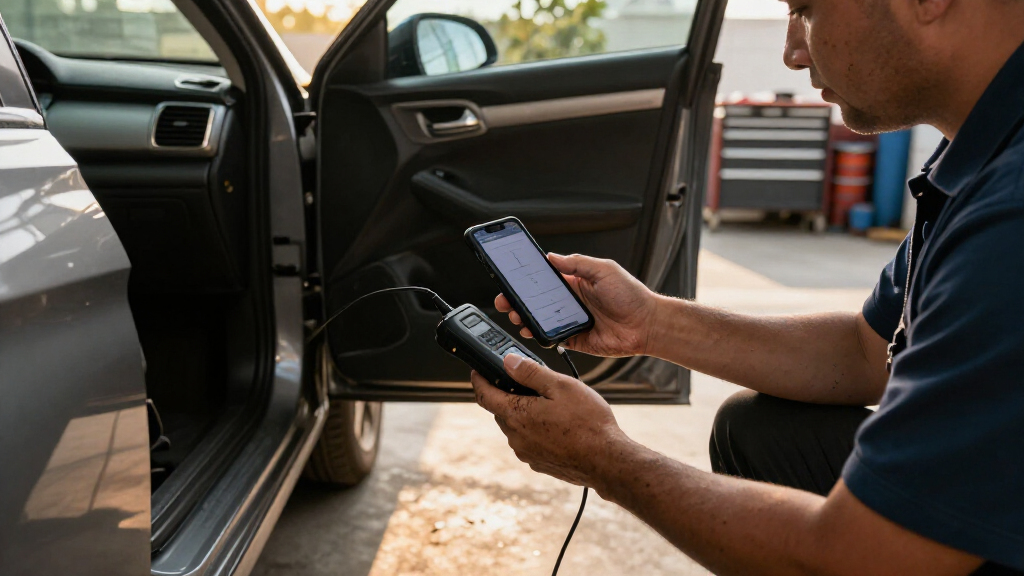
I ranked these scanners by how well their wireless setup supports the job a buyer is likely to do: identify a warning light, inspect multiple vehicle systems, run service functions, or command components for diagnosis. I gave more weight to the depth of useful diagnostics, the clarity of the interface, and the practical value of bidirectional features than to long feature lists alone. A reader that connects easily and explains standard codes can be the better choice for occasional home use, even if it cannot perform the active tests available on higher-capability tools.
The order reflects those differences in audience and capability. The Autel MaxiCOM MK900BT ranks first for buyers who want a broad standalone diagnostic tool; BlueDriver Pro follows as a more approachable phone-based option. Tools with all-system access, topology, or reset functions rank well for hands-on diagnosis, while compact Bluetooth readers suit narrower needs and simpler workflows. Vehicle compatibility, app requirements, and the limits of advertised functions remain important: features can vary by make, model, year, and system.
Factors to Consider When Choosing Wireless Car Diagnostic Scanners
Before choosing a scanner, decide what you want to learn or do when a warning appears. Wireless describes how the tool connects; it does not tell you how much of the car it can diagnose or control. These broader checks can help you avoid buying more capability than you need—or a basic reader that cannot answer your actual repair question.
Match Diagnostic Coverage to the Problem
A basic OBD-II reader can retrieve common emissions-related trouble codes, but it may not access systems such as ABS, airbags, transmission, or body electronics. Think about the warning lights and maintenance tasks you actually expect to handle before comparing scanners. A tool advertising all-system diagnostics may still support different functions across vehicle makes and model years. Check the coverage details for your specific car, especially if you want manufacturer-specific codes. A common mistake is treating “OBD2” as a promise that every module is available. Broader access can help with complex faults, but it adds little value if you only need occasional engine-code checks.
Decide Whether You Need Bidirectional Controls
Reading data tells you what a module reports; bidirectional controls let a scanner send commands to supported components or systems. That can help narrow down a fault without replacing parts based only on a code. It is useful for capable DIY mechanics and repair shops, but it requires care and some understanding of the test being run. Not every scanner’s active tests work on every car, so confirm support before buying for a particular diagnostic task. Do not assume that a list of reset services means the tool can perform every reset on your vehicle. If your needs stop at reading and clearing codes, a simpler reader may be easier to use and maintain.
Compare the Phone App and Standalone Workflow
Phone-connected scanners rely on an app for menus, live data, and reports, while standalone tools put those controls on a dedicated screen. A phone workflow can be convenient if you want to save or review information on a device you already carry. It also makes app compatibility, permissions, and ongoing software support part of the buying decision. A dedicated scanner avoids relying on your phone during a diagnosis, though its interface may take time to learn. Check whether the scanner requires a particular operating system or app account. Choose the workflow you will actually use in a driveway or garage, rather than judging only by screen size.
Treat Wireless Range and Connection as Practical Features
Bluetooth and other wireless links let you view data away from the diagnostic port, but a connection is only helpful if it stays reliable in your intended setup. Phone operating systems and app pairing steps can affect the experience, so verify compatibility before purchase. Decide whether you need to monitor data from the driver’s seat or simply scan a parked car. Keep in mind that wireless convenience does not make a scanner a remote monitoring system or a substitute for safe driving practices. A compact adapter is easy to store, while a screen-based tool can be simpler when you do not want to handle a phone. Favor a setup with straightforward reconnection if you expect to use it only occasionally.
Check Vehicle Fit Before Paying for Extra Functions
Scanner capability depends on the vehicle’s make, model, year, and installed systems, not just the tool’s advertised feature count. Look up the exact coverage for your car and the functions you care about, such as a battery test, service reset, or active component test. Buyers often focus on headline claims and miss that a specific function may be limited to selected vehicles. If you work on several cars, prioritize coverage across those vehicles rather than the longest generic feature list. For a single car, a narrower but well-matched scanner can be the more practical choice. Save your vehicle details and confirm compatibility before relying on a scanner for a repair decision.
Weigh Learning Curve Against Future Use
More capable scanners can expose more modules, data, and controls, but that information takes time to interpret. A beginner may get more from clear code descriptions and a simple workflow than from advanced menus they rarely open. On the other hand, a buyer planning to diagnose several vehicles may benefit from learning a deeper tool rather than replacing a basic reader later. Consider whether you need live data, saved reports, or service functions often enough to justify added complexity. Good diagnostic habits matter too: a trouble code points toward a reported condition, not necessarily the part that has failed. Choose a tool that supports the next few jobs you realistically expect to do.
Frequently Asked Questions
Can a wireless OBD-II scanner diagnose ABS or airbag warnings?
Some scanners can access ABS, airbag, and other modules, but a basic OBD-II code reader may only cover common engine and emissions diagnostics. Check the coverage for your exact vehicle and the warning system you need to inspect. Even broad all-system claims can have make- and model-specific limits. If a warning affects safety, use scanner information as a diagnostic aid and seek qualified repair help when the cause is unclear.
Will a Bluetooth scanner work with both iPhone and Android?
Not automatically: compatibility depends on the scanner’s connection method, its app, and the phone’s operating system. Confirm the product’s supported devices and app requirements before buying, especially if you may switch phones. Also check whether the scanner needs an account or ongoing app access for its core features. A dedicated-screen scanner avoids this phone compatibility question, though it has its own interface and update requirements.
Do I need bidirectional scanning for home repairs?
Most occasional users can start with reading codes and viewing basic data, so bidirectional controls are not a requirement for every home garage. Active tests can help isolate a fault when you know what command to run and your vehicle supports it. They also add complexity and can produce confusing results if used without a clear diagnostic plan. Choose bidirectional capability when you expect to use those tests, rather than as a general badge of quality.
Can a scanner tell me exactly which part to replace?
A scanner reports codes and data from vehicle systems; those clues do not always identify a failed part by themselves. The same code can result from different faults, such as wiring, a connector, a sensor, or another condition. Use the code to guide further checks, then confirm the cause with service information and appropriate tests. This is especially important before replacing expensive components or clearing a warning without addressing its cause.
Should I choose a phone adapter or a scanner with its own screen?
Choose a phone adapter if you prefer a compact tool and want to read results on a phone you already use. A standalone screen is a better match if you want the scanner’s controls and display in one device or do not want phone pairing involved. Compare app support, menu clarity, and the diagnostic functions you need, since neither format guarantees broad vehicle coverage. Your expected use matters: a simple check now and then calls for a different workflow than repeated diagnosis across several cars.
Conclusion
My best overall choice is the Autel MaxiCOM MK900BT for buyers who want broad standalone diagnostics and active controls. For best value in a phone-based workflow, BlueDriver Pro is the simpler pick for interpreting common faults, while Veepeak is worth a look when a compact Bluetooth reader is the priority. The best premium direction is the Xtool D8W for buyers who want bidirectional work and topology features; expect to spend more time learning its capabilities. Beginners should favor an approachable phone reader such as BlueDriver Pro over a tool packed with controls they may not use. For shop-style testing, compare the THINKCAR 673BT and Topdon AD900 Lite against the specific functions and vehicles you service, then confirm coverage before choosing.