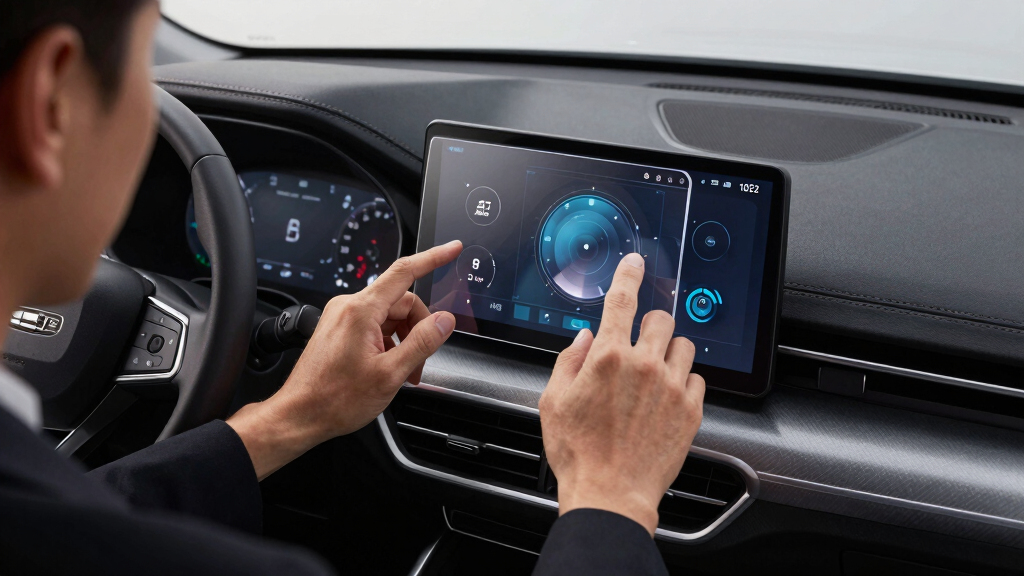
An automotive head-up display puts driving information closer to your line of sight, but the right choice depends on which data you need and how your car can supply it. My best overall pick is the KUOWEIHUD K4 Car Heads-Up Display for drivers seeking a versatile dashboard readout, while the wiiyii P6 stands out for combining OBD-II and GPS data, and the KUOWEIHUD K1 GPS is a simpler choice when speed is the main priority. OBD-II models can show vehicle data but depend on car compatibility; GPS models work more broadly but may show fewer diagnostics. Screen placement, glare, and setup also affect whether a HUD is useful day to day. Read on for the full breakdown and a guide to matching a display to your vehicle.

Get business pricing on garage and car supplies
- Business-only prices and quantity discounts
- Tax-exempt purchasing
- Multiple users, one account, clear invoices
Complete the kit


Key Takeaways
- Data source is the main dividing line: OBD-II models such as the Mumisuto M6S and VGEBY can access vehicle information, while GPS-focused picks such as the KUOWEIHUD K1 and Salior V9 suit drivers who mainly want speed without relying on the diagnostic port.
- Hybrid capability adds flexibility, not universal compatibility: The wiiyii P6 and M7 combine OBD and GPS functions, but buyers should check which functions work with their car and whether the device switches sources as expected.
- Large screens are not automatically easier to read: The 5.5-inch wiiyii A8, VGEBY, and HUD-V3 offer more room for information, but placement and windshield reflections still determine visibility.
- The HUD-V3 is the feature-rich outlier: Wireless CarPlay and Android Auto plus diagnostics make it a broader infotainment choice, while simpler speed displays demand less setup and attention.
- Several listings overlap or have limited identifying detail: The KUOWEIHUD K1 appears twice, and generic listings such as Car Heads-Up Display – Green provide less model-specific information, so checking exact specifications before purchase matters.
| KUOWEIHUD K4 Car Heads-Up Display |  | Best GPS Pick for Manual Calibration | Model: K4-WHITE | Power: USB, 5 volts | Positioning: GPS and BDS; up to 32 satellite connections | VIEW LATEST PRICE | See Our Full Breakdown |
| Mumisuto M6S 3.5-Inch OBD-II Car Head-Up Display |  | Best for Vehicle Data | Model: M6S | Display size: 3.5 inches | Connection: OBD-II | VIEW LATEST PRICE | See Our Full Breakdown |
| Car Heads-Up Display (HUD) – Green |  | Best for a Green GPS Readout | Positioning: Dual-mode GPS and BDS | Refresh rate: 10 Hz | Satellite support: Up to 32 satellites | VIEW LATEST PRICE | See Our Full Breakdown |
| GOTOTOP Universal Car Heads-Up Display |  | Best for OBD-II/EUOBD Metric Switching | Screen size: 3 inches | Compatibility: Vehicles with OBD II or EUOBD | Displayed information: Speed, engine speed, water temperature, battery voltage | VIEW LATEST PRICE | See Our Full Breakdown |
| KUOWEIHUD K1 GPS Heads-Up Display for Cars |  | Best Compact GPS HUD | Model: K1 | Power: USB, 5 V | Positioning: GPS and BDS | VIEW LATEST PRICE | See Our Full Breakdown |
| Liiiyuan G12 Car Head-Up Display with GPS Speedometer |  | Best for Multiple GPS Driving Metrics | Display size: 5.5 inches | Functions: Speed, time, trip duration and mileage, acceleration time, coordinates, direction, speed alert, fatigue-driving reminder | Satellite systems: GPS and BeiDou | VIEW LATEST PRICE | See Our Full Breakdown |
| wiiyii P6 OBD2 and GPS Head-Up Display Gauge for Cars |  | Best for OBD Data with GPS Backup | Display modes: OBD2 and GPS; GPS-only when OBD2 is unsupported | Functions: Speed, voltage, fuel consumption, RPM, water temperature, fault codes, data stream, overspeed alarm | Mounting: Adjustable bracket for dashboard or windshield | VIEW LATEST PRICE | See Our Full Breakdown |
| KUOWEIHUD K1 GPS Heads-Up Display for Cars |  | Best Compact GPS Speed Display | Model: K1-White | Power: USB, 5 V | Positioning: GPS and BDS | VIEW LATEST PRICE | See Our Full Breakdown |
| Salior V9 GPS Heads-Up Display and Digital Speedometer |  | Best for a Simple, Large Speed Readout | Display: HD screen with white and green font | Maximum speed readout: 199 mph | Positioning: GPS and BDS | VIEW LATEST PRICE | See Our Full Breakdown |
| wiiyii A8 5.5-Inch Car Heads-Up Display |  | Best for OBD Vehicle Diagnostics | Display size: 5.5 inches | Native resolution: 800 × 480 | Compatibility: OBDII and EOBD vehicles; does not support OBD I or JOBD | VIEW LATEST PRICE | See Our Full Breakdown |
| VGEBY 5.5-Inch Multi-Color OBDII HUD Head-Up Display |  | Best for OBD Data and Alerts | Display size: 5.5 inches | Interface: OBD II/EUOBD | Displayed information: Speed, RPM, water temperature, battery voltage, fuel consumption, mileage, and fault codes | VIEW LATEST PRICE | See Our Full Breakdown |
| wiiyii M7 OBD/GPS Heads-Up Display for Cars |  | Best for Flexible Vehicle Compatibility | Model: M7 | Display modes: OBD and GPS | Displayed information: Speed, voltage, water temperature, driving distance, and RPM listed in item highlights | VIEW LATEST PRICE | See Our Full Breakdown |
| 5.5-Inch OBD II/EUOBD Car Heads-Up Display | 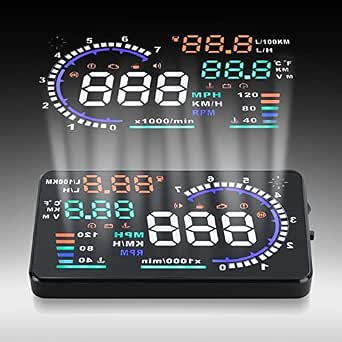 | Best for Automatic Vehicle Power-On | Screen size: 5.5 inches | Compatibility: OBD II/EUOBD gasoline vehicles; USA models produced after 2004 and other-country models after 2008 | Display functions: Speed, RPM, water temperature, battery voltage, fuel consumption, mileage, alerts, and fault codes | VIEW LATEST PRICE | See Our Full Breakdown |
| KUOWEIHUD K4 GPS Car Head-Up Display |  | Best Compact GPS Speed Display | Model: K4 | Power: USB, 5 V | Refresh rate: 10 Hz | VIEW LATEST PRICE | See Our Full Breakdown |
| HUD-V3 Upgraded Head-Up Display with HD Screen, Wireless CarPlay & Android Auto, Diagnostics, Speed Alert, Plug-and-Play | 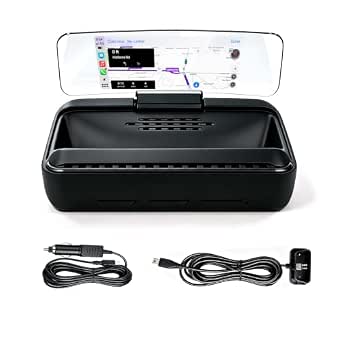 | Best for Smartphone Integration | Brand and model: iopkm HUD-V3 | Display type: High-definition anti-glare | Phone integration: Wireless CarPlay and Android Auto | VIEW LATEST PRICE | See Our Full Breakdown |
More Details on Our Top Picks
KUOWEIHUD K4 Car Heads-Up Display
The KUOWEIHUD K4 suits drivers who want a straightforward speed display without depending on an OBD-II port. Its GPS and BDS positioning refreshes at 10 Hz, while manual calibration gives you a way to adjust the displayed speed if it differs from your vehicle’s reading. Compared with the KUOWEIHUD K1, the K4 adds that calibration control and a customizable overspeed alert, useful if you want more say over how the readout is set up. It also offers switchable MPH and KM/H and adjustable brightness.
The tradeoff is shared by GPS-based HUDs: tunnels, poor weather, and metallic windshield film can disrupt satellite reception. Choose the K4 for its extra controls, but pick an OBD-II model such as the Mumisuto M6S if you want engine data as well as speed.
Pros:- USB-powered setup avoids the need for an OBD-II connection
- GPS and BDS positioning with a 10 Hz refresh rate
- Manual speed calibration and switchable MPH/KM/H
- Adjustable brightness and customizable overspeed alert
Cons:- Satellite reception may be affected by tunnels, weather, or metallic windshield film
- Provides speed-focused information rather than engine or coolant readings
Best for: Drivers who want a USB-powered GPS speed display with manual calibration, unit switching, and a customizable overspeed warning.
Not ideal for: Drivers who regularly travel through tunnels or need engine, voltage, and coolant information; GPS reception can falter and the K4 displays speed rather than OBD vehicle data.
- Model:K4-WHITE
- Power:USB, 5 volts
- Positioning:GPS and BDS; up to 32 satellite connections
- GPS refresh rate:10 Hz
- Speed units:MPH or KM/H
- Display:Large font with anti-reflective metal shading
- Controls:Manual speed calibration, adjustable brightness, customizable overspeed alert
- Dimensions and weight:3.48 x 1.97 x 0.89 inches; 1.6 ounces
Our verdict“Choose the K4 if you want a GPS speed HUD with more calibration and alert controls than the KUOWEIHUD K1.”
Mumisuto M6S 3.5-Inch OBD-II Car Head-Up Display
The Mumisuto M6S is the clearest choice here for drivers who want more than a speed readout: its OBD-II connection can show RPM, voltage, and coolant temperature alongside speed. That makes the windshield display useful for keeping an eye on vehicle conditions without switching between separate gauges. Compared with the GPS-only KUOWEIHUD K4, the M6S offers a broader set of live vehicle information and alerts, including voltage, temperature, fatigue-driving, and fault warnings.
That added information depends on the car’s compatibility and OBD data access, so check the vehicle requirements before buying. The M6S is also the less suitable pick for anyone who wants an uncomplicated USB GPS speed display. Its 3.5-inch projection and multiple modes favor buyers who value data and alerts over a minimal interface.
Pros:- Displays speed, engine RPM, voltage, and coolant temperature
- Offers multiple display modes and adjustable brightness
- Includes overspeed, voltage, temperature, fatigue-driving, and fault alerts
- Windshield projection keeps selected vehicle data in the driver’s view
Cons:- Vehicle compatibility is limited and should be checked before purchase
- Requires an OBD-II connection, unlike the USB-powered KUOWEIHUD K4
- The wider set of readings and alerts may be excessive for buyers who only need speed
Best for: Drivers with a compatible OBD-II vehicle who want speed, RPM, voltage, coolant readings, and several warning types in one windshield display.
Not ideal for: Drivers seeking a simple GPS-only speed HUD or owners of vehicles whose OBD-II compatibility and supported data have not been confirmed.
- Model:M6S
- Display size:3.5 inches
- Connection:OBD-II
- Compatible vehicles:OBD-II compliant vehicles; stated as applicable to vehicles produced after 2008
- Displayed information:Speed, engine RPM, voltage, and coolant temperature
- Display features:Windshield projection, adjustable brightness, multiple interface modes
- Alerts:Overspeed, voltage, coolant temperature, fatigue driving, and fault alarms
- Weight:5.9 ounces
Our verdict“Pick the M6S over the KUOWEIHUD K4 if your compatible car’s engine and temperature data matter as much as speed.”
Car Heads-Up Display (HUD) – Green
This green GPS HUD is a simple option for drivers who want speed in their line of sight without connecting to the vehicle’s OBD system. USB power and GPS+BDS positioning keep setup focused on a speed readout, while the 10 Hz refresh rate is intended to provide frequent updates. Like the KUOWEIHUD K4, it offers switchable MPH/KM/H and manual calibration; this model also specifies a maximum displayed speed of 115 MPH. Its anti-reflective shading and adjustable brightness address readability across different cabin lighting.
The tradeoff is that the basic speed-focused setup does not supply the RPM, voltage, or coolant data shown by the Mumisuto M6S. Satellite reception can also drop in tunnels, underground garages, heavy rain or fog, and behind metallic windshield film. Choose this model for a compact feature set, not for dependable readings in every location.
Pros:- GPS+BDS positioning with a stated 10 Hz refresh rate
- USB plug-and-play power without an OBD-II connection
- Switchable MPH/KM/H units and manual speed calibration
- Adjustable brightness and anti-reflective display shading
Cons:- GPS signal may be lost in tunnels, garages, severe weather, or behind metallic windshield film
- Does not provide the engine and coolant data available from the Mumisuto M6S
- Maximum displayed speed is specified as 115 MPH
Best for: Drivers who want a USB-powered, GPS-based speed display with MPH/KM/H switching and manual calibration.
Not ideal for: Drivers who need engine metrics or routinely drive where satellite reception is obstructed; this model depends on GPS and BDS signals.
- Positioning:Dual-mode GPS and BDS
- Refresh rate:10 Hz
- Satellite support:Up to 32 satellites
- Power:USB plug-and-play
- Speed units:MPH or KM/H
- Maximum displayed speed:115 MPH
- Display and controls:Anti-reflective metal shading, multiple brightness levels, manual calibration, customizable overspeed alert
Our verdict“Choose this green HUD if you want a straightforward GPS speed readout, but choose the Mumisuto M6S for vehicle diagnostics.”
GOTOTOP Universal Car Heads-Up Display
The GOTOTOP Universal HUD fits drivers who want a compact OBD-based set of vehicle readings with practical unit choices. Its 3-inch screen lists speed, engine speed, water temperature, and battery voltage, while alerts cover low voltage, high temperature, and speed. Automatic startup and shutdown can make daily use simpler than manually powering a display. Compared with the GPS-focused KUOWEIHUD K1, the GOTOTOP trades satellite-based speed independence for access to several OBD vehicle metrics.
That tradeoff makes compatibility the first filter: the vehicle must support OBD II or EUOBD. The listed dimensions are also larger than the small K1 unit, so check the available dashboard space before choosing a placement. This is a better fit for drivers who value vehicle readings and automatic power behavior than for those who only need an uncomplicated GPS speed display.
Pros:- Shows speed, engine speed, water temperature, and battery voltage
- Supports kilometers or miles and Celsius or Fahrenheit
- Alerts for low voltage, high temperature, and speed
- Offers automatic startup and shutdown, with manual switch mode also available
Cons:- Works only with vehicles that support OBD II or EUOBD
- Listed dimensions are substantially larger than the KUOWEIHUD K1
- Relies on vehicle data rather than GPS positioning for its OBD-based readings
Best for: Drivers with OBD II or EUOBD vehicles who want speed, engine speed, temperature, and voltage with automatic startup and metric or imperial units.
Not ideal for: Drivers without OBD II or EUOBD support, or those seeking a small GPS-only unit that does not rely on vehicle diagnostics.
- Screen size:3 inches
- Compatibility:Vehicles with OBD II or EUOBD
- Displayed information:Speed, engine speed, water temperature, battery voltage
- Alerts:Low voltage, high temperature, and speed
- Unit switching:Kilometers/miles; °C/°F
- Power behavior:Automatic startup and shutdown; manual switch mode also available
- Material:Plastic
- Dimensions:7.87 x 5.91 x 3.94 inches
Our verdict“Choose the GOTOTOP if your vehicle supports OBD II or EUOBD and you want several vehicle readings with automatic power control.”
KUOWEIHUD K1 GPS Heads-Up Display for Cars
The KUOWEIHUD K1 is the compact pick for drivers who want a GPS speed display and have a USB port available. At 2.76 x 1.69 x 0.79 inches, it takes up less space than the KUOWEIHUD K4, while GPS+BDS positioning and a 10 Hz refresh rate provide the core speed-display functions. Automatic brightness adjustment also removes the need to set brightness manually as cabin lighting changes. Unlike the OBD-based GOTOTOP Universal HUD, the K1 does not require compatible diagnostic access and is focused on speed rather than engine readings.
Its simplicity has limits: speed accuracy depends on satellite reception, and the manufacturer notes a typical deviation of 0.6–1.8 MPH. Tunnels, underground garages, weather, and metallic windshield film can affect the signal. Pick the K1 for a small, USB-powered display; choose the K4 if you want manual calibration and a customizable overspeed alert.
Pros:- Compact dimensions and 1.6-ounce weight
- USB-powered GPS+BDS positioning without an OBD port
- Automatic brightness adjustment and large-font display
- 10 Hz refresh rate and a stated maximum displayed speed of 115 MPH
Cons:- Satellite reception can be affected by tunnels, underground garages, weather, or metallic windshield film
- Manufacturer notes a typical speed deviation of 0.6–1.8 MPH
- Lacks the manual calibration and customizable overspeed alert listed for the KUOWEIHUD K4
Best for: Drivers with a USB-equipped car who want a small GPS speed HUD with automatic brightness and no OBD-II setup.
Not ideal for: Drivers who need engine data, manual speed calibration, or reliable speed updates in tunnels and other areas with weak satellite reception.
- Model:K1
- Power:USB, 5 V
- Positioning:GPS and BDS
- Refresh rate:10 Hz
- Maximum displayed speed:115 MPH
- Display:Large font with automatic brightness adjustment
- Compatibility:Vehicles with a USB port
- Dimensions and weight:2.76 x 1.69 x 0.79 inches; 1.6 ounces
Our verdict“Choose the K1 if compact size and automatic brightness matter more to you than the K4’s calibration and alert controls.”
Liiiyuan G12 Car Head-Up Display with GPS Speedometer
The Liiiyuan G12 suits drivers who want more than a speed readout without relying on their car’s OBD connection. Its 5.5-inch screen can show trip distance and duration, direction, coordinates, acceleration time, and driving alerts, while more than ten layouts let you choose what stays visible. GPS and BeiDou support provide two satellite systems, though readings still depend on reception and can be interrupted in covered areas. Compared with the Salior V9, which focuses on a large, simple speed display, the G12 offers a broader set of trip information but asks the driver to choose among more layouts. USB plug-and-play setup and a rotating bracket help with placement; the plastic body and reliance on satellite data make it less suited to buyers seeking vehicle-diagnostic information.
Pros:- Combines speed, trip details, coordinates, direction, and driving alerts
- More than ten adjustable display layouts
- USB plug-and-play setup with a 360-degree rotating bracket
- Supports both GPS and BeiDou satellite systems
Cons:- GPS-based readings require satellite reception and may be unavailable in covered areas
- Does not provide the OBD vehicle data offered by the wiiyii P6 or A8
- Plastic construction may feel less substantial than a more integrated vehicle display
Best for: Drivers who want GPS-based speed, trip statistics, direction, and alerts in one screen without connecting to OBD.
Not ideal for: Drivers who need readings in tunnels or underground parking, or want engine diagnostics and vehicle data from an OBD connection.
- Display size:5.5 inches
- Functions:Speed, time, trip duration and mileage, acceleration time, coordinates, direction, speed alert, fatigue-driving reminder
- Satellite systems:GPS and BeiDou
- Connection:USB
- Installation:Plug and play
- Mount:360-degree rotating bracket
- Dimensions:4.92 × 0.84 × 2.52 inches
- Warranty:One year
Our verdict“Choose the G12 if you want a configurable GPS display with trip information and alerts, rather than OBD diagnostics.”
wiiyii P6 OBD2 and GPS Head-Up Display Gauge for Cars
The wiiyii P6 is the most flexible pick here for drivers who want vehicle data as well as speed. When a car supports its OBD2 functions, the display can show information such as RPM, voltage, fuel consumption, water temperature, and fault codes; if the protocol is unsupported, it can fall back to GPS-only operation. That makes it more adaptable than the wiiyii A8, which relies on OBDII or EOBD compatibility, but the P6’s expanded data is not guaranteed across every vehicle. A brightness-adjusting display and red overspeed alert help keep speed legible at a glance, while its adjustable bracket supports dashboard or windshield placement. I’d skip it if you need certainty about full OBD support before checking your vehicle’s protocol.
Pros:- Combines OBD2 data with GPS speed and can run GPS-only when OBD is unsupported
- Can display speed, RPM, voltage, fuel consumption, water temperature, and fault codes
- Brightness adjustment and a red overspeed alert support quick reading
- Adjustable mounting bracket supports dashboard or windshield placement
Cons:- Full OBD features depend on the vehicle’s protocol compatibility
- The product information does not identify which vehicles support the full feature set
- Its broader data display is more involved than the speed-focused KUOWEIHUD K1
Best for: Drivers with a compatible OBD2 vehicle who want speed plus engine data, with GPS speed as a fallback when OBD data is unavailable.
Not ideal for: Buyers who cannot confirm their vehicle’s OBD protocol or want guaranteed access to every engine-data feature without compatibility checks.
- Display modes:OBD2 and GPS; GPS-only when OBD2 is unsupported
- Functions:Speed, voltage, fuel consumption, RPM, water temperature, fault codes, data stream, overspeed alarm
- Mounting:Adjustable bracket for dashboard or windshield
- Material:Plastic
- Dimensions:5.24 × 3.54 × 4.33 inches
- Weight:190 g
- Included components:P6-HUD, OBD cable, rotary suction cup bracket, 3M tape, manual, crowbar
Our verdict“Pick the P6 if your car supports its OBD2 functions and you want a fallback GPS speed display in the same unit.”
KUOWEIHUD K1 GPS Heads-Up Display for Cars
The KUOWEIHUD K1 keeps the job simple: it displays GPS speed in the driver’s line of sight without needing an OBD port. At just 2.76 inches wide, it is the most compact choice in this batch, and automatic brightness adjustment helps the readout remain comfortable as lighting changes. Its 10 Hz refresh rate and GPS/BDS positioning are useful for drivers who want a straightforward speed display, but satellite-based readings can be affected by tunnels, weather, and metallic windshield film; the stated accuracy can also differ from a car’s speedometer. Unlike the Liiiyuan G12, the K1 does not show trip statistics or driving alerts. That narrower scope is an advantage for a less cluttered setup, but a limitation for drivers who want extra information.
Pros:- Compact, lightweight design takes up little dashboard space
- Works from USB without requiring an OBD port
- GPS and BDS positioning with a 10 Hz refresh rate
- Automatic brightness adjustment and an anti-reflective display
Cons:- Satellite reception can be affected by tunnels, weather, and metallic windshield film
- GPS speed may differ from the vehicle’s speedometer
- Shows speed rather than the broader trip metrics available on the Liiiyuan G12
Best for: Drivers who want a small, USB-powered GPS speed display and do not need OBD data or trip metrics.
Not ideal for: Drivers who regularly travel through tunnels or underground parking, or need engine readings, alerts, or trip information.
- Model:K1-White
- Power:USB, 5 V
- Positioning:GPS and BDS
- Refresh rate:10 Hz
- Maximum displayed speed:115 MPH
- Dimensions:2.76 × 1.69 × 0.79 inches
- Weight:1.6 ounces
- Compatibility:Vehicles with a USB port, including most cars, trucks, and motorcycles
Our verdict“Choose the K1 for a compact, uncomplicated GPS speed readout, provided your routes usually offer a clear satellite signal.”
Salior V9 GPS Heads-Up Display and Digital Speedometer
The Salior V9 is for drivers who want speed to be the main event, not one item among a screen full of vehicle metrics. Its large digits and automatic dimming make the readout easier to scan in changing light, while the compact unit connects through USB and uses GPS and BDS positioning. The tradeoff is that it offers fewer functions than the Liiiyuan G12, which adds trip information, coordinates, and alerts. Like other satellite-based displays, the V9 may lose signal in tunnels or underground parking, and its three-month warranty is shorter than the G12’s one-year coverage. The included projection sticker and adhesive pads give placement options, but this is still a speed display rather than an OBD-connected diagnostic screen.
Pros:- Large digits are designed for easy speed reading
- Automatic dimming helps reduce glare at night
- Compact design with USB plug-and-play power
- GPS and BDS positioning with included placement accessories
Cons:- Satellite reception may weaken in tunnels and underground parking
- Does not offer the trip information and alerts found on the Liiiyuan G12
- Three-month warranty is shorter than the G12’s one-year coverage
Best for: Drivers who want a clear, uncluttered GPS speed readout with automatic dimming and simple USB power.
Not ideal for: Drivers who want trip statistics, engine diagnostics, or longer stated warranty coverage, or often drive where satellite reception is blocked.
- Display:HD screen with white and green font
- Maximum speed readout:199 mph
- Positioning:GPS and BDS
- Brightness:Automatic dimming
- Dimensions:3.63 × 2.00 × 0.87 inches
- Weight:3.56 oz
- Power connection:USB
- Warranty:3 months
Our verdict“The V9 fits drivers who value a large, simple speed display over vehicle data or a broad set of driving functions.”
wiiyii A8 5.5-Inch Car Heads-Up Display
The wiiyii A8 makes the strongest case for drivers who want an HUD to surface vehicle information, not just replace a speedometer. Its 5.5-inch display can show speed, RPM, water temperature, voltage, fuel consumption, and distance, while alerts and basic fault detection add a diagnostic angle. Compared with the wiiyii P6, the A8 is more clearly centered on OBDII/EOBD use, while the P6 adds GPS-only operation if OBD2 is unsupported. That makes the P6 a safer choice when compatibility is uncertain. The A8’s larger screen can make several metrics easier to read, but it requires a compatible vehicle and does not support OBD I or JOBD. Buyers who only need GPS speed may prefer the simpler KUOWEIHUD K1.
Pros:- Large 5.5-inch display presents multiple driving metrics
- Shows speed, RPM, water temperature, voltage, fuel consumption, and distance
- Includes speed and voltage alerts plus basic fault detection
- Supports switching between kilometers and miles
Cons:- Does not support OBD I or JOBD vehicles
- Requires OBDII or EOBD compatibility, unlike the GPS-only KUOWEIHUD K1
- Vehicle data and fault functions are limited to information available through the car’s OBD connection
Best for: Drivers with an OBDII- or EOBD-compatible car who want an at-a-glance mix of engine metrics and basic fault information.
Not ideal for: Owners of OBD I or JOBD vehicles, drivers uncertain about compatibility, or buyers who only need GPS speed.
- Display size:5.5 inches
- Native resolution:800 × 480
- Compatibility:OBDII and EOBD vehicles; does not support OBD I or JOBD
- Displayed data:Speed, RPM, water temperature, voltage, fuel consumption, and driving distance
- Alerts and diagnostics:Speed and voltage alarms, fault detection, fault alarms, and fault clearing
- Weight:0.2 kg
- Color:Black
Our verdict“Choose the A8 if your vehicle supports OBDII or EOBD and you want a large display for engine readings and basic fault information.”
VGEBY 5.5-Inch Multi-Color OBDII HUD Head-Up Display
I’d choose the VGEBY 5.5-inch HUD for a driver who wants more than a projected speed reading. Its OBD II/EUOBD connection can show RPM, temperature, voltage, fuel consumption, mileage, and fault codes, with alerts for overspeed, high water temperature, low voltage, and shift reminders. That broader vehicle-data mix gives it an edge over the KUOWEIHUD K4, which focuses on GPS-derived speed and an overspeed alert rather than engine information. The VGEBY also offers manual and automatic brightness adjustment, so the display can be adapted to changing light. The tradeoff is compatibility: its readings depend on the vehicle’s OBD system, and some information may not be available on every car. I’d skip it if you need a HUD that works independently of vehicle diagnostics.
Pros:- Projects several vehicle readings, including RPM, temperature, voltage, and mileage
- Displays fault codes as well as driving information
- Includes overspeed, temperature, voltage, fatigue, and shift alerts
- Offers both manual and automatic brightness adjustment
Cons:- Requires an OBD II/EUOBD-compatible vehicle
- Some readings may not be supported or available on every vehicle
Best for: Drivers with an OBD II/EUOBD-compatible car who want projected engine readings, fault codes, and multiple vehicle alerts alongside speed.
Not ideal for: Owners of vehicles without compatible OBD data, or drivers who mainly want a simple speed display that does not depend on vehicle diagnostics.
- Display size:5.5 inches
- Interface:OBD II/EUOBD
- Displayed information:Speed, RPM, water temperature, battery voltage, fuel consumption, mileage, and fault codes
- Alerts:Overspeed, fatigue driving, high water temperature, low voltage, and shift reminders
- Brightness:Manual and automatic adjustment
- Material:Metal
- Weight:2.46 ounces
Our verdict“Choose the VGEBY if you want a wide set of OBD-based readings and alerts, and pass if your priority is a vehicle-independent speed HUD like the KUOWEIHUD K4.”
wiiyii M7 OBD/GPS Heads-Up Display for Cars
The wiiyii M7 is the flexible pick for drivers unsure whether their car’s OBD port will provide the readings they want. It offers OBD and GPS modes: OBD mode adds vehicle information such as voltage and water temperature on supported cars, while GPS mode supplies speed across a wider range of vehicles. That makes it a more adaptable choice than the VGEBY 5.5-Inch OBDII HUD, which relies on OBD II/EUOBD compatibility. The M7 also supports MPH or km/h, Celsius or Fahrenheit, brightness adjustment, and speed, temperature, and voltage alarms. Its compromises are meaningful: GPS mode cannot replace the extra engine data available through a working OBD connection, and the product data lists OBD limitations for several vehicle types, including electric and diesel vehicles. I’d pick it for flexibility, not the richest diagnostic display.
Pros:- Offers both GPS and OBD modes
- GPS mode supports use across a wider range of vehicles
- Displays speed in MPH or km/h and water temperature in Celsius or Fahrenheit
- Includes brightness adjustment and speed, temperature, and voltage alarms
Cons:- OBD mode is incompatible with several vehicle types, including electric and diesel vehicles
- GPS mode does not provide the same vehicle data as a compatible OBD connection
- The plastic unit weighs 150 g, making it less lightweight than a small GPS-only display such as the KUOWEIHUD K4
Best for: Drivers who want projected speed in a broad range of vehicles and the option to access extra OBD readings when their car supports them.
Not ideal for: Electric and diesel vehicle owners who need OBD mode, or drivers seeking extensive fault-code and engine-data coverage.
- Model:M7
- Display modes:OBD and GPS
- Displayed information:Speed, voltage, water temperature, driving distance, and RPM listed in item highlights
- Compatibility:OBD II for compatible vehicles manufactured after 2008; GPS mode for all vehicles
- Alerts:Speed, water temperature, and voltage alarms
- Units:MPH or km/h; water temperature in Celsius or Fahrenheit
- Dimensions:3.54 × 2.09 × 1.02 inches
- Weight and material:150 g; plastic
Our verdict“Pick the M7 if you want a choice between GPS speed and supported OBD readings, but choose an OBD-focused model if diagnostics are your main goal.”
5.5-Inch OBD II/EUOBD Car Heads-Up Display
This 5.5-inch OBD II/EUOBD HUD suits drivers who want a broad set of projected readings without having to switch the unit on and off manually: it powers on and off with the vehicle. It displays speed, RPM, temperature, voltage, fuel consumption, mileage, alerts, and fault codes, making it more data-focused than the GPS-only KUOWEIHUD K4. Manual and automatic brightness controls add flexibility, and the listed package includes reflective film and an anti-skid pad for the dashboard setup. The central limitation is compatibility: the unit is specified for supported OBD II/EUOBD gasoline vehicles, with model-year guidance that varies by market. Professional installation is recommended, so it is not the most straightforward choice for someone seeking a simple self-contained GPS speed readout. I’d favor it when automatic startup and vehicle data matter more than universal fit.
Pros:- Shows speed, RPM, temperature, voltage, fuel consumption, mileage, alerts, and fault codes
- Powers on and off with the vehicle
- Provides manual and automatic brightness adjustment
- Includes reflective film, an OBD cable, and an anti-skid pad
Cons:- Compatibility is limited to supported OBD II/EUOBD gasoline vehicles
- Professional installation is recommended
- Unlike the wiiyii M7, it does not offer a GPS mode for vehicles without compatible OBD data
Best for: Owners of compatible gasoline vehicles who want a broad OBD display that starts and stops with the car.
Not ideal for: Drivers of vehicles outside the listed OBD II/EUOBD gasoline compatibility or anyone who wants a simple, independent GPS speed display without installation assistance.
- Screen size:5.5 inches
- Compatibility:OBD II/EUOBD gasoline vehicles; USA models produced after 2004 and other-country models after 2008
- Display functions:Speed, RPM, water temperature, battery voltage, fuel consumption, mileage, alerts, and fault codes
- Brightness:Manual and automatic adjustment
- Operating voltage:9–16 V DC
- Operating temperature:-40°C to +80°C
- Dimensions:12.5 × 7.5 × 1.5 cm
- Included items:Display, reflective film, OBD cable, anti-skid pad, and English manual
Our verdict“Choose this model for automatic startup and extensive OBD readings in a compatible gasoline car, but skip it if you need GPS-based vehicle-independent speed.”
KUOWEIHUD K4 GPS Car Head-Up Display
The KUOWEIHUD K4 is the straightforward choice for drivers who want projected speed without connecting to vehicle diagnostics. It uses GPS and BDS satellite signals and refreshes at 10 Hz, while USB power keeps setup simple. Its compact 3.4 × 1.6-inch body and 1.6-ounce weight make it less visually and physically demanding than the larger VGEBY 5.5-Inch OBDII HUD, though that VGEBY provides far more engine information when a car is compatible. The K4 adds MPH/km/h selection, manual speed calibration, adjustable brightness, and a customizable overspeed alert. The tradeoff is its reliance on satellite reception: tunnels, underground garages, severe weather, and metallic windshield film can disrupt speed readings. I’d choose it for a minimal speed-focused setup, not for diagnostics or uninterrupted indoor and tunnel coverage.
Pros:- Uses GPS and BDS satellite signals rather than requiring OBD data
- Compact 3.4 × 1.6-inch design weighs 1.6 ounces
- Supports MPH or km/h, manual calibration, and adjustable brightness
- Includes a customizable overspeed alert and USB 5 V power
Cons:- Speed display depends on satellite reception and may be affected by tunnels or severe weather
- Metallic windshield film can interfere with GPS reception
- Provides speed-focused information rather than the engine readings available from the VGEBY 5.5-Inch OBDII HUD
Best for: Drivers who want a small, USB-powered speed HUD without relying on an OBD port or needing engine diagnostics.
Not ideal for: Drivers who need fault codes, engine readings, or dependable speed data in tunnels, underground garages, or areas with weak satellite reception.
- Model:K4
- Power:USB, 5 V
- Refresh rate:10 Hz
- Satellite signals:GPS and BDS; up to 32 signals
- Speed units:MPH or km/h
- Maximum displayed speed:115 MPH
- Dimensions and weight:3.4 × 1.6 × 0.4 inches; 1.6 ounces
- Features:Manual speed calibration, adjustable brightness, and overspeed alert
Our verdict“Pick the K4 for a compact GPS-based speed readout and simple USB setup, but choose an OBD model if you want engine data or fault codes.”
HUD-V3 Upgraded Head-Up Display with HD Screen, Wireless CarPlay & Android Auto, Diagnostics, Speed Alert, Plug-and-Play
The HUD-V3 is the most phone-centered option here: it combines a high-definition anti-glare screen with wireless CarPlay and Android Auto for navigation, calls, and media, plus voice control through Siri or Google Assistant. That makes it a different proposition from the wiiyii M7, which focuses on speed and selected vehicle readings through GPS or OBD rather than smartphone features. A high-friction silicone base is designed to keep the unit steady through vibration and sudden movement, and the listed temperature range supports use in varied conditions. The tradeoff is that the HUD-V3 requires an OBD port for power and data, has no built-in GPS, and relies on a phone navigation app. Buyers should verify their setup suits that connection requirement; this is not the pick for a standalone speed display or drivers who want to avoid phone dependence.
Pros:- Supports wireless CarPlay and Android Auto
- High-definition anti-glare display is described as suitable for sunlight and night driving
- Voice control works through Siri or Google Assistant
- Silicone base is designed to resist movement during vibration and sudden braking
Cons:- Requires an OBD port for power and data
- Has no built-in GPS and relies on phone navigation apps
- Depends on smartphone integration rather than offering the standalone GPS speed mode found on the wiiyii M7
Best for: Drivers with a compatible OBD connection who want projected phone navigation, calls, and media alongside vehicle information.
Not ideal for: Drivers seeking a standalone GPS speed HUD, those without a suitable OBD port, or anyone who does not want navigation to depend on a phone.
- Brand and model:iopkm HUD-V3
- Display type:High-definition anti-glare
- Phone integration:Wireless CarPlay and Android Auto
- Installation:Universal plug-and-play OBD connection
- Voltage:12 V
- Operating temperature:-30°C to +75°C
- Navigation:No built-in GPS; relies on phone navigation apps
Our verdict“Choose the HUD-V3 if you want phone navigation and hands-free smartphone features on a projected display, but pick the KUOWEIHUD K4 for standalone GPS speed.”

How We Picked
I ranked these options around the job an automotive HUD needs to do: present useful information clearly without adding unnecessary distraction. I compared their stated data sources, vehicle compatibility requirements, display size and color, setup style, and breadth of functions. A GPS-only display can suit a broad range of cars for speed information, while an OBD-II unit can provide richer vehicle data but depends on the car and the available connection. Hybrid models earn attention for offering both routes, though that flexibility does not remove compatibility checks.
The order favors a practical balance of readable information, useful features, and a clear buyer fit rather than the longest feature list. Models with a defined role rank ahead of listings with sparse or generic naming because buyers have less certainty about what they will receive. I also treat the repeated KUOWEIHUD K1 listing as the same named model, not a separate technical alternative. No HUD can be judged by screen size alone: glare, windshield shape, mounting position, and driver preference can change the experience.
Factors to Consider When Choosing Automotive Head-up Display
Choosing an automotive HUD is less about collecting the most readouts and more about matching its data and display to your car and routine. These broader checks can help avoid a device that connects poorly, sits awkwardly, or shows more information than you want while driving.
Match the Data Source to Your Car
Start by deciding whether you need speed alone or vehicle diagnostics as well. GPS-based units generally avoid dependence on the vehicle diagnostic port, making them a sensible route for drivers whose car compatibility is uncertain. OBD-II models can offer more vehicle readings, but supported functions vary by car, model year, and sometimes engine configuration. A hybrid OBD/GPS unit may widen your options, yet its listed modes do not guarantee every function works in every vehicle. Check the device’s compatibility details before buying, especially if you drive an older, imported, or less common model. Avoid assuming that a plug fitting the port means every displayed reading will be available.
Choose Information You Can Read at a Glance
A HUD earns its place when its main readout is easy to register without pulling attention from the road. Decide which information you genuinely need visible, such as speed, and treat extra diagnostics as optional rather than automatically useful. Larger displays can make labels and multiple readings easier to distinguish, but they also take up more dashboard space and can compete with the view ahead. Color and contrast may help separate information, though neither can fix poor placement or a reflective windshield. Before settling on a screen, think about where it can sit without blocking sightlines. If you only want speed, a less complex layout may be easier to use than a screen packed with data.
Plan for Windshield Reflection and Placement
HUD visibility depends on the relationship between the display, dashboard, windshield, and driver position. Some setups project or reflect information toward the windshield; others present it on a screen mounted on the dash, so do not assume every product works the same way. A display that looks bright in a product image may be hard to read in direct sunlight or may produce distracting reflections in your particular cabin. Measure the usable dashboard area and consider whether the unit can sit securely within your natural sightline. Check the product’s stated display method and whether a reflective film or other accessory is required. A compact unit may be the better choice in a small cabin even if a larger screen shows more information.
Balance Setup Simplicity Against Functionality
Plug-and-play claims can make installation sound effortless, but cable routing, power supply, settings, and compatibility still shape setup. GPS units can be a straightforward choice when you want basic speed data without connecting to the vehicle’s diagnostic system. OBD-II models may reduce the need for a separate data source, but they require locating the port and checking whether the readings you care about are supported. Devices with smartphone integration, diagnostics, and alerts can consolidate functions, yet they usually require more configuration than a simple speed display. Consider whether you want to adjust settings once or manage several features regularly. A shorter setup is often worth more than extra functions you will leave unused.
Decide When Extra Features Justify a More Complex HUD
Paying for added capability makes sense when it replaces a tool you already use or provides information you will check regularly. Wireless CarPlay and Android Auto, diagnostics, and speed alerts can make a multifunction unit appealing, but those extras also expand setup and the amount of content on screen. For a driver who wants only a speed readout, a simpler GPS display may be a better fit than a feature-heavy system. For someone who wants connected media and vehicle information in one device, a more capable model may justify the added complexity. Compare each feature with a real use case, not just a specification list. Keep safety in view: no display should encourage frequent glances or interaction while the vehicle is moving.
Check the Exact Listing Before Ordering
Product names in this category can be generic, and similar model names do not always establish that two listings have identical specifications. This roundup includes the KUOWEIHUD K1 twice, while some entries provide little detail beyond a display type or color. Confirm the exact model, included cables or accessories, data source, supported readings, and installation instructions on the listing you plan to buy. Look for clear information on your vehicle’s compatibility rather than relying on broad claims such as universal. If the display method or power connection is unclear, treat that as a reason to investigate before ordering. This extra check is particularly useful when comparing a named model with a generic listing.
Frequently Asked Questions
Will an OBD-II head-up display work with my car?
It depends on whether your vehicle supports the device’s OBD-II functions, not just whether it has a diagnostic port. Compatibility can vary by model year, market, and the readings a particular HUD requests. Check the product’s vehicle list or manufacturer guidance, and confirm that the functions you want are supported. If compatibility remains uncertain and you mainly need speed, a GPS-based display may be a lower-dependency option. A hybrid model can offer another route, but verify how its GPS and OBD modes work before relying on it.
Should I choose GPS or OBD-II for a HUD?
Choose based on the information you want and how much you know about your car’s compatibility. GPS is a practical fit when speed is your priority and you want to avoid relying on vehicle diagnostic data. OBD-II is more appealing when you want supported vehicle readings in addition to speed. The tradeoff is that GPS-focused options may show fewer car diagnostics, while OBD-II functions can differ between vehicles. If you want flexibility, compare hybrid models, but do not assume they provide the same readings through both sources.
Will a larger HUD screen be easier to see?
Not necessarily. A larger display can give information more room, but visibility also depends on contrast, brightness, placement, windshield reflections, and your seating position. In a compact cabin, a large unit may occupy too much dashboard space or draw attention away from the road. A smaller screen with one clear readout can be easier to glance at than a larger screen full of data. Check the display method and plan its mounting position before choosing by dimensions alone.
Can I use an automotive HUD without placing anything on my windshield?
Many HUDs are mounted on the dashboard and show information on their own display or reflect it toward the windshield, but the exact arrangement differs by model. Read the installation details to see whether the unit needs a reflective film, a particular mounting angle, or a clear stretch of dashboard. Local rules about windshield-mounted items may also affect where you can place accessories, so check the rules where you drive. A dashboard-mounted screen may suit drivers who want to avoid attaching anything to the glass. Whatever the format, keep the display outside your direct view of the road.
Is a multifunction HUD with CarPlay worth choosing over a speed-only display?
It can be worthwhile if you want smartphone integration and diagnostics in the same device and are prepared to configure those features. The HUD-V3 is the roundup’s clearest multifunction option, while simpler GPS models focus more directly on speed. Extra functions can reduce the need for separate devices, but they may add setup steps and visual information. Think about which features you will use routinely rather than choosing by the longest list. If your priority is a quick glance at speed, a simpler display may be the less distracting choice.
Conclusion
For most drivers seeking a balanced automotive HUD, I recommend the KUOWEIHUD K4 as the best overall starting point in this lineup. The best value for basic speed display is the KUOWEIHUD K1 GPS, while the best for beginners is a GPS-focused model such as the Salior V9 when a straightforward speed readout matters more than diagnostics. Drivers who want flexibility between vehicle data and GPS should compare the wiiyii P6 or M7 and confirm compatibility with their car. For the best premium, feature-rich option, the HUD-V3 stands apart with wireless CarPlay and Android Auto plus diagnostics, although its broader feature set is not necessary for everyone. Choose the model whose data source, screen, and setup match your actual driving needs, and verify the exact listing and vehicle fit before ordering.