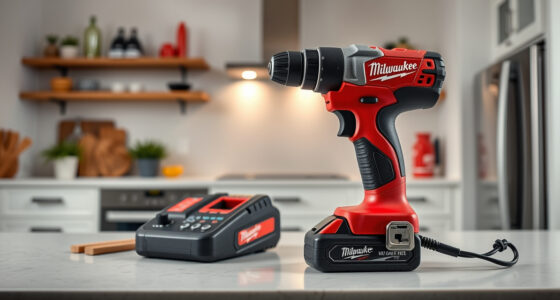

If your Milwaukee power tool charger is blinking red, it indicates a problem that needs attention. Identifying the cause and applying the correct fix can save you time and prevent damage to your batteries. This guide walks you through common causes and practical solutions to get your charger working again.
Key Takeaways
| Battery Compatibility | Make sure the battery is compatible and properly seated. |
| Overheating | Allow the charger and battery to cool if overheated. |
| Battery Health | Check if the battery is worn out or faulty. |
| Charger Condition | Inspect the charger for dirt, damage, or debris. |
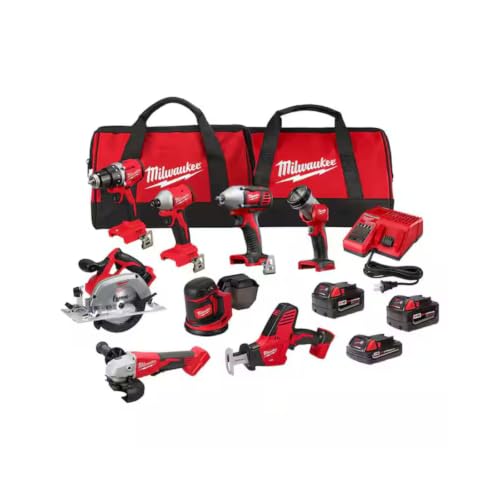
Milwaukee M18 18V Cordless Power Tool Combo Kit, 8-Tool Set, 3 Batteries, 2 Tool Bags, Charger Included
- Complete 8-Tool Set: Hammer drill, impact driver, saw, grinder, reciprocating saw, multi-tool, work light
- Includes 3 Batteries: Two high-capacity and one compact battery
- M18 Lithium-Ion System: Consistent power and extended runtime
As an affiliate, we earn on qualifying purchases.
Identify the Cause of the Red Blinking
- Observe the blinking pattern: a slow blink may indicate a charging issue, while a fast blink can signal an error.
- Ensure the battery is properly inserted and seated in the charger.
- Check for any visible damage or dirt on the contacts of the battery and charger.
Step-by-Step Troubleshooting
- Remove the battery from the charger and inspect the contacts for dirt or corrosion. Clean gently with a dry cloth if needed.
- Allow the battery and charger to cool if they feel hot. Wait at least 15-30 minutes before trying again.
- Reinsert the battery firmly into the charger, ensuring it is fully seated.
- Try charging with a different battery compatible with your Milwaukee M18 system to determine if the issue is with the battery or charger.
- If the charger continues to blink red, attempt to reset the system by unplugging it for 10 seconds, then plugging it back in.
Additional Tips and Safety Warnings
- Always use genuine Milwaukee batteries and chargers to ensure safe operation.
- Avoid charging batteries that are swollen, damaged, or have been exposed to extreme conditions.
- Do not attempt to disassemble or tamper with the charger or batteries, as this could be hazardous.
- If the blinking persists after troubleshooting, contact Milwaukee customer support for assistance or consider replacing the charger or battery.
When to Replace Your Charger or Battery
If your charger continues to blink red despite troubleshooting, the device may be faulty. Similarly, batteries that no longer hold a charge or show physical damage should be replaced to ensure safety and performance.
The Products in This Guide

Milwaukee M18 18V Cordless Power Tool Combo Kit
- ✔ Voltage: 18V
- ✔ Battery Type: Lithium-ion
- ✔ Number of Batteries: 3

Milwaukee Shockwave 100pcs Impact Driver Bit Set Packout
- ✔ Impact Rated: Yes
- ✔ Number of Pieces: 100
- ✔ Storage: Packout case
Milwaukee M18 18V Cordless Power Tool Combo Kit
<p>The Milwaukee M18 18V Cordless Power Tool Combo Kit offers a comprehensive set of tools with high-capacity batteries and a charger. It’s ideal for a variety of construction and maintenance tasks, but like all cordless systems, it can encounter issues like blinking red lights on the charger.</p>
Pros:
- Includes 8 versatile tools
- 3 high-capacity batteries
- Fast charger included
- Compact storage in 2 tool bags
Cons:
- Charger blinking red can indicate faults
- Battery lifespan may vary with heavy use
- Requires proper maintenance
Best for: Construction, remodeling, and maintenance professionals needing a complete cordless toolkit
Not ideal for: Casual DIYers or those with infrequent use may not need full kit
Bottom line: A complete, versatile cordless kit, but monitor charger status regularly.
Milwaukee Shockwave 100pcs Impact Driver Bit Set Packout
<p>This Milwaukee Shockwave 100pcs Impact Driver Bit Set is a valuable addition for anyone using Milwaukee power tools. It offers durability and variety, making it easier to handle different fastening tasks with your cordless tools.</p>
Pros:
- Wide variety of bits
- Durable Shockwave impact driver bits
- Organized Packout case
- Great value for professionals
Cons:
- May contain duplicate sizes
- Storage case can be bulky
- Bits may wear over extended heavy use
Best for: Professional contractors and serious DIY enthusiasts needing impact driver bits
Not ideal for: Casual users or those with infrequent fastening needs
Bottom line: A comprehensive impact driver bit set that enhances your Milwaukee toolkit.
Frequently Asked Questions
Why is my Milwaukee charger blinking red?
A blinking red light typically indicates a charging error, overheating, or a fault with the battery or charger. Refer to the troubleshooting steps to identify the cause.
How do I reset my Milwaukee charger?
Unplug the charger from the power source, wait about 10 seconds, then plug it back in. Reinsert the battery and check if the blinking stops.
Can I use any Milwaukee battery with my charger?
Only batteries compatible with your specific charger and system (such as M18) should be used to ensure safety and proper charging.
When should I replace my Milwaukee battery?
Replace the battery if it no longer holds a charge, exhibits physical damage, or shows signs of swelling or overheating.
Keep Your Milwaukee System Running Smoothly
Regular maintenance and proper handling of your Milwaukee power tools and chargers will ensure safe, efficient operation. If your charger blinks red persistently, follow the troubleshooting steps carefully or contact Milwaukee support for assistance. Staying proactive helps extend the life of your tools and keeps your projects on track.
Affiliate disclosure: As an Amazon Associate we earn from qualifying purchases. Prices and availability are accurate as of the time of publishing.