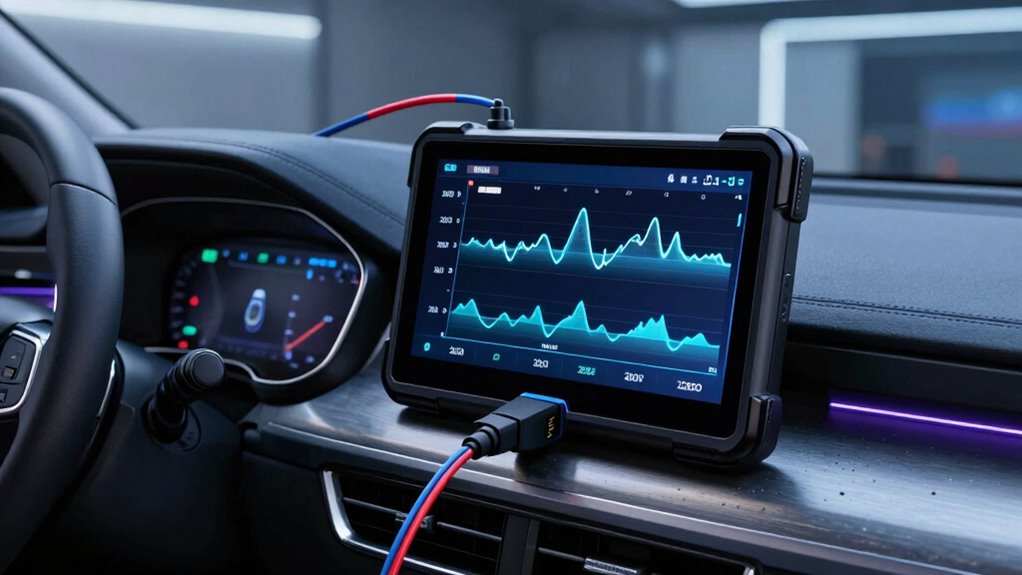

For an OBD2 scanner with live data and graphs, my best overall pick is the Innova 5610, which stands out for deeper diagnostic control and bidirectional functions. The BlueDriver Pro is a strong choice if you prefer a phone-based tool, while the FOXWELL NT301 keeps the focus on straightforward live-data viewing and check-engine diagnostics. The main tradeoff is between simple, affordable code reading and broader functions such as battery checks, service resets, and active tests. App dependence, vehicle compatibility, and how clearly a tool graphs sensor readings also separate these options. Read on for the full breakdown and help matching a scanner to your repair needs.

Get business pricing on garage and car supplies
- Business-only prices and quantity discounts
- Tax-exempt purchasing
- Multiple users, one account, clear invoices
Complete the kit


Key Takeaways
- The Innova 5610 leads for diagnostic depth: its bidirectional capability makes it a better fit for active testing than basic code readers, but it may be more tool than a casual user needs.
- BlueDriver Pro and BlueDriver OBD2 Scanner Bluetooth are phone-based alternatives: they suit buyers who want app-led diagnostics, while buyers who prefer a dedicated screen should look at the FOXWELL or Innova handheld units.
- The FOXWELL NT301 prioritizes straightforward live-data checks: it is a simpler match for tracking engine readings, while the NT301 Plus and Innova 5210 add battery-testing capability.
- Battery testing separates several models from scan-only options: the ANCEL AD410 PRO, CrysGuard V519, FOXWELL NT301 Plus, and Innova 5210 serve buyers who also want information about a 12V battery.
- Extra reset functions do not automatically mean better graphing: the BLCKTEC 460T emphasizes service functions, so buyers should weigh those against their need for clear live-data displays and vehicle-specific support.
| ANCEL AD410 PRO OBD2 Scanner and 12V Battery Tester |  | Best for Engine Data Plus Battery Checks | Model: AD410 PRO | Live data: 50+ readings | DTC coverage: 42,000+ SAE codes | VIEW ON AMAZON | See Our Full Breakdown |
| FOXWELL NT301 OBD2 Scanner with Live Data and Check Engine Light Reset |  | Best for Live-Data Graphing | Model: NT301 | Display: 2.8 inches | Data features: Live-data graphing | VIEW ON AMAZON | See Our Full Breakdown |
| Innova 5610 OBD2 Bidirectional Scan Tool |  | Best for Advanced Active Testing | Model: 5610 | Diagnostics: OEM live data, enhanced data stream, and special reset functions | Active testing: Bidirectional commands for supported vehicle systems | VIEW ON AMAZON | See Our Full Breakdown |
| BLCKTEC 460T OBD2 Scanner with 12+ Reset Functions |  | Best Multi-System Graphing Scanner | Diagnostic systems: Engine, transmission, ABS, SRS, and other vehicle ECUs | Live data: Graphing, recording, and replay | Service functions: 12+ including oil reset, ABS bleeding, EPB, SAS, DPF, throttle, battery, and TPMS services | VIEW ON AMAZON | See Our Full Breakdown |
| BlueDriver Pro Bluetooth OBD2 Scanner |  | Best Phone-Based Wireless Pick | Connection: Bluetooth | Vehicle compatibility: Gas-powered vehicles from 1996 onward; select light-duty trucks and diesels | Supported diagnostics: Check Engine, ABS, SRS, airbag, TPMS, transmission, and more on supported vehicles | VIEW ON AMAZON | See Our Full Breakdown |
| CrysGuard V519 OBD2 Scanner with Live Data and Battery Testing |  | Best Standalone Scanner for Data Playback | Vehicle compatibility: Vehicles from 1996 onward | Protocols: OBD2 and CAN | OBDII modes: All 10 | VIEW ON AMAZON | See Our Full Breakdown |
| FOXWELL NT301 Plus OBD2 Scanner and 12V Battery Tester |  | Best for Live Data and 12V Battery Checks | Display: 2.8-inch color screen | Vehicle compatibility: 1996+ U.S., 2001+ European, and 2005+ Asian vehicles with a standard 16-pin OBDII port | Battery compatibility: 12V flooded, AGM, EFB, and GEL lead-acid batteries | VIEW ON AMAZON | See Our Full Breakdown |
| Innova 5210 OBD2 Scanner and Battery Tester |  | Best for Added Service Functions | Vehicle compatibility: Most U.S., Asian, and European vehicles from 1996 onward | Live data: Displays live engine data | Engine diagnostics: Reads and clears engine codes | VIEW ON AMAZON | See Our Full Breakdown |
| Jokovar Bluetooth OBD2 Scanner for iOS & Android |  | Best for Multi-System App Diagnostics | Connectivity: Bluetooth 5.1 | Mobile compatibility: iOS and Android | Vehicle compatibility: Most 1996+ OBDII-compliant gasoline cars, SUVs, and light-duty trucks | VIEW ON AMAZON | See Our Full Breakdown |
| BlueDriver OBD2 Scanner Bluetooth |  | Best for Repair Guidance and Enhanced Codes | Connectivity: Bluetooth | Vehicle compatibility: Gas vehicles from 1996 onward in the U.S., Canada, and Mexico | Supported systems: Check Engine, ABS, SRS, Airbag, TPMS, and transmission | VIEW ON AMAZON | See Our Full Breakdown |
| obd2 scanner with live data and graph | Vehicle compatibility |
|---|---|
| ANCEL AD410 PRO OBD2 Scanner a | Most 1996+ U.S., 2001+ EU, and 2005+ Asia OBD2 gas and diesel vehicles |
| FOXWELL NT301 OBD2 Scanner wit | 1996+ U.S. gasoline cars and trucks; 2000+ European and Asian models; 12V diesel with OBD2 |
| Innova 5610 OBD2 Bidirectional | Most 1996–2023 OBD2 vehicles; 2024 coverage listed as coming soon |
| BLCKTEC 460T OBD2 Scanner with | OBD2-compliant vehicles from 1996 onward; functions vary by vehicle |
| BlueDriver Pro Bluetooth OBD2 | Gas-powered vehicles from 1996 onward; select light-duty trucks and diesels |
| CrysGuard V519 OBD2 Scanner wi | Vehicles from 1996 onward |
| FOXWELL NT301 Plus OBD2 Scanne | 1996+ U.S., 2001+ European, and 2005+ Asian vehicles with a standard 16-pin OBDII port |
| Innova 5210 OBD2 Scanner and B | Most U.S., Asian, and European vehicles from 1996 onward |
| Jokovar Bluetooth OBD2 Scanner | Most 1996+ OBDII-compliant gasoline cars, SUVs, and light-duty trucks |
| BlueDriver OBD2 Scanner Blueto | Gas vehicles from 1996 onward in the U.S., Canada, and Mexico |
More Details on Our Top Picks
ANCEL AD410 PRO OBD2 Scanner and 12V Battery Tester
The ANCEL AD410 PRO earns its place for buyers who want basic engine diagnostics and battery testing in one plug-in tool. Its 50+ live data readings and freeze-frame display can help connect a fault code with the conditions present when it appeared, while the battery, cranking, and charging checks add a useful second job. Compared with the FOXWELL NT301, which offers live-data graphing and inspection-focused tests, the ANCEL is the stronger fit when battery health matters more than graph-based engine troubleshooting. Its 2.4-inch screen and plug-and-play setup keep operation straightforward, but this is not a whole-vehicle scanner: it omits ABS, SRS, and transmission diagnostics and does not support EVs. Choose it for engine and battery basics, not broad system coverage.
Pros:- Combines engine diagnostics with battery, cranking, and charging tests
- Displays more than 50 live data readings and freeze-frame information
- Plug-and-play operation with a built-in 2.4-inch screen
- Lifetime updates and support for 10 languages
Cons:- Does not diagnose ABS, SRS, or transmission systems
- Not compatible with electric vehicles
- Does not list live-data graphing, so it is less suited to following changing readings visually
Best for: DIY owners of compatible gas or diesel vehicles who want engine-code checks and battery, cranking, and charging tests from one standalone scanner.
Not ideal for: Owners diagnosing ABS, SRS, or transmission faults, and EV owners, because those systems and vehicles are unsupported.
- Model:AD410 PRO
- Live data:50+ readings
- DTC coverage:42,000+ SAE codes
- Display:2.4-inch HD screen
- Vehicle compatibility:Most 1996+ U.S., 2001+ EU, and 2005+ Asia OBD2 gas and diesel vehicles
- Additional tests:Battery health, cranking, and charging system
- Updates:Lifetime updates
- Port:Standard 16-pin OBDII
Our verdict“Pick the AD410 PRO if battery checks matter alongside basic engine live data, but choose the FOXWELL NT301 for graphing-focused engine diagnosis.”
FOXWELL NT301 OBD2 Scanner with Live Data and Check Engine Light Reset
The FOXWELL NT301 is the most focused choice here for watching engine readings change: its live-data graphing makes trends easier to follow than a list of values alone. That can help a DIYer spot a sensor reading that behaves oddly as the engine runs, while I/M readiness, O2 sensor, and EVAP tests add practical support for emissions checks. Compared with the ANCEL AD410 PRO, the NT301 gives graphing and inspection checks priority over battery testing; it does not combine those jobs in one device. It is also simpler than the broader BLCKTEC 460T, which reaches ABS, SRS, transmission systems, and service functions. The tradeoff is a narrower engine-focused scope: there are no advanced bidirectional controls or ABS/SRS diagnostics, and vehicle-specific coverage can vary.
Pros:- Graphs live engine data to make changing readings easier to interpret
- Includes I/M readiness indicators plus O2 sensor and EVAP tests
- Plug-and-play handheld operation without a subscription or charging
- Lifetime free software updates
Cons:- Does not provide ABS or SRS diagnostics
- No advanced bidirectional controls for commanding vehicle components
- Coverage and available tests vary by vehicle year, make, and model
Best for: DIYers and inspection-conscious owners who want a dedicated handheld scanner for graphing engine data and checking emissions readiness.
Not ideal for: Buyers who need battery testing, ABS/SRS coverage, transmission diagnostics, or active bidirectional controls.
- Model:NT301
- Display:2.8 inches
- Data features:Live-data graphing
- Inspection features:I/M readiness, O2 sensor test, and EVAP test
- Supported protocols:KWP2000, J1850 VPW, ISO9141, J1850 PWM, and CAN
- Vehicle compatibility:1996+ U.S. gasoline cars and trucks; 2000+ European and Asian models; 12V diesel with OBD2
- Updates:Lifetime free software updates
- Warranty:1-year seller assurance
Our verdict“Choose the NT301 when live-data graphs and emissions checks matter more than battery tests or multi-system diagnostics.”
Innova 5610 OBD2 Bidirectional Scan Tool
The Innova 5610 is the advanced-system pick for owners who need more than passive live-data viewing. Its OEM live data, special resets, and bidirectional commands can help users test supported components and investigate ABS, SRS, or transmission concerns rather than stopping at a generic engine code. That capability sets it apart from the FOXWELL NT301, whose strengths are engine graphing and emissions checks, not active controls. The 5610 is a better match for involved diagnostics, though the available information does not specify a graphing feature, so buyers focused mainly on visual live-data plots may prefer the NT301 or BLCKTEC 460T, which explicitly lists graphing. Compatibility varies by vehicle, and some functions rely on the RepairSolutions2 app; check coverage before buying. Free updates and ASE-certified support add help without a subscription.
Pros:- Bidirectional commands support active testing of compatible components
- Accesses OEM live data and special reset functions for supported systems
- Covers ABS, SRS, and transmission functions on compatible vehicles
- Free lifetime updates and ASE-certified technical support
Cons:- Vehicle coverage and advanced functions vary by make, model, and year
- Some functionality depends on the RepairSolutions2 app
- Graphing is not specified in the supplied product details
Best for: Experienced DIYers and mechanically capable owners who need supported bidirectional tests, enhanced system data, and special resets.
Not ideal for: Beginners seeking a simple graph-first scanner, or buyers who need confirmed coverage for a specific vehicle without checking compatibility first.
- Model:5610
- Diagnostics:OEM live data, enhanced data stream, and special reset functions
- Active testing:Bidirectional commands for supported vehicle systems
- System coverage:ABS, SRS, transmission, and other supported systems
- Vehicle compatibility:Most 1996–2023 OBD2 vehicles; 2024 coverage listed as coming soon
- Connectivity:Wireless functionality via RepairSolutions2 app
- Languages:English, Spanish, and French
- Updates:Free lifetime updates
Our verdict“Choose the Innova 5610 for active tests and deeper system access, but favor the FOXWELL NT301 if live-data graphing is your main priority.”
BLCKTEC 460T OBD2 Scanner with 12+ Reset Functions
The BLCKTEC 460T balances the roundup’s graphing focus with broader vehicle coverage: it lists live-data graphing, recording, and replay alongside engine, transmission, ABS, and SRS diagnostics. That makes it a more versatile handheld option than the engine-only FOXWELL NT301, especially when a fault may involve a system beyond the powertrain. Its 12-plus service functions—including oil reset, ABS bleeding, and electronic parking brake service—also suit owners who handle maintenance tasks at home. The added breadth brings two limits: features depend on vehicle-specific support, and the scanner and companion app are restricted to the USA and Canada. Compared with the Innova 5610, the BLCKTEC emphasizes a stated set of graphing and service functions, while the Innova’s standout advantage is bidirectional testing.
Pros:- Graphs, records, and replays live data
- Reads engine, transmission, ABS, and SRS systems on supported vehicles
- Includes 12+ service functions, including oil reset, ABS bleeding, and EPB service
- AutoVIN identification and free lifetime updates
Cons:- Functions vary by vehicle year, make, and model
- Scanner and companion app are limited to the USA and Canada
- Broader features may be more than needed for buyers who only want engine-code graphing
Best for: Hands-on owners in the USA or Canada who want live-data graphing plus supported ABS, SRS, transmission, and maintenance functions in one scanner.
Not ideal for: Buyers outside the USA and Canada, or anyone expecting every service function to work on every OBD2 vehicle.
- Diagnostic systems:Engine, transmission, ABS, SRS, and other vehicle ECUs
- Live data:Graphing, recording, and replay
- Service functions:12+ including oil reset, ABS bleeding, EPB, SAS, DPF, throttle, battery, and TPMS services
- Vehicle identification:AutoVIN
- Vehicle compatibility:OBD2-compliant vehicles from 1996 onward; functions vary by vehicle
- Companion app:RepairSolutions2
- Region:USA and Canada
- Updates:Free lifetime updates
Our verdict“Pick the 460T for graphing across multiple systems and home service tasks if your vehicle is supported and you are in its North American service region.”
BlueDriver Pro Bluetooth OBD2 Scanner
The BlueDriver Pro suits buyers who would rather read vehicle information on a phone or tablet than use a dedicated handheld display. It pairs wirelessly over Bluetooth and supports live data, freeze frames, and smog readiness checks, with VIN-matched repair reports that can help turn a code into a more useful next step. On supported vehicles, it also reaches ABS, SRS, TPMS, and transmission codes, giving it broader system coverage than the engine-focused FOXWELL NT301. The tradeoff is that it depends on a compatible mobile device and vehicle-specific support; it is less self-contained than the NT301 or the screen-equipped BLCKTEC 460T. The supplied details list live data but do not explicitly confirm graphing, so buyers who require graph plots should verify that feature before choosing it.
Pros:- Wireless Bluetooth connection to a phone or tablet
- Reads live data, freeze frames, and smog readiness information
- Provides VIN-matched repair reports
- No subscription fees and free app updates
Cons:- Requires a compatible phone or tablet to operate
- ABS, SRS, TPMS, and transmission coverage depends on vehicle support
- Graphing is not explicitly specified in the supplied product details
Best for: Drivers who already use a compatible phone or tablet and want wireless diagnostics, repair reports, and supported system-code coverage.
Not ideal for: Buyers who want a standalone screen, do not have a compatible mobile device, or require confirmed live-data graphing.
- Connection:Bluetooth
- Vehicle compatibility:Gas-powered vehicles from 1996 onward; select light-duty trucks and diesels
- Supported diagnostics:Check Engine, ABS, SRS, airbag, TPMS, transmission, and more on supported vehicles
- Live data:Live vehicle data and freeze frames
- Inspection features:Smog readiness checks and Mode 6 results
- Repair information:VIN-matched repair reports
- Subscription:None
- Support:24/7 North American support
Our verdict“Choose BlueDriver Pro for phone-based diagnostics and repair guidance, but select the FOXWELL NT301 or BLCKTEC 460T if confirmed graphing is essential.”
CrysGuard V519 OBD2 Scanner with Live Data and Battery Testing
The V519 is a strong fit if you want live engine data on a dedicated screen without relying on a phone. Its freeze-frame capture and diagnostic playback give you more context than a snapshot of current readings, which can help when a warning light appears intermittently. It also covers all 10 OBDII modes and includes battery-voltage and emissions-readiness checks, making it more versatile for routine engine troubleshooting than the FOXWELL NT301 Plus, whose battery testing is aimed at compatible 12V lead-acid batteries.
The tradeoff is that its added functions do not guarantee broader vehicle-system coverage: the description notes that advanced features and compatibility vary by vehicle. The LCD also keeps the experience simpler than a phone-based tool such as BlueDriver, but does not offer its technician-verified repair reports. Choose the V519 for self-contained diagnostics and playback, not for brand-specific system scans.
Pros:- Displays live data, freeze-frame information, and diagnostic playback on a dedicated scanner
- Checks battery voltage and emissions readiness alongside engine diagnostics
- Works without an app or separate batteries
- Supports 10 languages and USB-C software updates
Cons:- Advanced functions and compatibility vary by vehicle
- No enhanced ABS, SRS, or transmission coverage is specified
- A dedicated LCD offers less phone-based analysis and report guidance than Bluetooth options
Best for: Drivers who want a self-contained handheld reader for live engine data, freeze-frame review, basic battery-voltage checks, and emissions readiness without an app.
Not ideal for: Owners who need confirmed ABS, SRS, or transmission diagnostics, or who want detailed phone-based repair guidance; advanced coverage varies by vehicle.
- Vehicle compatibility:Vehicles from 1996 onward
- Protocols:OBD2 and CAN
- OBDII modes:All 10
- DTC library:More than 40,000 codes
- Display:Backlit LCD
- Connection:OBDII port; USB-C for updates
- Languages:10
- Warranty:1 year
Our verdict“Choose the V519 if you want standalone live-data and playback tools, but skip it if your priority is confirmed diagnostics beyond the engine system.”
FOXWELL NT301 Plus OBD2 Scanner and 12V Battery Tester
The NT301 Plus pairs live engine readings on a 2.8-inch color screen with checks for compatible 12V lead-acid batteries. That combination suits owners who want to watch engine data and get a basic battery-health indication from one handheld tool, rather than use the V519’s simpler battery-voltage monitoring. Its recording and playback features also let you revisit readings, while PC report printing gives the data an export path that the product description does not specify for the Innova 5210.
The boundaries are clear: this is an engine-focused scanner, not a whole-car diagnostic tool. It does not cover ABS, SRS, transmission, or several service functions, and its battery feature is not a load test. Windows-only updates may also be inconvenient for Mac users. Pick it for engine live data and basic battery checks; look to BlueDriver if expanded system coverage matters more.
Pros:- Shows live engine data on a 2.8-inch color screen
- Records and plays back diagnostic data, with PC report printing
- Checks compatible 12V flooded, AGM, EFB, and GEL lead-acid batteries
- Includes I/M readiness and EVAP checks without requiring an app
Cons:- Does not diagnose ABS, SRS, transmission, or several service functions
- Battery testing does not include a load test
- Software updates are Windows-only and vehicle coverage has exclusions
Best for: DIY owners who want a color-screen engine scanner with live-data recording, emissions checks, and basic testing for a compatible 12V lead-acid battery.
Not ideal for: Drivers seeking ABS, SRS, or transmission diagnostics, a battery load test, or software updates from a Mac.
- Display:2.8-inch color screen
- Vehicle compatibility:1996+ U.S., 2001+ European, and 2005+ Asian vehicles with a standard 16-pin OBDII port
- Battery compatibility:12V flooded, AGM, EFB, and GEL lead-acid batteries
- Diagnostic functions:Engine code reading and clearing, live data, I/M readiness, and EVAP checks
- Data features:Recording, playback, and PC printing of diagnostic reports
- Battery test limitation:No battery load test
- Excluded diagnostics:ABS, SRS, transmission, key programming, oil reset, and battery registration
- Software updates:Windows only
Our verdict“Choose the NT301 Plus for handheld engine data and basic 12V battery checks, not for diagnostics across multiple vehicle systems.”
Innova 5210 OBD2 Scanner and Battery Tester
The Innova 5210 goes beyond engine live data by adding battery and alternator checks, oil-light reset, and ABS code reading where the vehicle supports it. That broader mix makes it more appealing than the engine-only FOXWELL NT301 Plus for owners who want a single tool for basic engine troubleshooting and a few common maintenance tasks. Its free RepairSolutions2 app can also provide repair guidance without a subscription, adding help that a standalone reader such as the CrysGuard V519 does not promise.
Coverage is the main qualification: the listing says ABS support and other features depend on the vehicle, so buyers should check compatibility for their exact year, make, and model. The product details also do not specify graphing or advanced data-analysis tools, so it is better suited to general live-data checks than to buyers focused on plotting sensor behavior. Choose it for a useful balance of basic diagnostics and service features, not guaranteed deep ABS coverage.
Pros:- Combines live engine data with battery and alternator testing
- Reads and clears engine codes and supported ABS codes
- Includes oil-light reset and emissions-readiness checks
- Free RepairSolutions2 app offers repair guidance without a subscription
Cons:- ABS and other feature coverage varies by vehicle
- Product details do not specify graphing or advanced live-data analysis
- Repair guidance depends on using the companion app
Best for: Owners of supported U.S., Asian, or European vehicles who want live engine data plus battery, alternator, oil-reset, and possible ABS functions.
Not ideal for: Buyers who need guaranteed ABS coverage across their vehicle or specifically want detailed graphing and advanced live-data analysis.
- Vehicle compatibility:Most U.S., Asian, and European vehicles from 1996 onward
- Live data:Displays live engine data
- Engine diagnostics:Reads and clears engine codes
- ABS diagnostics:Reads and clears supported ABS codes
- Battery functions:Battery and alternator testing
- Service function:Oil-light reset
- Emissions:Emissions-readiness checks
- App:Free RepairSolutions2 app with repair guidance
Our verdict“Choose the 5210 if you want more service functions than an engine-only reader provides, provided its ABS and reset coverage matches your vehicle.”
Jokovar Bluetooth OBD2 Scanner for iOS & Android
The Jokovar is the strongest fit here for buyers who want to check more than engine codes through a phone. Its app-backed coverage includes engine, transmission, ABS, and SRS diagnostics, giving it a wider stated system range than the CrysGuard V519 and FOXWELL NT301 Plus. Bluetooth 5.1 connects it to iOS or Android, and the dedicated app combines live-data monitoring with smog-readiness checks and AI-assisted fault-code suggestions, which may help owners decide what to investigate next.
The phone-first design is also its main limitation: the scanner depends on the dedicated Jokovar app, and third-party apps are not supported. Coverage varies by vehicle, and Dodge, Jeep, and Lincoln are specifically excluded, so the stated multi-system scope should not be treated as universal. Compared with BlueDriver, Jokovar advertises an AI assistant, while BlueDriver lists technician-verified repair reports. Pick Jokovar only if your vehicle is supported and you are comfortable using its app.
Pros:- Lists engine, transmission, ABS, and SRS diagnostics
- Works with iOS and Android over Bluetooth 5.1
- Dedicated app includes live-data monitoring, smog readiness, and AI-assisted code analysis
- App and lifetime updates are described as subscription-free
Cons:- Excludes Dodge, Jeep, and Lincoln
- Requires the dedicated app and does not support third-party apps
- Data and system coverage vary by vehicle
Best for: Smartphone-first owners of supported 1996-and-newer vehicles who want live data and engine, transmission, ABS, and SRS code access in one app.
Not ideal for: Dodge, Jeep, and Lincoln owners, or buyers who want to choose a third-party app or use a scanner without a phone.
- Connectivity:Bluetooth 5.1
- Mobile compatibility:iOS and Android
- Vehicle compatibility:Most 1996+ OBDII-compliant gasoline cars, SUVs, and light-duty trucks
- Supported brands:44+ brands
- Excluded brands:Dodge, Jeep, and Lincoln
- Supported systems:Engine, transmission, ABS, and SRS
- App features:Live data, smog-readiness tests, and AI-powered fault-code analysis
- Subscription:No subscription; free app and lifetime updates
Our verdict“Choose Jokovar for app-based multi-system diagnostics on a supported vehicle, but avoid it if you need app flexibility or own an excluded brand.”
BlueDriver OBD2 Scanner Bluetooth
BlueDriver suits drivers who want live readings paired with enhanced system codes and repair guidance, rather than a basic engine-code readout alone. Its Bluetooth connection turns a phone or tablet into the display, and the listed coverage includes check-engine, ABS, SRS, TPMS, and transmission systems for supported gas vehicles. Technician-verified repair reports are a useful distinction from the Jokovar: Jokovar advertises AI-powered suggestions, while BlueDriver emphasizes reports verified by technicians. There is no subscription, and the product lists broad coverage across major manufacturers.
The tradeoff is that it cannot operate as a self-contained handheld scanner; a compatible phone or tablet is required for live data and reports. It is also specified for gas vehicles, with no diesel support listed. Compared with the Innova 5210, BlueDriver’s stated system coverage is broader, but the Innova adds an on-tool format and battery and alternator checks. Choose BlueDriver when phone-based data and repair interpretation matter more than standalone operation.
Pros:- Provides real-time data and enhanced codes for several supported systems
- Includes technician-verified repair reports
- Bluetooth connection avoids a cable running to a handheld display
- No subscription is required and major manufacturers are listed as supported
Cons:- Requires a smartphone or tablet to operate
- Gas vehicles are specified; diesel support is not listed
- System and manufacturer coverage can depend on the specific vehicle
Best for: Gas-vehicle owners who have a compatible smartphone or tablet and want live data, enhanced codes across supported systems, and technician-verified repair reports.
Not ideal for: Diesel owners or anyone who wants a dedicated screen, standalone operation, or battery and alternator testing in the same tool.
- Connectivity:Bluetooth
- Vehicle compatibility:Gas vehicles from 1996 onward in the U.S., Canada, and Mexico
- Supported systems:Check Engine, ABS, SRS, Airbag, TPMS, and transmission
- Data features:Real-time data and enhanced trouble codes
- Repair guidance:Technician-verified repair reports
- Supported brands:GM, Ford, Stellantis, Toyota, Honda, Nissan, Mazda, Subaru, Hyundai, Mercedes-Benz, BMW, and VW
- Subscription:None
- Device requirement:Smartphone or tablet
Our verdict“Choose BlueDriver if you want phone-based live data and repair reports across supported gas vehicles, and skip it if you need a standalone scanner.”

How We Picked
I compared these scanners around the job named in the search: reading live vehicle data and making sensor behavior easier to interpret through graphs. I gave more weight to diagnostic usefulness, ease of viewing data, and the difference between a basic code reader and a tool that supports advanced checks. I also considered whether a model adds useful functions such as battery testing, service resets, or bidirectional control, rather than treating a longer feature list as a win by itself.
The ranking reflects who is most likely to benefit from each tool and the tradeoffs that come with it. Handheld scanners rank well for buyers who want a dedicated display and direct operation; Bluetooth models suit people comfortable diagnosing through a phone app. I also weigh the risk of buying more capability than a vehicle or owner can use: advanced functions can be valuable, but compatibility varies by make, model, year, and system. Product names and advertised functions are not a substitute for checking the vehicle-specific coverage and graphing details before purchase.
Factors to Consider When Choosing Obd2 Scanner With Live Data And Graphs
Live-data support alone does not tell you whether a scanner will help with your particular diagnosis. I would start with the readings you plan to track, how you want to view them, and whether you need functions beyond engine codes. These choices can prevent two common mistakes: buying a basic reader when you need active tests, or paying for advanced features your vehicle does not support.
Match Graphing to the Diagnosis
Graphs are most useful when a changing reading matters, such as watching sensor output during warm-up or comparing values as engine speed changes. A live-data list may show the same readings, but a graph can make trends and sudden changes easier to spot. Check whether the scanner can graph more than one parameter at a time if you need to compare related sensors. Fast updates matter when readings change quickly, while clear labels matter when you are still learning what each parameter means. Do not assume that every tool advertising live data offers the same graph controls. Choose around the actual measurements you plan to follow, not the word “graph” on the box.
Check Vehicle and System Coverage
OBD2 compatibility does not mean every scanner can access every module or service function on every vehicle. Basic emissions-related engine diagnostics tend to be a different job from reading ABS, airbag, transmission, or manufacturer-specific systems. Before buying, check the scanner’s supported makes, model years, and functions against your exact vehicle. This matters especially for bidirectional tests and service resets, which may be limited even when the scanner physically connects to the car. A tool with fewer advertised functions can be a better fit if it covers the systems you actually need. Treat vehicle-specific coverage as a purchase requirement, not a detail to check after delivery.
Choose Handheld or Bluetooth for Your Workflow
A handheld scanner keeps its screen, controls, and cable together, which can be convenient when you want to work without opening a phone app. Bluetooth models can present data on a larger phone screen, but they depend on a compatible device and app. Think about where the scanner will be used: sunlight, gloves, limited space, and the need to watch readings while driving can affect which layout feels practical. App permissions, updates, and phone compatibility are part of the ownership experience for wireless tools. Also check whether the app’s graphing and diagnostic features are included or tied to additional requirements. Pick the format that makes it easiest to view data safely and consistently.
Decide Whether Advanced Tests Are Worth It
Bidirectional control lets a scanner send commands to supported vehicle systems, which can help with troubleshooting beyond reading stored codes. It is most useful for owners who understand the test procedure or for people doing regular repair work. A code reader without active controls may still be enough for checking a warning light and observing engine data. Service resets add convenience when you perform maintenance yourself, but their availability varies by vehicle. Do not treat a longer list of functions as proof that a tool will handle every reset or test on your car. Pay for advanced control when you have a specific supported task in mind.
Consider Battery Testing as a Separate Job
Some scanners in this roundup add 12V battery testing, but battery checks and OBD diagnostics answer different questions. A battery test can help investigate starting or electrical concerns; live engine data helps examine what the vehicle reports while running. If both jobs matter, a combined tool may reduce the number of devices you keep on hand. If you mainly want to graph engine sensors, battery functions should not outweigh display usability or vehicle coverage. Check what kind of battery testing is offered and whether it matches your battery and diagnostic needs. For recurring battery or charging-system work, compare the scanner’s testing details with a dedicated battery tester.
Plan for Updates and Long-Term Use
Software and app support can affect how useful a scanner remains as phones and vehicles change. Before choosing, look for clear information about update access, supported operating systems, and any conditions attached to app features. A dedicated screen may reduce reliance on a phone, while a Bluetooth tool can benefit from an app that presents graphs and reports clearly. Also consider who will use the scanner: a simple interface can be more valuable than extra functions that are hard to find or interpret. If several people will share it, straightforward setup and readable data can save time. Compare ongoing requirements alongside the initial hardware features.
Frequently Asked Questions
Can these scanners graph live data while I drive?
Live-data graphing can help show how a reading changes, but the scanner’s display and controls affect whether it is practical to use in a moving vehicle. A passenger can monitor readings more safely than a driver, who should keep attention on the road. Phone-based scanners may offer a larger display, while handheld units avoid relying on a phone but can have smaller screens. Check whether the model can graph the particular parameters you need and how it handles multiple readings. For a road test, set up the tool before moving and have someone else watch it.
Will a scanner with live data read ABS or airbag codes too?
Not necessarily. OBD2 engine and emissions data are not the same as access to ABS, airbag, transmission, or other control modules. Some scanners support additional systems, but coverage can vary by vehicle make, year, and model. Check the product’s compatibility information for your exact vehicle and the specific module you want to diagnose. If those systems are your main concern, prioritize confirmed module coverage over general claims about live data or advanced functions.
Is a Bluetooth scanner better than a handheld scanner for graphs?
Neither format is automatically better; the useful choice depends on how you prefer to view and control the data. A Bluetooth scanner may use a phone’s larger screen and app tools, but it relies on phone compatibility, app support, and a stable connection. A handheld unit offers an all-in-one screen and controls, which can be simpler when you do not want to use a phone. Compare graph readability, parameter selection, and how quickly you can access readings rather than choosing by connection type alone. Also check whether the app functions you need are available for your phone.
Do I need bidirectional control if I only want to diagnose a check-engine light?
Usually, a basic scanner with code reading and live data is enough to begin investigating a check-engine light. Bidirectional control is aimed at sending commands to supported systems for active tests, rather than simply reading data or clearing a code. It can be useful for deeper repair work, but it adds complexity and may not work with every vehicle or system. If you mainly want to read engine codes and watch sensor readings, prioritize clear graphs and suitable vehicle coverage. Choose bidirectional capability when you can name a supported test you plan to perform.
Should I choose a scanner that also tests the 12V battery?
A built-in battery test makes sense if you want one device for basic OBD diagnostics and battery checks, particularly when starting or charging concerns occur alongside engine issues. It does not replace all functions of a dedicated battery tester, and it does not add value if your main job is graphing engine data. Compare what battery tests the scanner supports with the type of battery and checks you need. In this roundup, several models combine scanning and battery functions, while other picks put more emphasis on app-based or advanced diagnostics. Let your most frequent task decide which capability deserves priority.
Conclusion
My best overall choice is the Innova 5610 for buyers who want deeper diagnostic control alongside live-data work. For a best value approach focused on straightforward engine readings, I would compare the FOXWELL NT301 with your vehicle’s coverage needs; beginners may also prefer its direct handheld format over setting up an app. The best premium fit is the Innova 5610 for owners who will use its bidirectional capability, while the best phone-based pick is the BlueDriver Pro. For specific needs, look at the ANCEL AD410 PRO, CrysGuard V519, FOXWELL NT301 Plus, or Innova 5210 if battery testing matters, and consider the BLCKTEC 460T if service resets are a priority. Before choosing any model, verify that its graphing and system coverage match your vehicle and the readings you intend to diagnose.
Fall Picks
fall essentials
As an affiliate, we earn on qualifying purchases.