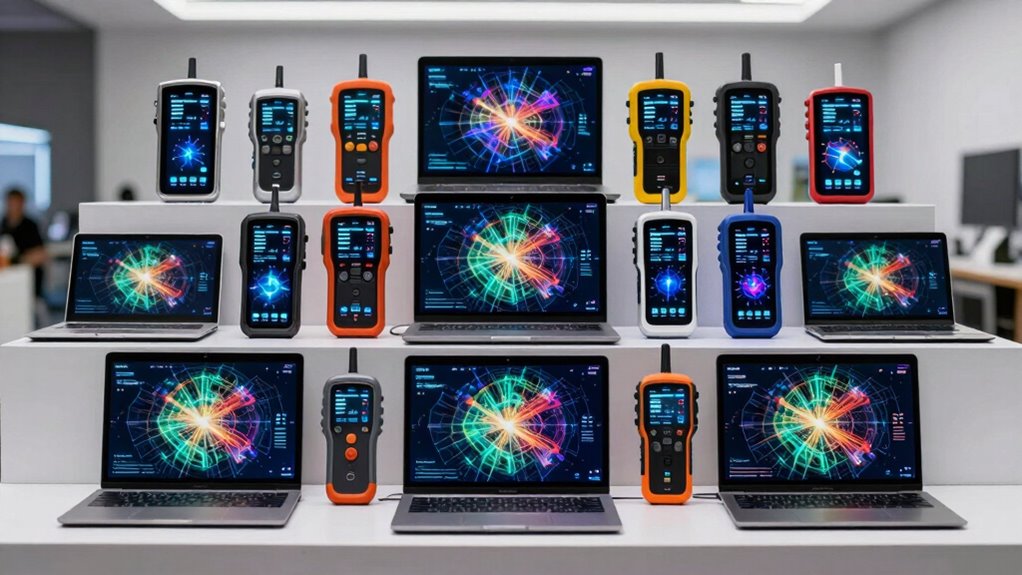

A scan tool with topology mapping can show how vehicle modules connect, helping narrow down communication faults faster than a list of trouble codes. My best overall pick is the XTOOL D9S Topology Mapping OBD2 Scanner for its combination of mapping, wireless diagnostics, coding, and bidirectional functions. The TOPDON ONE stands out for its large touchscreen, while the Launch X431 PRO5 suits buyers who need J2534 programming capabilities. The main tradeoffs are coverage depth, access to advanced functions, update terms, and the time needed to learn a professional tablet. Read on for the full breakdown and help matching a tool to your vehicles and work.

Get business pricing on garage and car supplies
- Business-only prices and quantity discounts
- Tax-exempt purchasing
- Multiple users, one account, clear invoices
Complete the kit


Key Takeaways
- Topology mapping is not the same across the lineup: several XTOOL and VDIAGTOOL models call it out directly, but buyers should check supported makes and the specific mapping functions before purchase.
- The XTOOL D9S is the strongest all-around fit: its stated mix of topology mapping, wireless diagnostics, coding, and bidirectional control serves more repair tasks than a basic code reader.
- Large tablets favor workshop use: the TOPDON ONE and 10.1-inch Launch X431 PRO3 V+ Elite prioritize screen space and broad workflows, at the cost of being less compact than handheld-style options.
- Programming capability changes the buying decision: the Launch X431 PRO5, TOPDON Phoenix XLink, and TOPDON ONE Plus target advanced work, but programming support depends on vehicle coverage, software access, and setup.
- Two similarly named XTOOL entries need careful comparison: the D8S appears twice and the D9S appears twice, so buyers should verify exact model version, included accessories, and feature bundle rather than relying on the product name alone.
| TOPDON ONE Bidirectional Automotive Diagnostic Scan Tool with 10.1-Inch Touchscreen |  | Best for Repair-Guided Topology Work | Screen: 10.1-inch touchscreen | Weight: 3.5 pounds | Protocols: J2534, CAN-FD, DoIP | VIEW ON AMAZON | See Our Full Breakdown |
| XTOOL IP919 Pro V2.0 ECU Programming and Diagnostic Scan Tool |  | Best for High-Spec Programming Workflows | Operating system: Android 10 | Display: 10.1-inch touchscreen, 1920 × 1200 | Processor: 8-core | VIEW ON AMAZON | See Our Full Breakdown |
| XTOOL D8W Wireless Bidirectional OBD2 Diagnostic Scanner |  | Best for Wireless Active Testing | Connectivity: Built-in Wi-Fi | Wireless diagnostic range: 33–66 feet or farther | Storage: 64 GB | VIEW ON AMAZON | See Our Full Breakdown |
| XTOOL D8S Bidirectional Scan Tool, AI-Assisted OBD2 Scanner with ECU Coding and Topology Mapping |  | Best for Guided Troubleshooting | Display: 8-inch touchscreen | Operating system: Android 10 | Internal storage: 64 GB | VIEW ON AMAZON | See Our Full Breakdown |
| VDIAGTOOL VD80BT Bidirectional Scan Tool, OBD2 Scanner, Topology Mapping |  | Best Value for Wireless Topology Diagnostics | Operating system: Android 10 | Screen: 8-inch touchscreen, 1280 × 800 | Wireless control range: 33–66 feet | VIEW ON AMAZON | See Our Full Breakdown |
| TOPDON ONE Plus OBD2 Scanner, Diagnostic Tool with ECU Programming & Coding |  | Best for Guided Professional Diagnostics | Display: 10.1-inch touchscreen, 1280 × 800 | Topology mapping: OE-style module map with color-coded statuses and DTC numbers | ECU programming: Supported for specified BMW and VW systems | VIEW ON AMAZON | See Our Full Breakdown |
| Launch X431 PRO5 J2534 ECU Scanner and All-System Diagnostic Tool |  | Best for Broad Shop Coverage | Supported vehicle brands: 200+ US, European, and Asian brands | Display: 10 inches | Operating system: Android 9.0 | VIEW ON AMAZON | See Our Full Breakdown |
| TOPDON Phoenix XLink Scan Tool, ECU Programming, Online ECU Coding, Bi-Directional Scanner, CAN FD/DoIP, 2 Years Free Updates |  | Best for Stationary Workshop Use | Display: 10.1-inch screen | Memory: 128GB | Battery capacity: 12,600mAh | VIEW ON AMAZON | See Our Full Breakdown |
| XTOOL D9S Topology Mapping OBD2 Scanner, Wireless ECU Coding & Bidirectional Diagnostic Tool |  | Best Wireless Topology-Mapping Pick | Connectivity: Wireless | Supported brands: 150+ | Service functions: 45+ | VIEW ON AMAZON | See Our Full Breakdown |
| Launch X431 PRO3 V+ Elite 2026 SmartlinkC 2.0 Bidirectional Scan Tool with J2534 Port, HD Truck Support, 10.1-inch Screen |  | Best for HD Truck and Mixed-Fleet Diagnostics | Display: 10.1-inch Gorilla screen, 1280 × 800 | Operating system: Android 10.0 | Processor: 4-core, 2.0GHz | VIEW ON AMAZON | See Our Full Breakdown |
| XTOOL D8S Bidirectional OBD2 Scanner with Topology Mapping |  | Best Value for a Wired Topology Scanner | Screen: 8-inch touchscreen | Connection: Wired | Active tests: 50+ to 4,000+ as stated | VIEW ON AMAZON | See Our Full Breakdown |
| XTOOL D9S ECU Coding Bidirectional Scan Tool with Topology Map and PMI |  | Best for Wireless Coding and Programming Work | Connectivity: Wi-Fi | Storage: 4GB RAM + 128GB SSD | Battery: 7.4V, 6,400mAh | VIEW ON AMAZON | See Our Full Breakdown |
| GEARWRENCH 7″ Wireless Bi-Directional Diagnostic Scanner Tablet with Software Updates |  | Best for Straightforward Wireless Shop Diagnostics | Screen: 7 inches | Power source: Battery powered | Operating system: Android 10.0 | VIEW ON AMAZON | See Our Full Breakdown |
| MUCAR 892BT PRO OBD2 Scanner with Topology Mapping and AI Diagnostics |  | Best for Pass-Through and Protocol Flexibility | Model: 892BT PRO | Product type: Bidirectional OBD2 diagnostic scanner | Active tests: 3,000+ | VIEW ON AMAZON | See Our Full Breakdown |
| scan tool with topology mapping | Protocols | Software updates |
|---|---|---|
| TOPDON ONE Bidirectional Autom | J2534, CAN-FD, DoIP | — |
| XTOOL IP919 Pro V2.0 ECU Progr | CAN FD, DoIP | — |
| XTOOL D8W Wireless Bidirection | FCA AutoAuth, CAN FD, DoIP | — |
| XTOOL D8S Bidirectional Scan T | — | — |
| VDIAGTOOL VD80BT Bidirectional | CAN FD, DoIP, FCA AutoAuth | Three years free |
| TOPDON ONE Plus OBD2 Scanner | J2534 Pass-Thru, DoIP, CAN FD | 2 years free updates |
| Launch X431 PRO5 J2534 ECU Sca | CAN FD, DoIP, J2534 Pass-Thru | — |
| TOPDON Phoenix XLink Scan Tool | CAN FD, DoIP | 2 years free updates |
| XTOOL D9S Topology Mapping OBD | — | 3 years |
| Launch X431 PRO3 V+ Elite 2026 | J2534, CAN FD, DoIP, D-PDU | — |
| XTOOL D8S Bidirectional OBD2 S | — | — |
| XTOOL D9S ECU Coding Bidirecti | DoIP and CAN FD | 3 years free |
| GEARWRENCH 7" Wireless Bi-Dire | — | 4 years free |
| MUCAR 892BT PRO OBD2 Scanner w | CAN FD and DoIP | Lifetime free upgrades; no subscription or renewal fees |
More Details on Our Top Picks
TOPDON ONE Bidirectional Automotive Diagnostic Scan Tool with 10.1-Inch Touchscreen
The TOPDON ONE pairs topology mapping with repair guidance and wiring diagrams, giving technicians more context than a module-and-code overview alone. Its 10.1-inch display also offers more room for maps and diagnostic information than the 8-inch screens on the XTOOL D8S and VDIAGTOOL VD80BT. More than 50 service functions, bidirectional controls, and ECU coding for supported vehicles make it a broad shop tool, while J2534, CAN-FD, and DoIP support add flexibility across newer vehicle systems.
The tradeoff is that the most advanced functions are vehicle-dependent, and software updates or some features require an active subscription. Unlike the VDIAGTOOL VD80BT, whose listing specifies three years of free updates, the TOPDON description does not promise a comparable update period. I’d choose it for its guided information and large screen, but not if predictable ongoing software access is the deciding factor.
Pros:- Topology mapping is paired with repair guidance and wiring diagrams.
- Large 10.1-inch touchscreen gives maps and diagnostic data more viewing space.
- Supports bidirectional diagnostics and more than 50 service functions.
- J2534 pass-thru, CAN-FD, and DoIP broaden protocol coverage.
Cons:- ECU coding and advanced functions depend on supported makes and models.
- Software updates and some features require an active subscription.
Best for: Independent repair technicians who want topology maps alongside wiring diagrams and guided VW/Audi functions.
Not ideal for: Buyers who need a clearly stated multi-year update plan or expect ECU coding to work across every vehicle they service.
- Screen:10.1-inch touchscreen
- Weight:3.5 pounds
- Protocols:J2534, CAN-FD, DoIP
- Service functions:More than 50
- Topology mapping:Supported
- ECU coding:Available for supported brands and models
- Guided functions:Available for supported Volkswagen and Audi vehicles
- Connectivity:Dual Wi-Fi
Our verdict“Choose the TOPDON ONE if repair guidance and a large topology-map display matter more than a guaranteed update period.”
XTOOL IP919 Pro V2.0 ECU Programming and Diagnostic Scan Tool
The XTOOL IP919 Pro V2.0 stands out for pairing topology mapping and bidirectional control with ECU coding and programming. Its 10.1-inch, 1920 × 1200 display gives fault maps and reports sharper screen space than the XTOOL D8S’s 8-inch panel, while 8 GB of RAM and 128 GB of storage make this the strongest hardware package among these five. Pre- and post-scan reports can also help shops document a repair rather than relying on a fault-code list alone.
More than 51 service functions and CAN FD, DoIP, and FCA AutoAuth support broaden its use, but compatibility still depends on the vehicle. FCA AutoAuth requires separate account registration and a subscription. Compared with the XTOOL D8W, this model emphasizes newer, higher-capacity hardware and programming features; it is less compelling for buyers who mainly want wireless active tests and don’t need that extra computing headroom.
Pros:- Topology mapping and pre- and post-scan reports support a documented diagnostic workflow.
- High-resolution 10.1-inch display with 8 GB RAM and 128 GB storage.
- Combines bidirectional controls, ECU coding and programming, and more than 51 service functions.
- Supports CAN FD, DoIP, and FCA AutoAuth for compatible vehicles.
Cons:- Supported functions vary by vehicle model and configuration.
- FCA AutoAuth requires separate account registration and subscription.
Best for: Busy independent shops and experienced technicians who want topology mapping, scan reports, and ECU programming on a high-capacity tablet.
Not ideal for: DIY owners seeking a straightforward code reader or users who need FCA AutoAuth without separate registration and subscription.
- Operating system:Android 10
- Display:10.1-inch touchscreen, 1920 × 1200
- Processor:8-core
- Memory:8 GB RAM
- Storage:128 GB
- Battery:6400 mAh, 7.2 V
- Protocols:CAN FD, DoIP
- Functions:Topology mapping, bidirectional control, ECU coding and programming, and more than 51 service functions
- FCA support:AutoAuth for compatible vehicles; separate account registration and subscription required
Our verdict“Pick the IP919 Pro V2.0 for a high-capacity programming tablet that puts topology mapping into a broader shop workflow.”
XTOOL D8W Wireless Bidirectional OBD2 Diagnostic Scanner
The XTOOL D8W makes the most sense when a topology map is one part of hands-on troubleshooting. Its wireless connection, color module map, and more than 4,000 active tests let a technician move between the tablet and the vehicle while checking components. That gives it a different emphasis from the TOPDON ONE, which offers a larger 10.1-inch screen and repair guidance but does not list a comparable active-test count. The D8W also includes pre- and post-repair scans, useful when tracking which modules still report faults.
It supports more than 42 service functions and ECU coding or configuration on selected vehicles, with PMI for compatible Ford, Lincoln, and Mazda models. The main limits are 12V-only vehicle support and make-, model-, and VIN-dependent special functions. FCA AutoAuth also calls for separate account registration. I’d favor it over the D8S when wireless working distance matters, but skip it for heavy-duty 24V trucks.
Pros:- Color topology mapping displays modules, faults, and communication status.
- Wireless connection supports active testing away from the driver’s seat.
- More than 4,000 active tests and over 42 service functions.
- Includes pre- and post-scans, with PMI for compatible Ford, Lincoln, and Mazda models.
Cons:- Not compatible with 24V trucks.
- Special functions and ECU coding vary by vehicle and VIN.
- FCA AutoAuth requires separate account registration.
Best for: Technicians working on 12V cars who want wireless access to active tests and a visual map of communicating modules.
Not ideal for: Heavy-duty truck operators with 24V vehicles or buyers who need every special function to be available across their fleet.
- Connectivity:Built-in Wi-Fi
- Wireless diagnostic range:33–66 feet or farther
- Storage:64 GB
- Active tests:More than 4,000
- Service functions:More than 42
- Vehicle coverage:88+ brands, 140+ models, and 10,000+ vehicles
- Supported voltage:12V
- Protocols:FCA AutoAuth, CAN FD, DoIP
- Special functions:Topology mapping, all-system diagnosis, ECU coding, PMI, pre- and post-scans
Our verdict“Choose the D8W if wireless active testing and module-level topology views matter more than 24V coverage or a larger screen.”
XTOOL D8S Bidirectional Scan Tool, AI-Assisted OBD2 Scanner with ECU Coding and Topology Mapping
The XTOOL D8S is the pick for buyers who want topology mapping with fault-analysis support rather than the largest screen or the most detailed hardware specification. AI-assisted fault analysis and repair guidance can help an experienced DIYer or technician form a next diagnostic step after seeing which modules and codes are involved. It also offers full-system diagnostics, bidirectional controls, more than 4,000 active tests, and 42+ reset services, giving it a wider service toolkit than a basic topology-focused scanner.
Compared with the XTOOL D8W, the D8S listing highlights AI assistance and dual-band Wi-Fi, while the D8W specifies wireless range and broad model counts more clearly. The D8S’s 8-inch screen is smaller than the 10.1-inch TOPDON ONE and XTOOL IP919 Pro V2.0, and advanced functions require vehicle compatibility checks. New users may also need time to learn its deeper features.
Pros:- Combines topology mapping with AI-assisted fault analysis and repair guidance.
- Full-system diagnostics and bidirectional controls support active troubleshooting.
- More than 4,000 active tests and 42+ reset services.
- Supports ECU coding for specified Audi, Volkswagen, and Skoda vehicles, plus PMI for compatible Ford, Lincoln, and Mazda models.
Cons:- The 8-inch screen is smaller than the 10.1-inch displays on the TOPDON ONE and IP919 Pro V2.0.
- Reset and coding compatibility varies by vehicle, and some functions require VIN confirmation.
- Advanced features may have a learning curve for newer users.
Best for: Experienced DIYers and independent technicians who want topology mapping plus assisted fault analysis and a broad set of service resets.
Not ideal for: Buyers who prioritize a large display, need clearly specified fleet coverage, or want a simple tool with little setup or learning.
- Display:8-inch touchscreen
- Operating system:Android 10
- Internal storage:64 GB
- Processor:Quad-core, 1.8 GHz
- Battery:5000 mAh
- Wi-Fi:Dual-band 2.4 GHz and 5 GHz
- Active tests:More than 4,000
- Reset services:42+
- Supported coding and PMI:ECU coding for Audi, VW, and Skoda; PMI for compatible Ford, Lincoln, and Mazda
Our verdict“Choose the D8S if you want a topology map paired with assisted fault analysis and can accept a smaller screen and vehicle-specific feature limits.”
VDIAGTOOL VD80BT Bidirectional Scan Tool, OBD2 Scanner, Topology Mapping
The VDIAGTOOL VD80BT puts wireless active testing and topology mapping at the center of its offer. Its color map shows module communication status and fault codes together, which can make a multi-module electrical fault easier to trace than scanning each module in sequence. The 33–66-foot wireless control range and more than 4,000 active tests also put it in the same practical workflow category as the XTOOL D8W. Compared with the D8W, the VD80BT lists three years of free software updates and more than 100 special functions, but its screen is 8 inches rather than the D8W’s larger unspecified tablet display.
It adds AI code assistance, ECU coding, and PMI for compatible vehicles, plus CAN FD, DoIP, and FCA AutoAuth support. Those functions remain vehicle- and module-specific, so broad brand claims are not a guarantee that every feature applies to a particular car. I’d shortlist it for wireless diagnostics and a stated update period, but confirm VIN-level coverage before relying on coding or special services.
Pros:- Topology map displays ECU communication status and fault codes together.
- Wireless control range is listed at 33–66 feet, with more than 4,000 active tests.
- Includes 41+ reset services and more than 100 special functions.
- Lists three years of free software updates and supports CAN FD and DoIP.
Cons:- Coding, PMI, and special functions depend on vehicle, year, make, model, and module.
- At 8 inches, the screen is smaller than the 10.1-inch displays on the TOPDON ONE and XTOOL IP919 Pro V2.0.
- FCA AutoAuth requires separate account registration.
Best for: DIYers and independent technicians who want wireless active tests, visual module status, and a stated three-year software update period.
Not ideal for: Buyers who need guaranteed coding or reset coverage across a mixed fleet without checking compatibility by VIN.
- Operating system:Android 10
- Screen:8-inch touchscreen, 1280 × 800
- Wireless control range:33–66 feet
- Active tests:More than 4,000
- Reset services:41+
- Special functions:More than 100
- Vehicle coverage:150+ brands and 10,000+ models of 1996-and-newer US vehicles
- Protocols:CAN FD, DoIP, FCA AutoAuth
- Software updates:Three years free
Our verdict“Choose the VD80BT for wireless topology diagnostics and an explicitly stated update period, provided its vehicle-specific functions fit your cars.”
TOPDON ONE Plus OBD2 Scanner, Diagnostic Tool with ECU Programming & Coding
The TOPDON ONE Plus pairs OE-style topology mapping with ECU programming, coding across 13 brands, and more than 50 reset services. Its color-coded module map is the central advantage: technicians can see system status and fault codes together instead of treating each module as a separate scan result. Compared with the Launch X431 PRO5, this model adds TopFix AI repair guidance and VAG step-by-step procedures, which can help when the issue is diagnosed but the repair path is less familiar. It also supports J2534, DoIP, CAN FD, and several security gateways. The tradeoff is that programming and coding coverage is vehicle-dependent, and the 14.97-pound listed weight makes it less appealing for technicians who want a light, frequently carried tablet. It suits shops that will use its guidance and advanced functions regularly.
Pros:- OE-style topology map displays module status and DTCs together
- TopFix AI and VAG guided procedures add repair-direction support
- ECU programming for specified BMW and VW systems, plus coding for 13 brands
- Supports J2534, DoIP, CAN FD, and listed security gateways
Cons:- Advanced coding and topology functions vary by vehicle make, model, and year
- Programming coverage is limited to specified systems and vehicle applications
- Listed 14.97-pound weight may be cumbersome for frequent portable use
Best for: Independent repair shops that want topology mapping, guided VAG procedures, and programming or coding capabilities in one diagnostic platform.
Not ideal for: Casual DIY owners or mobile technicians prioritizing a lightweight scan tool; its advanced functions may go unused, and the listed weight is substantial.
- Display:10.1-inch touchscreen, 1280 × 800
- Topology mapping:OE-style module map with color-coded statuses and DTC numbers
- ECU programming:Supported for specified BMW and VW systems
- ECU coding:Supports 13 major brands; availability varies
- Protocols:J2534 Pass-Thru, DoIP, CAN FD
- Reset services:More than 50
- Software updates:2 years free updates
- Listed weight:14.97 pounds
Our verdict“Choose the ONE Plus if you want topology mapping backed by guided repair help and shop-level programming, and skip it if you need a simple, lightweight code reader.”
Launch X431 PRO5 J2534 ECU Scanner and All-System Diagnostic Tool
The Launch X431 PRO5 is a strong fit for shops that need topology mapping alongside broad vehicle coverage and advanced communication support. Its 10-inch tablet supports diagnostics, ECU programming and coding, bidirectional control, and more than 60 service functions; the topology view gives technicians a system-level way to locate faults rather than relying only on individual code lists. Compared with the TOPDON ONE Plus, the PRO5 emphasizes coverage across more than 200 listed brands and broad module control, while the TOPDON adds named AI repair guidance and VAG procedures. The PRO5’s hardware includes 4GB RAM, 64GB storage, and a 7,000mAh battery. Its limitations matter: some features require VIN verification, vehicle support varies, and certain functions may call for additional software or hardware. I would shortlist it for a mixed-vehicle workshop, not a buyer seeking a straightforward home scanner.
Pros:- Listed coverage spans more than 200 US, European, and Asian brands
- Combines topology mapping with ECU programming, coding, and bidirectional control
- J2534, CAN FD, and DoIP support suit advanced diagnostic workflows
- 10-inch display and 64GB storage provide room for shop use and diagnostic data
Cons:- Some advanced features require VIN verification
- Vehicle-specific function coverage can vary
- Some capabilities may require additional paid software or hardware
Best for: Multi-brand repair shops and experienced technicians who need topology mapping, bidirectional tests, and programming functions across a wide range of vehicles.
Not ideal for: DIY owners who mainly read and clear codes, or buyers unwilling to check VIN-specific compatibility and possible extra software or hardware needs.
- Supported vehicle brands:200+ US, European, and Asian brands
- Display:10 inches
- Operating system:Android 9.0
- Processor:8-core, 1.8GHz
- Memory and storage:4GB RAM, 64GB storage
- Battery:7,000mAh
- Protocols:CAN FD, DoIP, J2534 Pass-Thru
- Updates and backup:2 years of updates; 5 years of backup
Our verdict“Pick the PRO5 for broad multi-brand shop work that uses topology mapping and bidirectional diagnostics, but verify vehicle functions and add-on requirements first.”
TOPDON Phoenix XLink Scan Tool, ECU Programming, Online ECU Coding, Bi-Directional Scanner, CAN FD/DoIP, 2 Years Free Updates
The TOPDON Phoenix XLink is aimed at professional users who want ECU programming and online coding in a tablet-based diagnostic setup. For a topology-mapping roundup, its appeal is strongest when the shop values full-system diagnostics and service work alongside the map, rather than choosing a tool mainly for wireless convenience. The 10.1-inch screen and 128GB memory give it room for a substantial diagnostic workload, while CAN FD and DoIP support serve newer vehicle networks. Compared with the wireless XTOOL D9S, the XLink is the less mobile choice: its listed connection is wired only, so moving around a vehicle or bay can be more restrictive. The product information also lists thermal imaging, battery testing, and 41-plus maintenance functions, but complex diagnostics call for technical knowledge. I would favor it for a set workshop station, not technicians who need to move freely between vehicles.
Pros:- Supports ECU programming and online coding
- 10.1-inch display and 128GB memory suit sustained diagnostic work
- CAN FD and DoIP support newer vehicle communication networks
- Lists 41+ maintenance functions, thermal imaging, and battery testing
Cons:- Wired-only connectivity restricts movement compared with wireless tools such as the XTOOL D9S
- Complex diagnostic and programming functions require technical knowledge
- Topology mapping details and vehicle-specific availability are not specified in the supplied product information
Best for: Professional workshops that prioritize ECU programming, online coding, and a large-screen diagnostic workstation over wireless movement around the vehicle.
Not ideal for: Mobile technicians or DIY users who want a cable-free workflow; the wired-only connection limits freedom, and advanced functions assume diagnostic familiarity.
- Display:10.1-inch screen
- Memory:128GB
- Battery capacity:12,600mAh
- Connectivity:Wired only
- Protocols:CAN FD, DoIP
- Maintenance functions:41+
- Connectors:19
- Software updates:2 years free updates
Our verdict“Choose the Phoenix XLink for a well-equipped, mostly stationary professional workflow, but favor a wireless scanner if mobility is central to your topology-mapping work.”
XTOOL D9S Topology Mapping OBD2 Scanner, Wireless ECU Coding & Bidirectional Diagnostic Tool
The XTOOL D9S makes the most sense when wireless operation is a priority alongside topology mapping. Its combination of full-system diagnostics, bidirectional control, ECU coding, and AI-assisted fault analysis gives technicians several ways to investigate a problem after the module map points toward a system. Compared with the wired TOPDON Phoenix XLink, the D9S is better suited to moving around a vehicle during checks; the XLink instead lists a larger 128GB memory capacity and professional programming features. The D9S also lists support for more than 150 brands, 45-plus services, offline coding, and three years of updates. Those capabilities do not remove the need to confirm vehicle coverage: functions vary by vehicle, and AI assistance needs an internet connection. Its advanced coding and bidirectional features are also a poor match for buyers who only want basic code reading.
Pros:- Wireless connectivity supports movement around the vehicle during diagnosis
- Combines topology mapping with full-system scans and bidirectional control
- Offline coding and AI-assisted fault analysis add diagnostic flexibility
- Lists 150+ brands, 45+ services, and three years of updates
Cons:- Vehicle compatibility and feature availability vary, so fit should be checked before purchase
- AI features require an active internet connection
- Advanced coding and bidirectional functions can exceed the needs of occasional DIY users
Best for: Technicians and capable DIYers who want wireless access to topology mapping, full-system scans, and bidirectional tests across a broad vehicle mix.
Not ideal for: Basic-code-reading buyers or users who need AI analysis without internet access; advanced coding still requires compatibility checks and diagnostic skill.
- Connectivity:Wireless
- Supported brands:150+
- Service functions:45+
- Live data PIDs:8
- Coding:Offline coding supported
- Diagnostics:Full-system diagnostics and bidirectional control
- AI assistance:Supported; internet connection required
- Software updates:3 years
Our verdict“Choose the D9S if wireless topology mapping and active testing are priorities, but confirm coverage and internet access for the features you plan to use.”
Launch X431 PRO3 V+ Elite 2026 SmartlinkC 2.0 Bidirectional Scan Tool with J2534 Port, HD Truck Support, 10.1-inch Screen
The Launch X431 PRO3 V+ Elite earns its place for buyers who need topology mapping across a mixed fleet that can include heavy-duty trucks. Its listed coverage spans more than 200 brands, and the tool combines a topology map with J2534, CAN FD, DoIP, D-PDU, bidirectional control, and more than 60 reset functions. The product also lists 3,000-plus active tests, giving a workshop options for checking how systems respond after the map helps narrow a fault. Compared with the Launch X431 PRO5, the PRO3 V+ Elite is the clearer choice when HD truck support and the stated five-year warranty matter; the PRO5 lists a newer eight-core processor and a longer backup period. The PRO3 V+ Elite still has a capable 10.1-inch screen, but its four-core processor and complex setup may be more than casual users need.
Pros:- Topology mapping is paired with listed coverage for more than 200 brands, including HD trucks
- J2534, CAN FD, DoIP, and D-PDU support advanced diagnostic workflows
- More than 60 reset functions and 3,000+ active tests provide broad service capability
- 10.1-inch Gorilla screen and a listed five-year warranty
Cons:- Complex setup can require technical knowledge
- Professional truck and programming features may be unnecessary for casual users
- Four-core processor is less powerful on paper than the Launch X431 PRO5’s eight-core hardware
Best for: Repair shops servicing both passenger vehicles and HD trucks that need topology mapping, active tests, and broad protocol support.
Not ideal for: Casual DIY users or passenger-car owners who do not need truck coverage, extensive active tests, or the setup work of a professional scan platform.
- Display:10.1-inch Gorilla screen, 1280 × 800
- Operating system:Android 10.0
- Processor:4-core, 2.0GHz
- Memory and storage:4GB RAM, 64GB ROM
- Battery:6,300mAh
- Protocols:J2534, CAN FD, DoIP, D-PDU
- Vehicle coverage:200+ brands, including HD trucks
- Functions:60+ reset functions and 3,000+ active tests
- Warranty:5 years
Our verdict“Choose the PRO3 V+ Elite if your shop needs topology mapping across passenger and HD vehicles; choose a simpler tool if truck coverage and extensive active testing are not part of your work.”
XTOOL D8S Bidirectional OBD2 Scanner with Topology Mapping
The XTOOL D8S makes the most sense for buyers who want topology mapping and active tests without stepping up to the more connected, higher-capacity XTOOL D9S. Its 8-inch touchscreen gives module maps, live-data graphs, and scan reports room to be readable, while full-system diagnostics and more than 42 maintenance functions cover common shop and advanced DIY work. Bidirectional tests can help verify a suspect component before replacement, and pre- and post-scan reports make it easier to document changes. The tradeoff is its wired connection, which limits where the tablet can sit during a job. ECU coding, PMI, and topology coverage also depend on the vehicle, so I would check compatibility before buying. AI fault suggestions are a reference, not a substitute for diagnosis.
Pros:- Topology mapping shows online and offline modules on supported vehicles.
- Bidirectional active tests help check components before replacement.
- More than 42 maintenance and calibration functions broaden its use beyond fault scans.
- Live-data graphing, CSV export, and pre- and post-scan reports support diagnosis and documentation.
Cons:- The wired connection restricts tablet placement during testing.
- Topology, coding, PMI, and other functions vary by vehicle, module, and brand.
- AI-assisted fault analysis provides suggestions that still require technician judgment.
Best for: DIY technicians and independent repairers who want a large-screen wired tool for module mapping, active tests, and regular service functions.
Not ideal for: Technicians who need wireless freedom or dependable coding and topology functions across a specific mixed-vehicle fleet without first checking compatibility.
- Screen:8-inch touchscreen
- Connection:Wired
- Active tests:50+ to 4,000+ as stated
- Maintenance functions:42+
- Vehicle coverage:150+ brands; 10,000 vehicles, model years 1996–2026 as stated
- Diagnostic features:Full-system diagnostics, topology mapping, AI-assisted diagnosis, live-data graphing
- ECU functions:ECU coding and PMI for select vehicles
- Languages:23
Our verdict“Choose the D8S if you want a large-screen, wired topology scanner with broad service coverage and can verify support for your vehicles.”
XTOOL D9S ECU Coding Bidirectional Scan Tool with Topology Map and PMI
For a shop that needs more than a visual module map, the XTOOL D9S pairs topology mapping with ECU coding, PMI, offline programming, and active tests. Its Wi-Fi connection and stated range of up to 66 feet give a technician more freedom around the vehicle than the wired XTOOL D8S. The 4GB RAM and 128GB SSD also provide room for software and diagnostic work, while DoIP and CAN FD support adds relevance for vehicles using those communication protocols. This is the more capable fit for programming-oriented work, but its feature breadth makes compatibility checks especially important: coding and other functions are not universal. Software downloads need an internet connection, too. Compared with the GEARWRENCH GWSMART07, the D9S is better geared to coding and programming than general wireless diagnostics.
Pros:- Combines topology mapping with ECU coding, PMI, offline programming, and active tests.
- Wi-Fi connectivity and a stated range of up to 66 feet allow more flexible positioning than the wired D8S.
- DoIP and CAN FD support address newer vehicle communication needs.
- Three years of free software updates are included.
Cons:- ECU coding and other advanced functions are not available across all makes and models.
- Software downloads require an internet connection.
- Its programming-focused feature set may be more than casual users need.
Best for: Independent shops and experienced enthusiasts who need wireless topology mapping alongside ECU coding, PMI, and programming functions on supported vehicles.
Not ideal for: Casual DIY owners who mainly want basic code reading, or buyers who cannot verify coding and programming support for their vehicle.
- Connectivity:Wi-Fi
- Storage:4GB RAM + 128GB SSD
- Battery:7.4V, 6,400mAh
- Coverage:10,000+ vehicle makes as stated
- Diagnostic functions:ECU coding, PMI, topology mapping, active tests, resets
- Protocols:DoIP and CAN FD
- Communication range:Up to 66 ft
- Software updates:3 years free
Our verdict“Pick the D9S if wireless access and programming-level functions matter more than keeping the workflow simple.”
GEARWRENCH 7″ Wireless Bi-Directional Diagnostic Scanner Tablet with Software Updates
The GEARWRENCH GWSMART07 is a practical choice for buyers who want topology mapping and bidirectional control in a wireless tablet, without the D9S’s stated emphasis on ECU coding and offline programming. Its 7-inch screen, Wi-Fi, full-system scans, and more than 38 reset functions suit routine diagnostic and service work; the built-in camera adds a handy tool for documenting jobs. The included update period and two-year warranty also make ownership support a clear part of the package. The tradeoff is that the supplied details do not spell out the same programming depth offered by the D9S or the MUCAR 892BT PRO’s J2534 pass-through support. It also runs Android 10.0, and buyers need some diagnostic familiarity to get useful results from its controls.
Pros:- Wireless Wi-Fi connectivity gives more freedom to position the tablet than the wired XTOOL D8S.
- Full-system scans, bidirectional control, and topology mapping support broader diagnosis than a basic code reader.
- More than 38 reset functions cover common service tasks.
- Includes a built-in camera, four years of free software updates, and a two-year warranty.
Cons:- The listed features do not establish the programming depth available on the XTOOL D9S or MUCAR 892BT PRO.
- Android 10.0 may limit future software compatibility.
- Its diagnostic controls may be less suitable for buyers without automotive troubleshooting experience.
Best for: Independent technicians and capable DIYers who want wireless full-system scans, topology mapping, bidirectional controls, and reset functions for routine service.
Not ideal for: Programming-focused shops seeking explicit ECU coding, offline programming, or J2534 pass-through capabilities, or casual owners seeking a simple code reader.
- Screen:7 inches
- Power source:Battery powered
- Operating system:Android 10.0
- Connectivity:Wi-Fi
- Diagnostic functions:Full-system scans, bidirectional control, topology mapping
- Reset functions:38+
- Software updates:4 years free
- Warranty:2 years
Our verdict“Choose the GEARWRENCH if wireless mapping and routine bidirectional diagnostics matter more than advanced programming functions.”
MUCAR 892BT PRO OBD2 Scanner with Topology Mapping and AI Diagnostics
The MUCAR 892BT PRO stands out for technicians who want topology mapping to sit alongside pass-through and reprogramming options, not just onboard diagnostics. Its support for J2534, CAN FD, and DoIP gives it a broader protocol and workflow focus than the GEARWRENCH GWSMART07, while 3,000+ active tests and more than 35 reset services support hands-on troubleshooting. Lifetime free upgrades are another point of difference from the XTOOL D9S, which specifies three years of free updates. The catch is that J2534 pass-through requires a PC driver and OEM diagnostic software, adding setup and software requirements beyond the scanner itself. ECU coding, topology coverage, and service functions also vary by vehicle, so I would check support for the intended models before relying on it.
Pros:- Topology mapping presents a visual view of control modules and diagnostic results.
- More than 3,000 active tests and 35+ reset services support varied diagnostic and maintenance work.
- J2534 pass-through, ECU coding, CAN FD, and DoIP expand its potential workshop uses.
- Lifetime free software upgrades are included.
Cons:- J2534 use requires a PC driver and OEM diagnostic software.
- Available functions and compatibility vary by make and model.
- Pass-through and coding workflows may be unnecessarily involved for routine DIY scanning.
Best for: Experienced independent technicians who need topology mapping, extensive active tests, and a J2534 pass-through option for supported vehicles.
Not ideal for: First-time DIY users who want a self-contained workflow, or buyers expecting every topology, coding, and reset function to work across all vehicles.
- Model:892BT PRO
- Product type:Bidirectional OBD2 diagnostic scanner
- Active tests:3,000+
- Reset services:35+
- Reset-service coverage:140 vehicle makes
- J2534 pass-through:Supported; requires PC driver and OEM diagnostic software
- Protocols:CAN FD and DoIP
- ECU coding:Supported; vehicle dependent
- Software updates:Lifetime free upgrades; no subscription or renewal fees
Our verdict“Pick the MUCAR 892BT PRO if you need a topology scanner with pass-through flexibility and are prepared to manage the required PC and OEM software setup.”
How We Picked
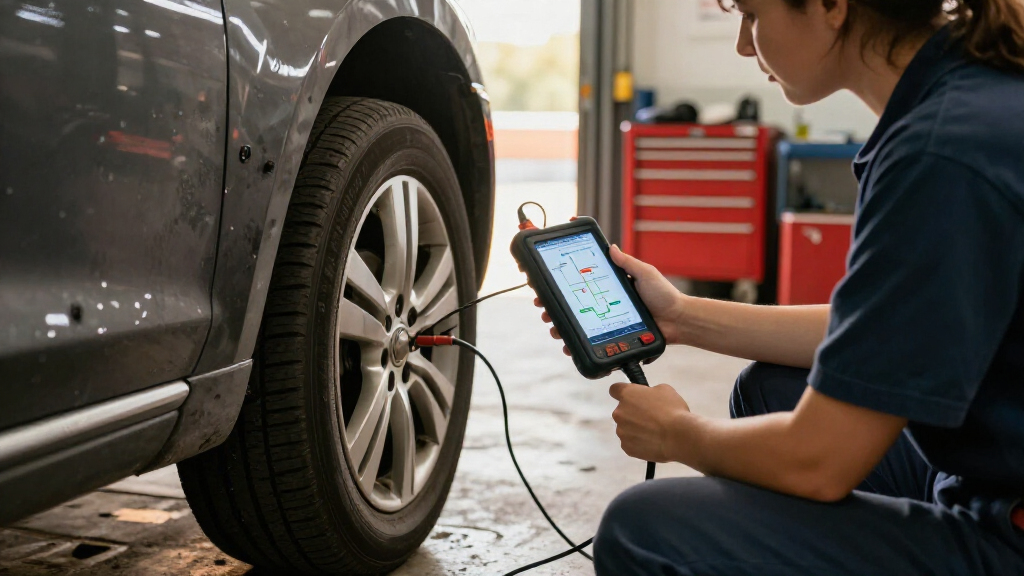
I ranked these tools around the value of topology mapping in real diagnostic workflows, not just the number of features listed. I weighed whether mapping is clearly identified, how it sits alongside all-system scanning and bidirectional tests, and whether a tool adds useful functions such as ECU coding, programming, wireless communication, or newer vehicle network support. Screen size, connection style, and likely learning demands also mattered because a capable tool can still be a poor fit if it slows down the buyer’s routine.
The highest-ranked options pair mapping or broad module diagnostics with functions that help confirm a fault, while specialist picks rank lower for buyers who do not need their narrower strengths. I also treated product naming and repeated model listings cautiously: the two D8S and two D9S entries may represent different bundles or versions, so I did not assume they are interchangeable. Before buying, confirm supported makes, functions, update terms, and any required subscriptions for the exact listing.
Factors to Consider When Choosing Scan Tool With Topology Mapping
Topology mapping can make a scan tool more useful, but the diagram alone does not determine whether it fits your work. I would compare the map’s coverage with your vehicle mix, then check how easily the tool can move from identifying a network issue to testing the affected module. These broader points help prevent paying for capabilities that are unavailable on your vehicles or difficult to use.
Check What the Map Actually Covers
“Topology mapping” can refer to different levels of module and network visualization, so do not assume every tool draws the same detail. Check whether the map applies to the makes and model years you service and whether it can show module communication status or only display a network layout. A tool that maps many modules on one brand may offer limited mapping on another. Ask whether the feature is available without extra software access or a paid service plan. A common mistake is treating the presence of the phrase in a listing as proof of universal coverage. Match the feature to a few vehicles you diagnose often before comparing the rest of the specification sheet.
Match Bidirectional Tests to Your Repair Work
Topology mapping helps locate where communication may be missing, while bidirectional controls can help test components and confirm behavior. They serve different purposes, so one does not replace the other. If your work often involves actuators, pumps, or electronic components, check which active tests are available for your vehicles. A long list of possible tests means little if the tool does not support the relevant make or system. Buyers focused on basic fault finding may not need the deepest control set. For a repair shop, the ability to move from a map to a useful test can matter more than a larger collection of general features.
Separate Diagnostics, Coding, and Programming
Scan tools often group advanced functions under terms such as coding, adaptation, programming, and ECU replacement, though these are not equivalent tasks. Coding may change configuration settings, while programming can involve writing software to a module and may require a stable power supply, credentials, or a network connection. Confirm exactly which operations are supported before buying for a planned repair. Vehicle restrictions can apply even when a tool advertises broad programming capability. A frequent mistake is paying for a J2534 interface or online coding features without checking whether the buyer’s workflow and manufacturer access support them. If advanced module work is occasional, a tool with strong diagnostics may be a better fit than one chosen mainly for a headline programming claim.
Plan Around Updates and Ongoing Access
Update periods and online services affect how useful a tool remains as vehicle coverage changes. Check how long included updates last, what happens after that period, and whether any functions depend on a subscription or account. Also look for clear information about update delivery, connection requirements, and support for newly added vehicle systems. A tool that receives updates but requires frequent online access may not suit a shop with unreliable connectivity. Do not compare update promises by duration alone; the scope of what is updated matters too. Confirm the terms for the exact model and seller listing before relying on advertised coverage.
Choose a Screen and Connection Style for Your Workspace
A larger tablet can make topology diagrams and multi-module reports easier to inspect, especially during long diagnostic sessions. It also takes up more space and may be less convenient to carry between vehicles. Wireless communication can reduce cable clutter, but it adds another connection point that needs to pair reliably and remain charged. A wired setup may feel simpler for a stationary bay or infrequent use. Consider where the tool will live, how often you move around the vehicle, and whether you need to read diagrams while working under the dash. Avoid choosing a screen size based only on the specification: the layout and legibility of the software matter just as much.
Verify Coverage Before Paying for Extra Capability
Vehicle coverage is the foundation of any advanced scanner, and broad claims do not guarantee access to every function on every model. Check the precise year, make, model, engine, and module you need, especially for coding, bidirectional tests, and topology maps. If you service several brands, prioritize verified coverage across your regular workload rather than rare functions for a vehicle you seldom see. Independent repairers may also need to check whether security access or manufacturer credentials are required. Keep a short list of must-have vehicles and tasks, then confirm each against the tool’s official coverage information. This step can prevent buying a capable device that cannot perform the one job that prompted the purchase.
Frequently Asked Questions
Does every scanner in this roundup provide topology mapping on every vehicle?
No. A product name or feature list that mentions topology mapping does not establish identical coverage across makes, models, and years. Map availability and the amount of detail can vary by vehicle, and some advanced functions may require updates or online access. Check the exact vehicle coverage information for the model you plan to buy. If one or two vehicles matter most, confirm those first rather than relying on broad compatibility language.
Should I choose the XTOOL D8S or the XTOOL D9S?
Start with the work you need the tool to do, then compare the exact version and bundle. The D9S listings emphasize topology mapping alongside wireless diagnostics, coding, or PMI, while the D8S listings pair mapping with bidirectional diagnostics and, in one listing, AI-assisted functions. The names appear more than once in this roundup, so included accessories and software bundles may differ. Check the manufacturer’s feature list and coverage for your vehicles before deciding. If you do not need the D9S’s additional capabilities, a D8S may be a more sensible fit.
Is a topology map useful if I only need to read and clear codes?
It can help, but it may be more capability than a basic code-reading routine needs. A map is most useful when diagnosing network communication problems or trying to understand which modules can and cannot communicate. If your needs are limited to occasional engine codes, a simpler scanner may be easier to use and maintain. Buyers who plan to diagnose intermittent faults or work across multiple vehicle systems are more likely to benefit. Consider how often you will use the map before choosing a professional tablet.
What should I verify before buying a tool advertised for ECU programming?
Confirm whether the listing means coding, module adaptation, programming, or some combination, because those terms describe different work. Check that the specific vehicle and module are supported, and find out whether programming requires an online account, manufacturer credentials, or a separate service. Ask what interface hardware is included and whether a stable external power supply is recommended or required. J2534 support alone does not guarantee access to every manufacturer’s software or procedure. The best check is compatibility with the exact repair you expect to perform.
Is wireless connectivity a better choice than a wired scan tool?
Wireless can make it easier to move around a vehicle and keep the tablet away from the diagnostic port, which is handy during active tests. It also adds pairing, battery, and connection reliability to the setup. A wired connection can be simpler for stationary diagnostics and avoids managing a separate wireless adapter’s charge. Your workspace and habits matter more than the label. If you work across several bays or need to observe components while commanding tests, wireless may be worthwhile; for occasional checks, a cable may be perfectly practical.
Conclusion
For most buyers seeking a scan tool with topology mapping, I would start with the XTOOL D9S because its stated combination of mapping, wireless diagnostics, coding, and bidirectional functions covers a broad range of work. For best value, compare the XTOOL D8S and VDIAGTOOL VD80BT against your vehicle coverage and the exact functions included; choose the one that handles your regular jobs without paying for programming features you will not use. The TOPDON ONE is my pick for buyers who want a large, easy-to-read tablet, while the Launch X431 PRO5 and TOPDON Phoenix XLink make more sense for advanced programming and shop workflows. Beginners should favor clear coverage, straightforward controls, and support over the longest feature list, making a simpler D8S or VD80BT configuration the more approachable starting point. For HD truck support, look closely at the Launch X431 PRO3 V+ Elite; for a compact wireless setup, compare the D8W and MUCAR 892BT PRO. Verify the exact model bundle, update terms, and vehicle compatibility before choosing.