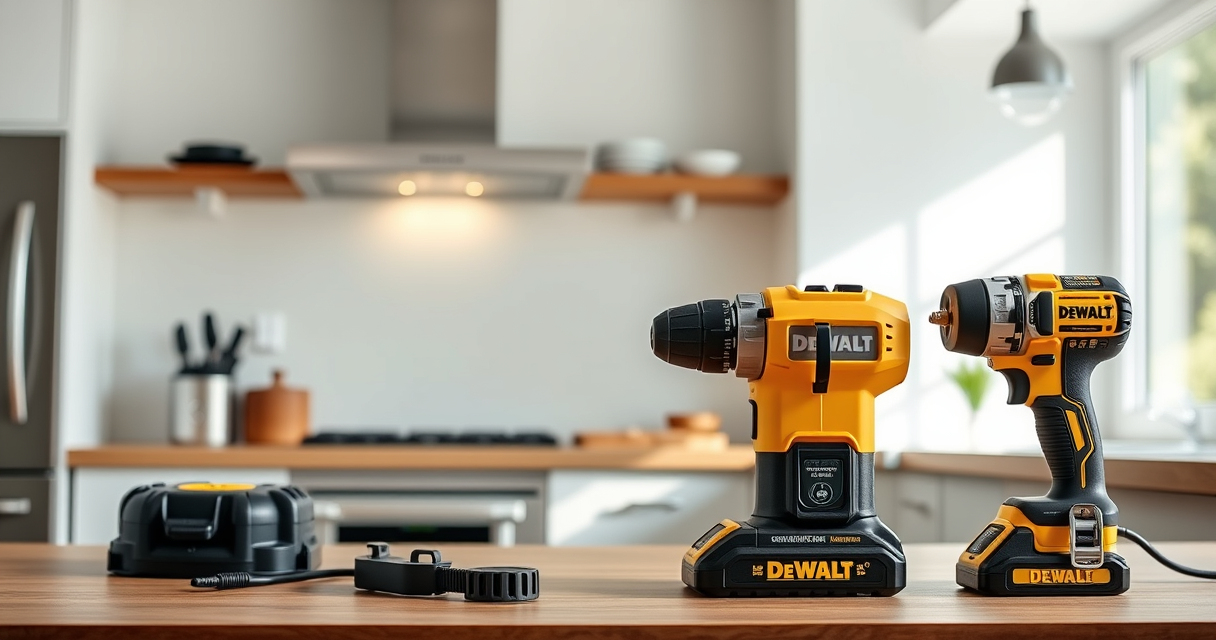

Getting your DEWALT power tools ready for use is essential for safety, efficiency, and achieving professional results. Whether you’re a DIY enthusiast or a seasoned professional, proper setup ensures your tools operate smoothly and safely. This guide walks you through the essential steps to set up your DEWALT 20V MAX Cordless Drill Driver Set and accessories, with practical tips and safety warnings.

Get business pricing on garage and car supplies
- Business-only prices and quantity discounts
- Tax-exempt purchasing
- Multiple users, one account, clear invoices
We’ll cover everything from unboxing and assembling your drill to installing batteries and accessories, along with helpful tips for troubleshooting common issues. Follow these steps carefully to maximize your tool’s performance and longevity.
Key Takeaways
| Ensure safety first | Always wear safety gear and disconnect power before setup. |
| Prepare your workspace | Clear area, organize tools and accessories for easy access. |
| Properly assemble the drill | Securely attach bits and check battery installation. |
| Test before use | Run the drill in a safe area to ensure proper operation. |
| Maintain your tools | Regularly clean and check for wear or damage. |
Unboxing and Initial Inspection
- Carefully open the packaging of your DEWALT 20V MAX Cordless Drill Driver Set and any included accessories.
- Inspect all components, including the drill, batteries, charger, and accessories, for damage or missing parts.
- Ensure the drill’s brushless motor and LED light are intact and functioning.
Performing an initial inspection helps prevent issues during use and confirms that you have all necessary parts before proceeding.
Charging and Installing the Battery
- Connect the included DEWALT 20V MAX Lithium-Ion battery (or compatible batteries) to the charger.
- Allow the battery to fully charge; LED indicators will show the charging status.
- Once charged, firmly insert the battery into the drill’s handle until it clicks into place.
Properly charged batteries ensure optimal performance, and secure attachment prevents accidental disconnection during work.
Assembling and Attaching Accessories
- Select the appropriate drill bit or screwdriver bit from your accessory set.
- Loosen the single-sleeve ratcheting chuck by rotating it counterclockwise.
- Insert the shank of your bit into the chuck, ensuring it seats fully.
- Hold the chuck and rotate it clockwise to tighten securely. Use the built-in torque adjustment if available for different tasks.
Ensure the bit is tightly secured to prevent slipping or accidents during operation.
Configuring the Drill for Use
- Turn the drill’s 2-speed transmission selector to your desired setting—low for heavy-duty tasks, high for precision work.
- Adjust the torque control ring for fastening or drilling, selecting the appropriate level for your task.
- Test the LED light by pressing the trigger; it should illuminate the workspace.
Familiarize yourself with the controls to optimize your workflow and maintain safety during use.
Testing and Troubleshooting
Before starting your project, run the drill in a safe area to verify it operates smoothly. If the drill does not turn on, check that the battery is fully charged and properly installed. For any irregular operation, review the accessory attachment, and ensure the battery contacts are clean and secure.
Regular maintenance, such as cleaning vents and checking for wear, prolongs the life of your DEWALT tools. Always refer to the user manual for specific troubleshooting tips.
Safety Tips and Warnings
- Always wear safety goggles and gloves when operating power tools.
- Keep the work area clean and free of obstacles.
- Avoid loose clothing or jewelry that can get caught in moving parts.
- Ensure the tool is turned off and unplugged or batteries removed before changing bits or performing maintenance.
- Use the correct accessories compatible with your drill to prevent damage or injury.
The Products in This Guide

DEWALT 20V MAX Cordless Drill Driver Set
- ✔ Dimensions: 7.6 inches long
- ✔ Weight: 3.4 lbs
- ✔ Includes: 2.0 Ah battery & charger

DEWALT Drill Bit Set
- ✔ Set Size: 14 pieces
- ✔ Tip Type: Split Point
- ✔ Coating: Rust-resistant
DEWALT 20V MAX Cordless Drill Driver Set
The DEWALT 20V MAX Cordless Drill Driver Set offers a blend of power, precision, and portability. Its brushless motor delivers longer run time, making it ideal for various tasks in tight spaces. The ergonomic design and LED lighting enhance usability, while the included 2.0 Ah battery ensures reliable performance.
Pros:
- Brushless motor for longer runtime
- Compact and lightweight design
- LED work light for visibility
- Two-speed transmission for versatility
Cons:
- Battery life may vary with heavy use
- Limited to 1/2 inch chuck capacity
- Requires compatible batteries and charger
Best for: General drilling, fastening, and DIY projects in tight spaces
Not ideal for: Heavy-duty industrial applications requiring higher torque
Bottom line: A reliable, versatile drill perfect for home and professional use.
DEWALT Drill Bit Set
The DEWALT Drill Bit Set with 14 pieces offers high-speed steel bits with a split point tip, ideal for plastic, wood, and metal. Its 135-degree split point reduces walking, making drilling more precise and efficient.
Pros:
- Durable high-speed steel
- Reduces walking during drilling
- Easy size identification
- Corrosion-resistant coating
Cons:
- Limited to drill bits, no accessories
- May wear out with heavy industrial use
- Requires compatible drill bits
Best for: DIY projects, hobbyist use, and light professional work
Not ideal for: Heavy-duty industrial drilling
Bottom line: A versatile drill bit set that enhances precision and durability.
Frequently Asked Questions
How do I charge the DEWALT batteries properly?
Connect the battery to the DEWALT charger and wait until the LED indicator shows full charge. Avoid overcharging to prolong battery life.
Can I use other batteries with my DEWALT drill?
Only DEWALT 20V MAX compatible batteries are recommended to ensure proper fit and performance.
What safety gear should I wear when setting up my drill?
Always wear safety goggles, gloves, and a dust mask if working in dusty environments to protect yourself from debris and accidental injury.
How do I replace or change the drill bit?
Loosen the chuck by rotating it counterclockwise, insert the new bit fully, then tighten the chuck securely by rotating clockwise.
What should I do if my drill isn’t turning on?
Check the battery’s charge level, ensure it is properly installed, and inspect the trigger switch for any damage or debris.
Power Up with Confidence: Your Setup Journey Starts Here
Setting up your DEWALT power tools correctly is crucial for safe and efficient operation. Following these step-by-step instructions helps ensure your tools are ready for any project, big or small. Remember to prioritize safety, use compatible accessories, and maintain your equipment regularly for optimal performance. With your DEWALT drill set properly configured, you’re all set to tackle your tasks with confidence and precision.
Affiliate disclosure: As an Amazon Associate we earn from qualifying purchases. Prices and availability are accurate as of the time of publishing.
Columbus Day / Indigenous Peoples' Day Picks
long weekend sales
As an affiliate, we earn on qualifying purchases.