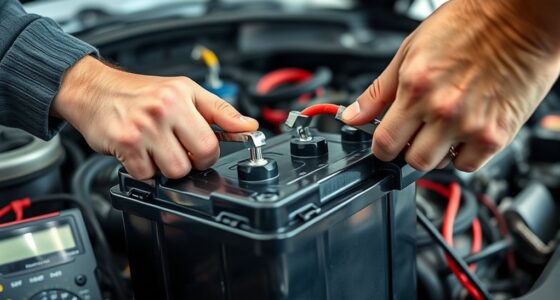
Keeping your DEWALT 20V MAX Cordless Drill Driver Set in top condition ensures reliable performance for all your tasks. Whether you’re experiencing issues or just want to prolong your tool’s lifespan, this comprehensive guide provides clear, safe, step-by-step instructions to troubleshoot common problems and maintain your drill effectively.

Get business pricing on garage and car supplies
- Business-only prices and quantity discounts
- Tax-exempt purchasing
- Multiple users, one account, clear invoices
From battery care to motor troubleshooting, you’ll learn how to diagnose issues and perform routine maintenance confidently, ensuring your DEWALT drill remains a dependable workhorse for years to come.
Key Takeaways
| Battery Health | Regularly check and maintain batteries for optimal runtime. |
| Cleaning & Storage | Keep the tool clean and store in a dry, safe place. |
| Motor & Chuck Care | Inspect and clean motor vents and chuck regularly. |
| Troubleshooting Common Issues | Identify and fix common operational problems safely. |
Initial Inspection and Safety Precautions
- Ensure the drill is unplugged or the battery is removed before inspection or maintenance.
- Wear safety gloves and eye protection when handling batteries or inspecting internal components.
- Check for visible damage, cracks, or corrosion on the battery, charger, and drill body.
Before starting any troubleshooting, perform a visual inspection. Look for signs of wear, damage, or debris that could affect operation. Always prioritize safety to avoid injury or further damage.
Battery Troubleshooting and Maintenance
- Verify the battery’s charge level using the LED indicator. If the indicator shows low or no charge, recharge fully using the DEWALT charger.
- If the battery does not hold a charge after charging, try another known-good battery to isolate the issue.
- Clean battery contacts with a dry cloth to ensure good connection.
- Store batteries in a cool, dry place and avoid leaving them in extreme temperatures.
For best performance, regularly check the battery’s health and replace it if it no longer provides consistent runtime. Using compatible DEWALT batteries, such as the 20V MAX 5 Ah Lithium-Ion Battery, enhances reliability.
Cleaning and General Care
- Use a soft, slightly damp cloth to clean the exterior of the drill. Avoid harsh chemicals or soaking the tool.
- Regularly clean the air vents on the motor to prevent overheating. Use compressed air if necessary.
- Lubricate the chuck periodically with a small amount of machine oil to keep it turning smoothly.
- Store the drill in a dry, secure area, preferably in a case or holder to prevent dust accumulation and damage.
Proper cleaning and storage extend the life of your drill and keep it operating at peak performance.
Troubleshooting Common Operational Issues
- Drill not turning on: Check the battery charge, ensure proper insertion, and test with a different battery if possible. Reset the switch by releasing and pressing again.
- Low or inconsistent power: Confirm the battery is fully charged, and clean the contacts. Replace the battery if it fails to hold a charge.
- Motor overheating: Allow the drill to cool down, clean vents, and avoid prolonged use under heavy load.
- Chuck slipping or not tightening: Tighten the chuck securely, and inspect for wear or damage. Replace if necessary.
Always consult the user manual for specific troubleshooting steps related to your model. If problems persist, professional repair may be required.
Routine Maintenance Tips
- Regularly charge the battery before storage to prevent deep discharge.
- Periodically inspect and replace worn-out accessories, such as drill bits and chucks.
- Lubricate moving parts, including the chuck, to maintain smooth operation.
- Update firmware or software if applicable, following manufacturer instructions.
Consistent maintenance ensures your DEWALT drill remains reliable and efficient for all your projects.
The Products in This Guide

DEWALT 20V MAX Cordless Drill Driver Set
- ✔ Dimensions: 7.6 inches
- ✔ Power: 340 UWO
- ✔ Included: Battery and charger

DEWALT Drill Bit Set
- ✔ Set Count: 14
- ✔ Tip Type: Split point
- ✔ Coating: Rust-resistant
DEWALT 20V MAX Cordless Drill Driver Set
The DEWALT 20V MAX Cordless Drill Driver Set combines power, durability, and user-friendly features. Its brushless motor delivers more run time, and the compact design makes it perfect for tight spaces. Regular maintenance and troubleshooting can keep this tool performing at its best for years.
Pros:
- Brushless motor for longer runtime
- Lightweight and ergonomic design
- LED work light for dim spaces
- Includes 2.0 Ah battery and charger
Cons:
- Battery life may decrease over time
- Chuck can loosen with heavy use
- Limited to 2-speed transmission
Best for: General-purpose drilling, fastening, and DIY projects
Not ideal for: Heavy-duty industrial drilling or prolonged use under extreme conditions
Bottom line: A versatile, lightweight drill ideal for most DIY and professional tasks.
DEWALT Drill Bit Set
Complement your DEWALT drill with this 14-piece drill bit set featuring durable High Speed Steel and a 135-degree split point tip. It’s perfect for a variety of materials and offers reliable performance.
Pros:
- High Speed Steel for durability
- 135-degree split point reduces walking
- Includes multiple sizes for versatility
- Tough coating prevents rust
Cons:
- Limited to drilling into softer materials
- Bits may wear faster under heavy use
- No carrying case included
Best for: Precision drilling in plastic, wood, and metal
Not ideal for: Heavy industrial drilling or for use with very hard materials
Bottom line: A reliable drill bit set for a variety of common materials.
Frequently Asked Questions
How often should I charge the batteries?
Charge your batteries before storage if not in use for extended periods, and avoid letting them fully discharge to prolong battery life.
What is the best way to clean my DEWALT drill?
Use a dry or slightly damp cloth to wipe the exterior. Clean air vents with compressed air and lubricate the chuck periodically.
Why does my drill stop working suddenly?
Check the battery charge level, ensure proper insertion, and inspect for overheating or debris blocking vents. Replace the battery if it no longer holds a charge.
Can I use other batteries with my DEWALT drill?
It is recommended to use DEWALT batteries compatible with your model to ensure safety and optimal performance.
How do I replace the chuck if it’s worn out?
Use a chuck key or consult a professional for replacement. Regularly tighten the chuck during use to prevent slipping.
Keeping Your DEWALT in Peak Condition
With proper troubleshooting and routine maintenance, your DEWALT 20V MAX Cordless Drill Driver Set can deliver reliable performance for years. Regularly check batteries, keep the tool clean, and address issues early to prevent costly repairs. Following these simple steps will ensure your tool stays powerful, efficient, and ready whenever you need it.
Affiliate disclosure: As an Amazon Associate we earn from qualifying purchases. Prices and availability are accurate as of the time of publishing.
Halloween Picks
halloween
As an affiliate, we earn on qualifying purchases.