
Maintaining your DEWALT power tools is crucial for safety, efficiency, and durability. Proper care can prevent unexpected breakdowns and extend the lifespan of your investment. In this guide, we’ll walk you through routine maintenance tasks, common troubleshooting steps, and tips to keep your tools in top shape.
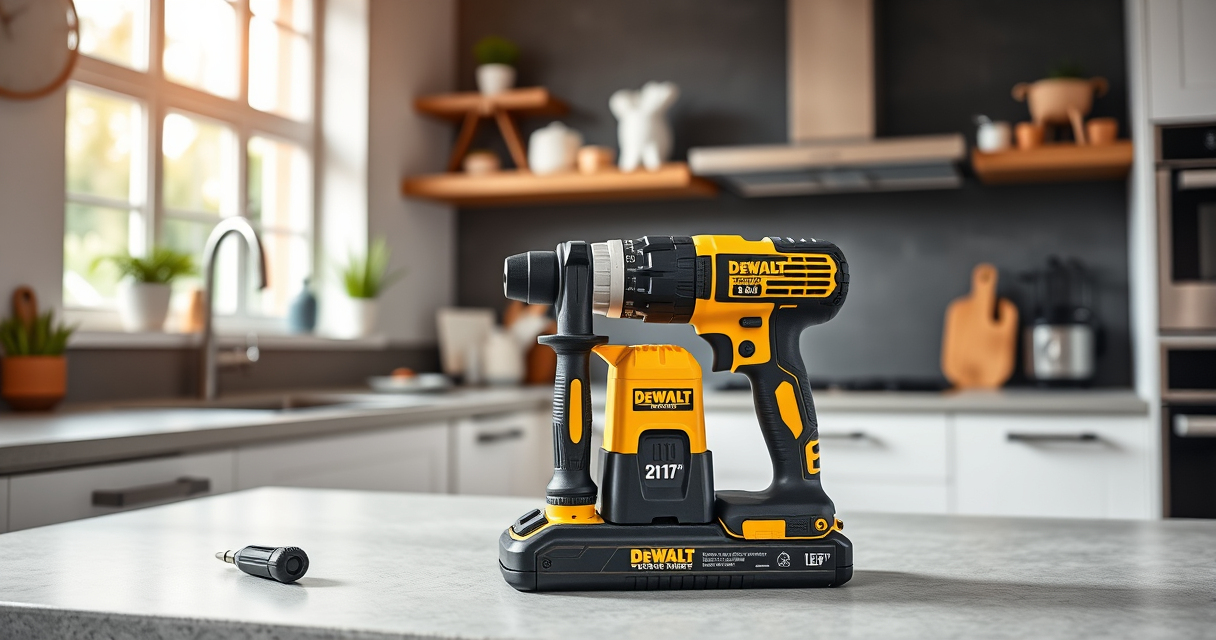
Whether you’re a DIY enthusiast or a professional, following these practical steps will help you get the most out of your DEWALT tools, starting with the popular DEWALT 20V MAX Cordless Drill and Impact Driver.
Key Takeaways
| Routine Cleaning | Regularly clean your tools to prevent dust and debris buildup. |
| Battery Care | Properly store and charge batteries to maximize lifespan. |
| Blade & Bit Maintenance | Sharpen or replace blades and bits for efficient performance. |
| Troubleshooting Power Issues | Identify common electrical or mechanical faults. |
| Safety Checks | Inspect cords, switches, and vents for damage before use. |

DEWALT 20V MAX Cordless Drill and Impact Driver, Power Drill Brushless 2-Tool Power Tool Combo Kit, Includes 2 Batteries, Charger and Bag (DCK277D2)
- Compact Design: 7.6-inch lightweight and slim fit
- Ergonomic Grip: Comfortable and balanced for control
- Bright LED Light: Illuminates dark or tight spaces
As an affiliate, we earn on qualifying purchases.
Cleaning Your DEWALT Power Tools
- Unplug the tool and remove any batteries.
- Use a dry brush or compressed air to remove dust and debris from vents, switches, and moving parts.
- Wipe the exterior with a damp cloth, avoiding water contact with electrical components.
- Allow the tool to dry completely before reassembling or storing.
Battery Maintenance and Storage
- Keep batteries clean and dry; wipe with a dry cloth as needed.
- Avoid storing batteries in extreme temperatures; ideal storage is cool and dry.
- Charge batteries before they fully deplete to prevent capacity loss.
- Remove batteries from tools if not in use for extended periods.
Inspecting and Replacing Bits and Blades
Regularly check bits and blades for dullness, chips, or damage. A dull or damaged bit can reduce efficiency and increase safety risks. Replace worn or broken bits promptly with high-quality DEWALT accessories for best results.
Troubleshooting Common Problems
- Tool doesn’t turn on: Check the battery charge level and ensure it’s properly inserted.
- Reduced power: Clean the ventilation areas and ensure the battery is fully charged.
- Overheating: Allow the tool to cool down; clean vents and check for any mechanical obstructions.
- Bits slipping in chuck: Tighten the quick-release hex chuck securely, or replace if worn.
Safety Tips During Maintenance
- Always disconnect power and remove batteries before cleaning or inspecting.
- Wear safety glasses to protect against dust and debris.
- Work in a well-ventilated area and avoid liquids near electrical parts.
- Follow manufacturer instructions for specific maintenance tasks.
The Products in This Guide

DEWALT 20V MAX Cordless Drill and Impact Driver
- ✔ Battery Included: Yes
- ✔ Charger Included: Yes
- ✔ Warranty: 3-year limited

DEWALT Drill Bit Set
- ✔ Coating: Rust-resistant
- ✔ Durability: High
- ✔ Compatibility: All standard drill chucks
DEWALT 20V MAX Cordless Drill and Impact Driver
The DEWALT 20V MAX Cordless Drill and Impact Driver combo kit offers a compact, lightweight design with an ergonomic grip, making it ideal for tight spaces and prolonged use. Its brushless motor ensures durability and efficiency, while the bright LED and variable speed trigger provide excellent control and visibility. Proper maintenance will keep this versatile tool performing at its best for years.
Pros:
- Compact and lightweight for easy handling
- Brushless motor for longer life and efficiency
- Bright LED for visibility in dark spaces
- Includes 2 batteries for extended work sessions
Cons:
- Battery life may vary with heavy use
- Requires regular cleaning to maintain optimal performance
Best for: DIY projects, home repairs, and professional use in tight spaces
Not ideal for: Heavy-duty industrial tasks requiring more power
Bottom line: A reliable, efficient cordless drill for diverse projects.
DEWALT Drill Bit Set
The DEWALT 14-piece drill bit set with 135-degree split point tips offers durability and precision for various materials. These bits are designed to prevent walking and resist breakage, making them an excellent addition to your maintenance toolkit.
Pros:
- High-speed steel construction
- Split point tips reduce walking
- Color-coded for easy size identification
- Suitable for plastic, wood, and metal
Cons:
- Bits may require sharpening over time
- Limited to certain sizes
Best for: General drilling tasks across multiple materials
Not ideal for: Heavy-duty industrial drilling
Bottom line: A versatile set that enhances your drilling precision.
Frequently Asked Questions
How often should I clean my DEWALT power tools?
It’s recommended to clean your tools after each use, especially if used in dusty or dirty environments, to prevent debris buildup.
Can I use any batteries with my DEWALT drill?
Only DEWALT 20V MAX Lithium Ion batteries are compatible with your drill, ensuring proper fit and performance.
What should I do if my drill overheats?
Turn off the drill immediately, allow it to cool down in a well-ventilated area, clean the vents, and check for mechanical obstructions before reuse.
How do I replace the chuck or bits?
Use the quick-release hex chuck to easily change bits. Ensure the tool is unplugged and batteries removed before replacing or adjusting parts.
Keep Your DEWALT Tools Performing at Their Best
Regular maintenance and troubleshooting are key to ensuring your DEWALT power tools remain reliable and safe over time. By following these practical steps, you can maximize performance, extend lifespan, and avoid costly repairs. Always prioritize safety and consult the user manual for specific instructions related to your model.
Affiliate disclosure: As an Amazon Associate we earn from qualifying purchases. Prices and availability are accurate as of the time of publishing.